Close & Clean
Close all tabs and windows and clean up Chrome in one single click
As of May 2026, Close & Clean has 10,000 users and a 4.28/5 rating from 36 reviews in the Workflow & Planning category.
Usersno change0%
10.0K
10,000
Ratingno change0%
4.28
36 reviews
Reviewsno change0%
36
Version
2.1.0.0
Manifest V3
History
1 snapshotsTracking since Apr 24, 2026.
View as table
| Date | Users | Rating | Reviews | Version |
|---|---|---|---|---|
| Apr 24, 2026 | 10.0K | 4.28 | 36 | 2.1.0.0 |
| Now | 10.0K | 4.28 | 36 | 2.1.0.0 |
Permissions & access
- Permissions
- browsingDatatabsstorage
- Host access
- None declared
Screenshots


About
Close & Clean is a convenient extension that instantly closes all your open tabs and windows while automatically cleaning your browsing data. With just one click on the toolbar button (or by pressing Ctrl+Shift+X on Windows/Linux or Cmd+Shift+X on Mac), you can clean and close the browser. Choose what to remove on the options page—delete cache, cookies, history, and more!

Key Features

* One-Click Closure: Instantly close all open tabs and windows.
* Customizable Cleaning: Select exactly what to remove – cache, cookies, download history, form data, local storage, plugin data, passwords, etc.

Options:

* Keep Current Tab: Preserve the page you’re on while closing everything else.
* Pinned Tabs: Decide whether pinned tabs stay open or get closed—and even merge them in one window if desired.
* Confirmation Prompt: Ask for a confirmation (if you want) before the cleanup.

Access all settings in the “Options” page and adjust your preferences anytime.

How It Works

1. Click the “Close & Clean” Button to cleanup whatever you set it to clean and close all tabs and windows you set it to close. By default, it closes all open tabs and clears only the browser cache.

2. Right-click the extension icon → “Options” to decide which data gets removed. You can set the extension to:
* Empty the cache
* Clear app cache
* Remove cookies
* Delete download history
* Clear file systems
* Delete saved (autofill) form data
* Clear browsing history
* Remove indexed data
* Delete local storage data
* Clear plugin data
* Delete saved passwords
* Clear WebSQL data

3. Customizable Icon: Choose from several built-in icons to match your Chrome theme or even set your own 19×19 px icon.

Why Use Close & Clean?

- Protect Your Privacy: Quickly remove sensitive data before stepping away from your computer.
- Boost Performance: Clearing out cache and other data can help Chrome run faster.
- Streamlined Workflow: No more manually digging through browser settings every time you want a fresh slate.

To Get Started

1. Install Close & Clean from the “Add to Chrome” button.
2. Pin the extension to your toolbar if you want it always visible.
3. Click the toolbar button to instantly close your tabs and optionally clear various data.
4. Fine-Tune your preferences in the “Options” page to suit your workflow.

No Data Collection

Your privacy is our priority. Close & Clean does not track, collect, or store any personal information or browsing data. All cleaning tasks happen locally on your device. No information ever leaves your browser.

Permissions Needed

* tabs: Needed to close your open tabs and windows upon request.
* browsingData: Required to clear selected browsing data (e.g., cache, cookies, history) based on your preferences.
* storage: Allows saving of your custom settings (e.g., whether to clear cookies, pinned tab preferences, etc.).

We use these permissions only to fulfil the extension’s core functionality. No data is transmitted to external servers.
Technical
- Version
- 2.1.0.0
- Manifest
- V3
- Size
- 40.51KiB
- Min Chrome
- 88
- Languages
- 1
- Featured
- Yes
Metadata
- ID
- hjjlnpghgkgmnpjimgbblhggmbjlbmld
- Developer ID
- u8a13ea6091c9d8ae15d7dad49f3aa0b3
- Developer Email
- [email protected]
- Created
- Jun 20, 2014
- Last Updated (Store)
- Jan 22, 2025
- Last Scraped
- May 21, 2026
- Website
- http://singleclickapps.com/
- Support URL
- —
- Privacy Policy
- https://singleclickapps.com/privacy.html
Similar extensions
Alternatives to Close & Clean, ranked by description similarity.

Cache Cleaner for Chrome
Clear Chrome Cache, history, cookies and more
162
★ 1.0

Cleaner For Chrome
An effective tool for cleaning your browser and monitoring system resources
3.0K
★ 4.6
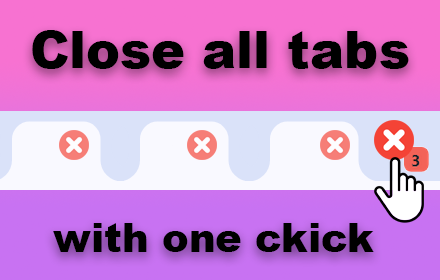
Clear all tabs
Clear all tabs except the current one with a single click. An easy way to close all tabs except for pinned and grouped tabs.
2.0K
★ 5.0
Cleaner
Cleaner Extension
2.0K
★ 3.7

History & Cache Cleaner - Smart Clean
Best way to clean cache and Chrome browsing data! Сlean History, Remove Downloads, Clear Cookie, Clear Cache or set auto history…
3.0K
★ 3.8

LeanTabs - Smart Tab Manager
Turn tab chaos into organized sessions. Save RAM, manage workspaces, and declutter your browser securely.
14

Quick Clear
Powerful, user-friendly browser data management, right from your toolbar.
1

Broom Cookie Cleaner & Cookie Editor
Broom Cookie Cleaner & Cookie Editor - Your best FREE solution for cookies and history cleaning. Free Download and easy to use.
2.0K
★ 4.3
Data sourced from the Chrome Web Store · last verified May 21, 2026.