
Extension Manager – Group Control
Organize Chrome extensions into reusable groups, toggle them in bulk, and keep a short audit history with undo.
As of June 2026, Extension Manager – Group Control has 13 users and a 3.00/5 rating from 2 reviews in the Developer Tools category.
Usersup 85.7 percent+85.7%
13
13
Ratingdown 40.0 percent−40.0%
3.00
2 reviews
Reviewsup 100.0 percent+100.0%
2
Version
0.2.1
Manifest V3
History
7 snapshotsTracking since Apr 6, 2026.
View as table
| Date | Users | Rating | Reviews | Version |
|---|---|---|---|---|
| Apr 6, 2026 | 7 | 5.00 | 1 | 0.2.1 |
| Apr 18, 2026 | 9 | 5.00 | 1 | 0.2.1 |
| Apr 25, 2026 | 12 | 5.00 | 1 | 0.2.1 |
| May 3, 2026 | 11 | 3.00 | 2 | 0.2.1 |
| May 14, 2026 | 9 | 3.00 | 2 | 0.2.1 |
| May 20, 2026 | 12 | 3.00 | 2 | 0.2.1 |
| Jun 2, 2026 | 11 | 3.00 | 2 | 0.2.1 |
| Now | 13 | 3.00 | 2 | 0.2.1 |
Permissions & access
- Permissions
- managementstoragetabs
- Host access
- None declared
Screenshots


About
Extension Manager – Group Control helps you organize and manage your Chrome extensions efficiently. Instead of toggling extensions one by one, group them by purpose and control them all at once.

1. GROUP MANAGEMENT
Create custom groups of extensions based on your workflow — work, study, development, entertainment, or anything else. Add a name, description, and pick the extensions that belong together. Edit or delete groups anytime.

2. ONE-CLICK BULK TOGGLE
Enable or disable an entire group of extensions with a single click. No more hunting through chrome://extensions to turn things on and off manually. Optional confirmation prompt keeps you safe from accidental toggles.

3. WEBSITE AUTOMATION
Set up domain-based rules so that a group automatically activates when you visit a specific website. Supports subdomain matching. For example, enable your development tools group whenever you open GitHub.

4. FOCUS MODE
Instantly disable all non-essential extensions to reduce clutter and improve performance. Focus Mode intelligently keeps critical extensions running — password managers, ad blockers, and translators are whitelisted by default. You can also add your own whitelist.

5. AUDIT HISTORY & UNDO
Every toggle action is logged with a short audit trail. Made a mistake? Review the history and undo the last operation to restore the previous state.

6. SYNC ACROSS DEVICES
All your groups, settings, and preferences are stored in Chrome sync storage, so they follow you across every device where you're signed in.

7. CONFIGURABLE SETTINGS
- Popup sort order (name ascending, descending, or by status)
- Accelerated batching for faster bulk toggles
- Default startup group
- Confirmation prompt toggle
- Export and import your full configuration

8. MODERN INTERFACE
Clean popup UI with two tabs: "All" shows every installed extension; "Groups" shows your saved collections. Toast notifications confirm every action. Access the full options dashboard for deeper configuration.

9. PRIVACY FIRST
This extension does not collect, transmit, or store any personal data. Everything stays in your browser. See our privacy policy for details.

Perfect for developers, power users, and anyone who installs more extensions than they can keep track of.
Technical
- Version
- 0.2.1
- Manifest
- V3
- Size
- 110KiB
- Min Chrome
- 88
- Languages
- 1
- Featured
- No
Metadata
- ID
- jpooekfpjdhlkcbhajpdpdjbpfafnmmm
- Developer ID
- u9fd2864902a1b92b3911740ac4ee71f5
- Developer Email
- [email protected]
- Created
- Sep 30, 2025
- Last Updated (Store)
- Mar 9, 2026
- Last Scraped
- Jun 8, 2026
- Website
- —
- Support URL
- —
Similar extensions
Alternatives to Extension Manager – Group Control, ranked by description similarity.

Extension Manager
A Chrome extension to manage other extensions.
295
★ 4.5

Xtensun Manager
A powerful extension manager with advanced organization and management features
19
★ 5.0

Quick Extension Manager by @ffgcvs
Quickly toggle other extensions on and off with a beautiful dark interface. Enable all, disable all, search, and filter by status.
15
★ 5.0
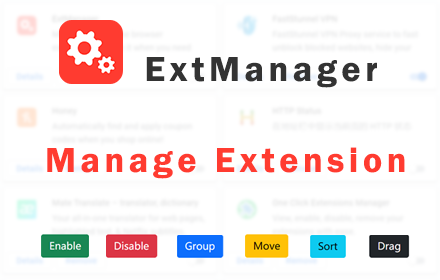
ExtManager
Manage the chrome extensions. One click to enable or disable extension. Group extensions and drag it. Sort extensions by drag it.
10.0K
★ 4.0

Chrome Tab Manager
Organize, group, and manage your Chrome tabs efficiently across devices.
10
★ 3.7

Pause All Extensions
Take control of your browser with a single click! Pause All Extensions is the ultimate tool for managing your Chrome extensions,…
1.0K
★ 4.8

EXT Shed (Auto Turn OFF/ON Extensions Manager)
Turn OFF/ON Extensions on specified sites to improve performance. Extensions Management Schedule with day-specific timings.
13
★ 5.0

Extensity Ultra
A powerful browser extension manager for efficient extension management.
688
★ 3.7
Data sourced from the Chrome Web Store · last verified Jun 8, 2026.