
Chrome Tab Manager
Organize, group, and manage your Chrome tabs efficiently across devices.
As of May 2026, Chrome Tab Manager has 10 users and a 3.67/5 rating from 3 reviews in the Developer Tools category.
Usersup 42.9 percent+42.9%
10
10
Ratingno change0%
3.67
3 reviews
Reviewsno change0%
3
Version
2.3
Manifest V3
History
4 snapshotsTracking since Apr 1, 2026.
View as table
| Date | Users | Rating | Reviews | Version |
|---|---|---|---|---|
| Apr 1, 2026 | 7 | 3.67 | 3 | 2.3 |
| Apr 20, 2026 | 9 | 3.67 | 3 | 2.3 |
| May 5, 2026 | 10 | 3.67 | 3 | 2.3 |
| May 16, 2026 | 7 | 3.67 | 3 | 2.3 |
| Now | 10 | 3.67 | 3 | 2.3 |
Permissions & access
- Permissions
- tabsstoragetabGroupsdownloadsnotifications
- Host access
- None declared
Screenshots


About
Chrome Tab Manager

Organize Your Tabs with this powerfull extension.

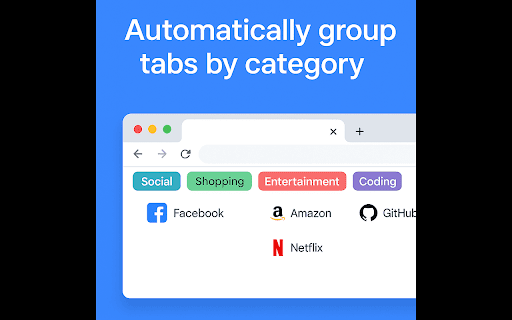
Take control of your browsing chaos with ChromeTab Manager! This powerful Chrome extension uses smart categorization to group your tabs into meaningful categories like Social, Shopping, Entertainment, and more—automatically. With features like tab hibernation, custom category management, and undo functionality, staying organized has never been easier.

Key Features:

Grouping: Automatically sorts tabs by domain, keywords, and browsing habits.
Custom Categories: Add, edit, or import your own categories with ease.
Tab Hibernation: Free up memory by hibernating inactive tabs.
Reassign & Preview: Fine-tune tab categories and preview groups before applying.
Undo Grouping: Made a mistake? Revert with one click.
Cross-Window Support: Group tabs from the current window or all open windows.
Sync Data: Uninstall it accidentally don't worry Sync data is enabed to restore your saved data.
Manage Catogeries: In manage catogeries you can add new catogeries according to your experience with better explaination.
Reassign Catogeries: You can Reassign A new catogeries to the tab if its wrongly catogerized by reassign it the correct catogery.
Save/Restore Session: Accidently shutdown down Chrome or Your computer Save the Current Session and restore It later whenever you want.
Perfect for multitaskers, researchers, and anyone drowning in tabs. Download Chrome Tab Manager today and transform your browsing experience!

Requires Chrome 89 or later for full tab grouping support.
Technical
- Version
- 2.3
- Manifest
- V3
- Size
- 230KiB
- Min Chrome
- 88
- Languages
- 1
- Featured
- No
Metadata
- ID
- clokjallfdokjidfklhdhdhcgogbbnij
- Developer ID
- u9de33494572f61a9d4e725ccb41453c1
- Developer Email
- [email protected]
- Created
- Apr 4, 2025
- Last Updated (Store)
- May 10, 2025
- Last Scraped
- May 16, 2026
- Website
- aiinovatingfuture.blogspot.com
- Support URL
- —
Similar extensions
Alternatives to Chrome Tab Manager, ranked by description similarity.

Tab Organizer Pro
Tab Organizer Pro: Group & manage your tabs easily.
—

Extension Manager – Group Control
Organize Chrome extensions into reusable groups, toggle them in bulk, and keep a short audit history with undo.
13
★ 3.0

Tab Master
Manage your tabs efficiently Focus Mode, Window Management and Limits.
—

Tab Manager Pro
Organize, save, and manage your browser tabs efficiently. Group tabs, save sessions, detect duplicates, and more.
1

Bubble Tab Manager
Smart tab titles and auto-grouping for Bubble editor and preview tabs
7
★ 5.0

SmartTab - Tab Manager & History Search
Tab manager that searches inside tab content. Organize unlimited tabs, restore closed tabs & browse with complete privacy
161
★ 5.0

TabMaster: Simple Tab Manager
Easily search, organize, and navigate between your tabs
—

Tab Time Tracker
Boost productivity by tracking tab usage. Identify and manage inactive tabs to save memory and stay focused.
15
Data sourced from the Chrome Web Store · last verified May 16, 2026.