
Password Generator
The Password Generator app allows you to generate a password of any complexity with just one click.
As of June 2026, Password Generator has 260 users and a 4.50/5 rating from 4 reviews in the Productivity category.
Usersup 1.2 percent+1.2%
260
260
Ratingno change0%
4.50
4 reviews
Reviewsno change0%
4
Version
1.2.5
Manifest V3
90-day change · In the last 90 days this extension 3 version updates.
History
9 snapshotsTracking since Apr 1, 2026.
View as table
| Date | Users | Rating | Reviews | Version |
|---|---|---|---|---|
| Apr 1, 2026 | 257 | 4.50 | 4 | 1.2.2 |
| Apr 17, 2026 | 252 | 4.50 | 4 | 1.2.2 |
| Apr 22, 2026 | 261 | 4.50 | 4 | 1.2.3 |
| Apr 27, 2026 | 255 | 4.50 | 4 | 1.2.3 |
| May 5, 2026 | 259 | 4.50 | 4 | 1.2.4 |
| May 10, 2026 | 473 | 4.50 | 4 | 1.2.4 |
| May 22, 2026 | 1.0K | 4.50 | 4 | 1.2.4 |
| May 29, 2026 | — | 4.50 | 4 | 1.2.5 |
| Jun 10, 2026 | 263 | 4.50 | 4 | 1.2.5 |
| Now | 260 | 4.50 | 4 | 1.2.5 |
Permissions & access
- Permissions
- storagealarms
- Host access
- None declared
Screenshots


About
Do you need to create a complex, non-standard password? This chrome extension is just what you’re looking for!
With our browser application, you can generate a password of any complexity with just one click.
You can customize your password according to your specific needs, using various settings:
     - 🐱 Upper case - enable the "Upper case" option if your password needs to include capital letters. If you prefer not to have them, simply turn off this option.
     - 🐶 Lowercase - similarly, you can choose to include or exclude lowercase letters by activating or deactivating this option.
     - 🦄 Numbers - if your password should have numbers, just select this option. When enabled, your password will include numbers as specified.
     - 🐶 Symbols - Adding symbols to your password enhances its security and makes it harder to crack. By enabling this option, you increase the time it would take for attackers to breach your password.

Once your password is generated, simply hover your mouse over it and click the left mouse button when the "copy" icon appears. That’s it! You can now paste the password wherever you need it.
The benefits of using our password generation tool are clear: it’s fast, reliable, customizable, and user-friendly.
Technical
- Version
- 1.2.5
- Manifest
- V3
- Size
- 96.75KiB
- Min Chrome
- 88
- Languages
- 54
- Featured
- No
Metadata
- ID
- johhnichafmedjmhkolefmgkkmbnlpen
- Developer ID
- u3103bdec322c4b4a4948bf7e07928f24
- Developer Email
- [email protected]
- Created
- Feb 8, 2022
- Last Updated (Store)
- May 22, 2026
- Last Scraped
- Jun 10, 2026
- Website
- —
- Support URL
- https://chromewebstore.google.com/detail/password-generator/johhnichafmedjmhkolefmgkkmbnlpen/support
- Privacy Policy
- https://sites.google.com/view/happy-cool-1/privacy
Similar extensions
Alternatives to Password Generator, ranked by description similarity.

Password Generator
Generates a random password and copies it to the clipboard.
—

Password Generator
A simple password generator that generates random passwords based on user preferences.
1
★ 5.0

Password Generator
A simple, strightforward tool to quickly generate passwords.
9

Password Generator
Generate random passwords with custom options.
11
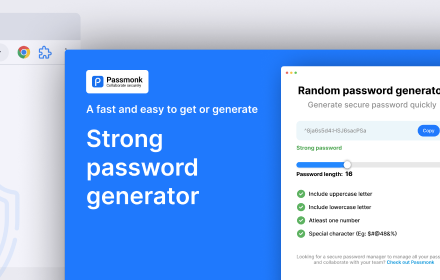
Random password generator
Generate random password of various length and complexity.
32
★ 5.0

Password Generator
Strong passwords made simple – a password generator on the new tab page
1

Generate Password
Secure your digital life with Chrome extension Generate Password. Use random password generator for instant, strong combinations.
6.0K
★ 4.9

Simple Password Generator
A simple secure password generator.
9
★ 5.0
Data sourced from the Chrome Web Store · last verified Jun 10, 2026.