
HDRezka Comfort View
Adds a previous and next episode button on hdrezka websites, also adds video zoom in/out functionality with state save.
As of June 2026, HDRezka Comfort View has 67 users and a 3.00/5 rating from 2 reviews in the Entertainment category.
Usersup 39.6 percent+39.6%
67
67
Ratingno change0%
3.00
2 reviews
Reviewsno change0%
2
Version
2.2.4
Manifest V3
History
6 snapshotsTracking since Apr 18, 2026.
View as table
| Date | Users | Rating | Reviews | Version |
|---|---|---|---|---|
| Apr 18, 2026 | 48 | 3.00 | 2 | 2.2.4 |
| Apr 27, 2026 | 60 | 3.00 | 2 | 2.2.4 |
| May 7, 2026 | 55 | 3.00 | 2 | 2.2.4 |
| May 14, 2026 | 59 | 3.00 | 2 | 2.2.4 |
| May 23, 2026 | 55 | 3.00 | 2 | 2.2.4 |
| Jun 2, 2026 | 54 | 3.00 | 2 | 2.2.4 |
| Now | 67 | 3.00 | 2 | 2.2.4 |
Permissions & access
- Permissions
- None declared
- Host access
- None declared
Screenshots


About
Chrome extension that keeps HDRezka binge-friendly with floating episode controls, casting helpers, and per-show zoom memory.

Расширение Chrome, которое делает HDRezka удобным для просмотра в полноэкранном режиме, добавляя плавающие элементы управления эпизодами, помощь для Chromecast и память масштабирования для каждого сезона.

Features:
- Prev/Next episode buttons – float alongside the player controls, follow the active season automatically, and disable themselves when there is no next/previous item.
- Auto-start after switching – when you jump to another episode the extension taps the player’s play control so the new episode starts without extra clicks.
- Dedicated cast button – mirrors the native Chromecast state (inactive/active icon) and lets you start or stop casting from the main control row.
- Cast-safe episode switching – while casting, the extension remembers the CDN stream for each episode and reloads the correct one into the active cast session whenever you move prev/next.
- Auto-advance during cast – near the end of an episode the extension preps the player, advances to the next episode, and retries play so casting continues hands-free.
- Rich tooltips and labels – buttons show clear S#:E# hints and update whenever the active episode changes.
- Adaptive layout – buttons match the player’s shape/colors, size themselves to the control bar, and hide when the native UI collapses.
- Video zoom controls – zoom in/out/reset buttons apply a smooth scale to the video; each show-season pair remembers its own zoom level.
- Scroll-to-zoom – while a zoom button is hovered, the mouse wheel adjusts zoom (wheel down to zoom in, wheel up to zoom out) without moving the page.
Technical
- Version
- 2.2.4
- Manifest
- V3
- Size
- 24.62KiB
- Min Chrome
- 88
- Languages
- 1
- Featured
- No
Metadata
- ID
- jnmabcpplkemmnlcpinffgmceenfjknd
- Developer ID
- u434cc5f03793d36942cf49178cf8955c
- Developer Email
- [email protected]
- Created
- Nov 21, 2025
- Last Updated (Store)
- Dec 3, 2025
- Last Scraped
- Jun 2, 2026
- Website
- —
- Support URL
- https://github.com/dm17ryk/hdrezka-ext
- Privacy Policy
- —
Similar extensions
Alternatives to HDRezka Comfort View, ranked by description similarity.

HDrezka Grabber
Fast and convenient downloading of movies and TV shows from rezka.ag! Access your favorite movies and TV shows in just a few clicks.
20.0K
★ 4.1

FloatViewPro - Advanced Picture-in-Picture
Feature-rich PiP with custom controls, video selector, opacity, zoom, keyboard shortcuts, and more. Works on all websites.
20

GAssistant (for 劇迷)
Save Gimy Viewing Progress & Skip Intros — supports DPlayer, ZanPianCMS & ArtPlayer
344
★ 4.2

Skipflix
Automatically skip Netflix recaps, intros, and advance to next episodes
48

Apple TV Extended: boost your viewing [QVI]
Boost your Apple TV viewing experience: adjust speed, skip intros & recaps, hide spoilers.
1.0K
★ 2.2

Skip ads and intros, works with Disney Plus [QVI]
Independent software - not affiliated with Disney. Automatically skip Disney+ ads, intros, recaps and go to next episode.
10.0K
★ 3.6

影片觀看記錄助手
記錄 Netflix 和 Disney+ 的觀看歷史,支援多使用者切換。
1
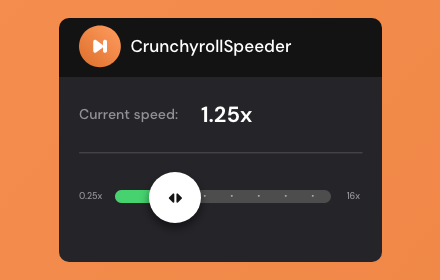
Crunchyroll Speeder: adjust playback speed [QVI]
Extension allows to adjust the playback speed on Crunchyroll according to preference
30.0K
★ 4.7
Data sourced from the Chrome Web Store · last verified Jun 2, 2026.