
Apple TV Extended: boost your viewing [QVI]
Boost your Apple TV viewing experience: adjust speed, skip intros & recaps, hide spoilers.
As of June 2026, Apple TV Extended: boost your viewing [QVI] has 1,000 users and a 2.20/5 rating from 5 reviews in the Entertainment category.
Usersno change0%
1.0K
1,000
Ratingno change0%
2.20
5 reviews
Reviewsno change0%
5
Version
1.0.26
Manifest V3
90-day change · In the last 90 days this extension 1 version update.
History
1 snapshotsTracking since Apr 17, 2026.
View as table
| Date | Users | Rating | Reviews | Version |
|---|---|---|---|---|
| Apr 17, 2026 | 1.0K | 2.20 | 5 | 1.0.25 |
| Now | 1.0K | 2.20 | 5 | 1.0.26 |
Permissions & access
- Permissions
- storage
- Host access
- *://*.apple.com/*
Screenshots
![Apple TV Extended: boost your viewing [QVI] screenshot 1](https://lh3.googleusercontent.com/WtSnCCn1dwYpp1b8w_PPYF1UqfP_wVdjdv1R1V4JOiL8TtsVUs5CMe0gPczZ_KKZsBRvp0LSWvNt6RuG0BlGwo73PzQ)
![Apple TV Extended: boost your viewing [QVI] screenshot 2](https://lh3.googleusercontent.com/GGWWXre1Kvg83k8KJVkXocpOVtjPpHxJ0cwHzy8_q2NuLoNzRQu135zLpiZzSvdS_BhaV_T-s63NnZlzc3tJneLFHw)
About
This extension offers many tools to help you watch your favorite Apple TV+ videos even better!

Be in the driver's seat of your viewing experience! AppleTV+ Extended is a great tool that unifies multiple functionalities in one easy-to-use extension and gives you more control over the AppleTV+ platform.

Now you're able to:
⏩ Speed up or slow down your playback speed
⏭️ Automatically skip recaps, intros, and go to the next episode
🔁 Rotate and zoom the video
🎨 Customize subtitle style
📺 Watch video content in a picture in picture mode

In order to use the extension you need to hover over one of two status icons that you can find in the top right corner of home page or bottom left corner of the player, depending on where you are. Then click on the gear icon and control panel will appear, giving you access to all of extension features.

All you need to do is add the AppleTV+ Extended extension to your browser, choose from available options in the control panel, and enjoy watching content tailored to your personal viewing preferences. It's as simple as that

Disclaimer : AppleTV+ is a trademark of Apple Inc. This website & extension hold no association or affiliation with AppleTV+ or any third-party companies.

This extension is part of the Quality Viewership Initiative, a collaborative effort to enhance the understanding of audience engagement. It collects anonymous, aggregated viewing insights to support creators and studios in improving the quality of their content. You can stop sharing your information at any time by switching the toggle on the options page.
Technical
- Version
- 1.0.26
- Manifest
- V3
- Size
- 111KiB
- Min Chrome
- 88
- Languages
- 1
- Featured
- No
Metadata
- ID
- kgnlclloniaiajampcjnhnpoknbdhcbl
- Developer ID
- u8a8807fcd6c39e4cd234c7750cbfe2a9
- Developer Email
- [email protected]
- Created
- Mar 31, 2022
- Last Updated (Store)
- Apr 7, 2026
- Last Scraped
- Jun 7, 2026
- Website
- —
- Privacy Policy
- https://toopextensions.com/privacy_policy_qvi/
Similar extensions
Alternatives to Apple TV Extended: boost your viewing [QVI], ranked by description similarity.

Extended works with Paramount Plus [QVI]
Independent software not affiliated with Paramount. Control Paramount+ with speed adjust, skip intros and hide spoilers.
893
★ 3.7

Extended works with Paramount Plus [QVI]
Independent software not affiliated with Paramount. Control Paramount+ with speed adjust, skip intros and hide spoilers.
73

Voice Control for Apple TV
🔊Voice Control for Apple TV 🚀 Play, pause, fast-forward, and more, all without lifting a finger! 🙌🎬
25

Skip ads and intros, works with Disney Plus [QVI]
Independent software - not affiliated with Disney. Automatically skip Disney+ ads, intros, recaps and go to next episode.
10.0K
★ 3.6

AMC+ Speeder: Adjust Playback Speed
The extension allows you to adjust the playback speed on AMC+ to your preferences
22
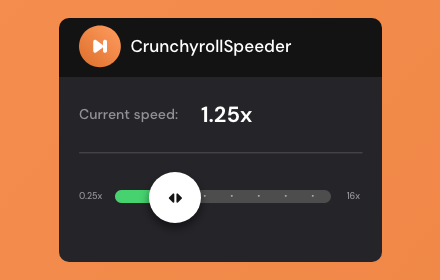
Crunchyroll Speeder: adjust playback speed [QVI]
Extension allows to adjust the playback speed on Crunchyroll according to preference
30.0K
★ 4.7

Hulu Skipper: skip intros, recaps & more [QVI]
Automatically skip intros, recaps, block ads and click next episode button on Hulu
5.0K
★ 3.5

Audio Booster for Netflix [QVI]
Quiet audio bothering you? 🚀 Get Audio Booster for Chrome and enjoy better sound! 🎧 Compatible with +15 SVODs 🎬
8.0K
★ 4.8
Data sourced from the Chrome Web Store · last verified Jun 7, 2026.