
CC Record
Capture live captions and export clean, searchable transcripts for video meetings
As of June 2026, CC Record has 19 users and a 5.00/5 rating from 2 reviews in the Productivity category.
Usersup 58.3 percent+58.3%
19
19
Ratingno change0%
5.00
2 reviews
Reviewsno change0%
2
Version
2.1.4
Manifest V3
90-day change · In the last 90 days this extension 1 version update.
History
9 snapshotsTracking since Apr 17, 2026.
View as table
| Date | Users | Rating | Reviews | Version |
|---|---|---|---|---|
| Apr 17, 2026 | 12 | 5.00 | 2 | 2.1.3 |
| Apr 27, 2026 | 9 | 5.00 | 2 | 2.1.4 |
| May 5, 2026 | 12 | 5.00 | 2 | 2.1.4 |
| May 10, 2026 | 11 | 5.00 | 2 | 2.1.4 |
| May 15, 2026 | 12 | 5.00 | 2 | 2.1.4 |
| May 22, 2026 | 13 | 5.00 | 2 | 2.1.4 |
| May 28, 2026 | 15 | 5.00 | 2 | 2.1.4 |
| Jun 4, 2026 | 17 | 5.00 | 2 | 2.1.4 |
| Jun 10, 2026 | 18 | 5.00 | 2 | 2.1.4 |
| Now | 19 | 5.00 | 2 | 2.1.4 |
Changelog
- Apr 17, 2026description
CC Record captures and transcripts Google Meet captions with AI-powered processing. Users can export meeting transcripts, clean duplicates, and use AI to summarize conversations.
CC Capture is a lightweight meeting companion that helps you keep a reliable record of what was said—so you can stay focused on the conversation instead of taking notes.

When you need a conversation log from an online meeting, simply enable Capture and let CC Capture do the rest. It continuously collects the live closed captions (CC) and organizes them into a clean, readable transcript you can revisit later. Whether you’re in a quick stand-up, a client call, or a long planning session, CC Capture helps you preserve key decisions, action items, and important details that are easy to miss in real time.

After the meeting, CC Capture gives you a simple place to review your captured sessions. You can open past transcripts, search through what was recorded, and download the content for sharing or archiving. If your workflow includes tracking discussions over time, the history view makes it easy to return to previous meetings without digging through scattered notes.

CC Capture also supports saving and exporting meeting chat when available, making it easier to keep both spoken context and written messages in one place. Built-in settings let you control how capture behaves and tailor the experience to your preferences, so it fits naturally into your daily routine.

Designed for speed and simplicity, CC Capture focuses on the essentials: capture, review, and export. Turn on Capture when the meeting starts, and you’ll leave with a structured record you can reference anytime—helping you work faster, follow up accurately, and reduce the risk of forgetting critical information.
- Apr 17, 2026short_description
AI-powered caption capture and smart transcript processing for video meetings
Capture live captions and export clean, searchable transcripts for video meetings
Permissions & access
- Permissions
- storageactiveTabscriptingtabs
- Host access
- https://meet.google.com/*
Screenshots


About
CC Capture is a lightweight meeting companion that helps you keep a reliable record of what was said—so you can stay focused on the conversation instead of taking notes.

When you need a conversation log from an online meeting, simply enable Capture and let CC Capture do the rest. It continuously collects the live closed captions (CC) and organizes them into a clean, readable transcript you can revisit later. Whether you’re in a quick stand-up, a client call, or a long planning session, CC Capture helps you preserve key decisions, action items, and important details that are easy to miss in real time.

After the meeting, CC Capture gives you a simple place to review your captured sessions. You can open past transcripts, search through what was recorded, and download the content for sharing or archiving. If your workflow includes tracking discussions over time, the history view makes it easy to return to previous meetings without digging through scattered notes.

CC Capture also supports saving and exporting meeting chat when available, making it easier to keep both spoken context and written messages in one place. Built-in settings let you control how capture behaves and tailor the experience to your preferences, so it fits naturally into your daily routine.

Designed for speed and simplicity, CC Capture focuses on the essentials: capture, review, and export. Turn on Capture when the meeting starts, and you’ll leave with a structured record you can reference anytime—helping you work faster, follow up accurately, and reduce the risk of forgetting critical information.
Technical
- Version
- 2.1.4
- Manifest
- V3
- Size
- 101KiB
- Min Chrome
- 88
- Languages
- 1
- Featured
- No
Metadata
- ID
- jnlnkmdhkghckalabihlajmajbcoifjd
- Developer ID
- u24e9347ef2992beb7bf6ba2800a116c0
- Developer Email
- [email protected]
- Created
- Jan 30, 2026
- Last Updated (Store)
- Apr 2, 2026
- Last Scraped
- Jun 10, 2026
- Website
- —
- Support URL
- —
Similar extensions
Alternatives to CC Record, ranked by description similarity.

Meet AI Summarizer
AI-powered summarizer for Google Meet transcripts. Record, summarize, and save meetings effortlessly.
17
★ 5.0

AudioLog for Meet
AudioLog for Google Meet transcriptions
1
★ 5.0
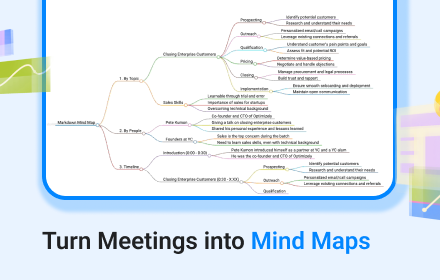
Google Transcribe & Summarize Live
meetXcc: Instantly summarize Google Meet transcripts. Your AI meeting assistant.
5.0K
★ 4.0

Google meets cc editor
Captures Google Meet captions into an editable floating panel
6

meetXcc: AI Meeting Notes for Google Meet
Automated meeting documentation via transcripts, summaries and intuitive AI-generated mind maps.
4.0K
★ 4.5

Meetez
Effortless meeting transcripts with privacy-first design.
63
★ 5.0

MeetRecap - AI Meeting Recorder
Record meetings and generate summaries using AI.
8
★ 5.0

MeetNot - Smart Meeting Notes
Automatic transcription, AI summary, and advanced recording management for Google Meet.
8
★ 5.0
Data sourced from the Chrome Web Store · last verified Jun 10, 2026.