
Keimenon Lite
Extract and export specific messages or full conversations from AI chat pages locally. Privacy-first.
As of June 2026, Keimenon Lite has 8 users in the Workflow & Planning category.
Usersup 166.7 percent+166.7%
8
8
Ratingno change0%
—
— reviews
Reviewsno change0%
—
Version
1.4.28
Manifest V3
90-day change · In the last 90 days this extension 1 version update.
History
5 snapshotsTracking since Apr 17, 2026.
View as table
| Date | Users | Rating | Reviews | Version |
|---|---|---|---|---|
| Apr 17, 2026 | 3 | — | — | 1.4.20 |
| Apr 22, 2026 | 7 | — | — | 1.4.28 |
| Apr 27, 2026 | 8 | — | — | 1.4.28 |
| May 28, 2026 | 7 | — | — | 1.4.28 |
| Jun 10, 2026 | 6 | — | — | 1.4.28 |
| Now | 8 | — | — | 1.4.28 |
Permissions & access
- Permissions
- sidePanelactiveTab
- Host access
- None declared
Screenshots


About
Keimenon Lite Product Description
Summary
Extract and export your prompts or full conversations from AI chat pages (ChatGPT, Claude, Gemini, Grok) locally. Privacy-first, no servers.

Description
Keimenon Lite is the ultimate privacy-first tool for power users of AI chat interfaces. It allows you to instantly extract, filter, and archive your own prompt history—or entire conversations—without capturing AI responses or sending a single byte of data to a third-party server.

Whether you are building a curated prompt library, auditing your interactions for compliance, or simply saving a conversation for personal notes, Keimenon Lite gives you full control over your data with a premium, Material Design 3 interface that sits comfortably in your browser's side panel.

Why Install Keimenon Lite?
1. Uncompromising Privacy (Local-Only) In an era where data privacy is paramount, Keimenon Lite stands apart.

No Servers: We do not have a backend. Your chat data never leaves your machine.
Transient Memory: Data is extracted in real-time and held in RAM only while the extension is open. Once you close it, the data is gone—leaving no trace.
2. Powerful Extraction & Radar Scanning Stop manually copying and pasting.

Smart Radar: Automatically detects and extracts messages from infinite-scroll chats (like long Claude sessions) by scrolling back through history for you.
User-Only Mode: specifically target your input to build a clean repository of your own prompts, separating your creative input from the AI's output.
3. Multi-Platform Support One tool for all your AI workflows. Seamlessly works on:

ChatGPT (chatgpt.com, chat.openai.com)
Claude (claude.ai)
Gemini (gemini.google.com)
Grok (x.com, grok.com)
4. Advanced Search & Organization Find exactly what you wrote, when you wrote it.

Instant Search: Filter through hundreds of prompts in milliseconds with real-time highlighting.
Smart Filtering: Sort by "Longest First" to find your most complex prompts, or hide short "continue" messages to focus on significant interactions.
5. One-Click Export

Copy: Instantly copy a single message card or the entire filtered list.
Clean Format: Exports are formatted as clean markdown or plain text, ready to be pasted directly into Notion, Obsidian, or your favorite note-taking app.
Key Features Summary
Privacy: 100% Client-side processing.
Design: Beautiful Material Design 3 (M3) UI.
Efficiency: "Radar" scan for deep history extraction.
Flexibility: Supports ChatGPT, Claude, Gemini, and Grok.
Take control of your AI interactions today with Keimenon Lite.
Technical
- Version
- 1.4.28
- Manifest
- V3
- Size
- 138KiB
- Min Chrome
- 88
- Languages
- 1
- Featured
- No
Metadata
- ID
- jmmpbpjhkjcfaemjihfpjnofcbbfkilj
- Developer ID
- u24082e5e0aa4ba2b5e1d131c1bd38120
- Developer Email
- [email protected]
- Created
- Jan 29, 2026
- Last Updated (Store)
- Apr 6, 2026
- Last Scraped
- Jun 10, 2026
- Website
- https://keimenon.com/
- Support URL
- keimenon.com/contact
Similar extensions
Alternatives to Keimenon Lite, ranked by description similarity.

Text Plus
A text management tool that helps AI enthusiasts save and quickly access their most effective prompts with descriptions.
51

Recall.Ai
Save, organize, and summarize AI chats (ChatGPT, Gemini, Claude, etc.) directly in your browser. Cross-platform & privacy-first.
126
★ 5.0

Prompt Suite
Smart prompt manager for AI chats. Organize, schedule & insert prompts into ChatGPT, Claude, Gemini & Perplexity with folders.
35
★ 5.0
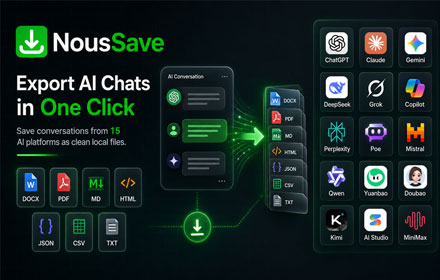
NousSave: Export ChatGPT, Gemini, DeepSeek, Claude and Grok Chats to PDF
Effortlessly export AI chats to PDF, Word, Markdown, HTML & more. Features 'Deep Research' support and collapsible long messages.
2.0K
★ 4.5

PromptJump
Display a scrollable sidebar showing all user messages in AI chat websites with smooth navigation
2
★ 5.0

ChatGPT, Gemini, Claude Chat Export & Navigator
Download and export ChatGPT, Gemini, and Claude conversations in PDF, Markdown, JSON, HTML, or Text, plus smart prompt navigation.
2.0K
★ 4.9

Universal AI Navigator
Navigation sidebar for Gemini, ChatGPT, Claude, and Perplexity.
18
★ 5.0

Chat Highlight: Auto ChatGPT & AI Highlighter
The auto-highlighter for AI chats & Web. Features structured sidebar, dashboard, Markdown export, and cloud sync.
39
★ 4.5
Data sourced from the Chrome Web Store · last verified Jun 10, 2026.