ScreenClip - Screenshot, Comment & Annotate
Take screenshots, add annotations & comments
As of June 2026, ScreenClip - Screenshot, Comment & Annotate has 70,000 users and a 3.67/5 rating from 1,730 reviews in the Productivity category.
Usersno change0%
70.0K
70,000
Ratingno change0%
3.67
1.7K reviews
Reviewsdown 0.2 percent−0.2%
1.7K
Version
10000.1.1.0
Manifest V3
History
3 snapshotsTracking since Apr 23, 2026.
View as table
| Date | Users | Rating | Reviews | Version |
|---|---|---|---|---|
| Apr 23, 2026 | 70.0K | 3.67 | 1.7K | 10000.1.1.0 |
| May 12, 2026 | 80.0K | 3.67 | 1.7K | 10000.1.1.0 |
| Jun 7, 2026 | 80.0K | 3.67 | 1.7K | 10000.1.1.0 |
| Now | 70.0K | 3.67 | 1.7K | 10000.1.1.0 |
Permissions & access
- Permissions
- cookiesstorageactiveTabtabsnotificationsclipboardWriteunlimitedStoragescripting
- Host access
- *://*/*
Screenshots


About
ScreenClip is the easiest and most powerful screenshot extension for Chrome. With ScreenClip, you can take screenshots of entire web pages, selected areas, or even individual elements. You can add annotations or comments to your screenshots, and save them to your computer or cloud storage.

Here are some of ScreenClip's features:

✓ Take screenshots of entire web pages and visible areas.
✓ Automatically copy the image to your clipboard so you can paste it anywhere.
✓ Use the snipping tool to capture specific parts of the webpage.
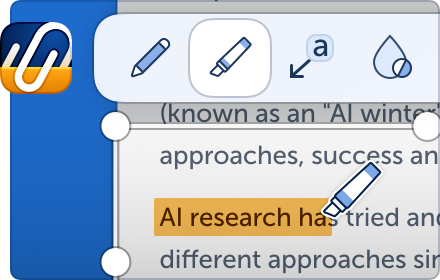
✓ Add annotations to your screenshots, such as text + arrow, arrows, rectangles, and text labels.
✓ Stand out texts or elements with the highlighter tool.
✓ Draw with the pen tool.
✓ Securely obfuscate sensitive information with the blur tool.
✓ Enable and edit screenshot hotkeys to capture even faster.
✓ Save your screenshots to your computer or browser storage.
✓ Easy access your previous screenshots.

Sync your browser extension with ScreenClip's Cloud Storage (for free!) to enable even more possibilities, like:

✓ Automatically generate and copy shareable links.
✓ Write and reply to comments.
✓ Edit your annotations in ScreenClip's web editor.
✓ See clip previews when sharing on messaging apps.
✓ Sync with your Google Drive account.
✓ Generate interactive picture viewers when sharing the link within CMS.
✓ Show embedded interactive picture viewers on websites by pasting the auto-generated HTML code.

ScreenClip is the perfect tool for anyone who needs to take screenshots, annotate, save, and share them. It's easy to use, powerful, and versatile. Give ScreenClip a try today!
Technical
- Version
- 10000.1.1.0
- Manifest
- V3
- Size
- 6.44MiB
- Min Chrome
- 88
- Languages
- 1
- Featured
- Yes
Metadata
- ID
- jmjbgcjbgmcfgbgikmbdioggjlhjegpp
- Developer ID
- u1359bc5c5f794e134205289a7886195e
- Developer Email
- [email protected]
- Created
- Sep 18, 2012
- Last Updated (Store)
- Nov 20, 2024
- Last Scraped
- Jun 7, 2026
- Website
- screenclip.com
- Support URL
- —
- Privacy Policy
- https://screenclip.com/privacy-policy
Similar extensions
Alternatives to ScreenClip - Screenshot, Comment & Annotate, ranked by description similarity.

Screenshot Editor
In 1 click Screenshot Editor makes Chrome screen capture and lets you edit a screenshot. Screenshot extension for Chrome done right.
1.0K
★ 5.0

Screenshot Extension
Take a screenshot and save it to a location of your choice.
89

Screenshot Editor
Create beautiful screenshots with gradients, shadows, and rounded corners
96
★ 5.0
Easy Screenshot Tool
Capture, edit, and save web screenshots effortlessly. Easy Screenshot Tool makes it simple to grab exactly what you need.
141

Web Capture
Capture web pages - visible area, region selection, and full page capture
10
★ 5.0

EditMyScreenshot (screenshot tool)
Edit Screenshots Online with Ease
46
★ 5.0

Scrsht Screen Recorder
Screen Recorder is a software that allows you to capture and record your computer screen right in the browser!
189
★ 4.6

Screenshot Tool
A simple Chrome extension to take screenshots of webpages.
66
★ 5.0
Data sourced from the Chrome Web Store · last verified Jun 7, 2026.