InstantReply Buttons for Gmail
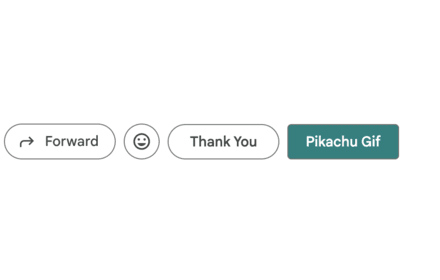
This plugin adds custom buttons next to the reply buttons inside Gmail.
As of June 2026, InstantReply Buttons for Gmail has 240 users and a 5.00/5 rating from 6 reviews in the Communication category.
Usersdown 3.6 percent−3.6%
240
240
Ratingno change0%
5.00
6 reviews
Reviewsno change0%
6
Version
5.5
Manifest V3
History
6 snapshotsTracking since Apr 18, 2026.
View as table
| Date | Users | Rating | Reviews | Version |
|---|---|---|---|---|
| Apr 18, 2026 | 249 | 5.00 | 6 | 5.5 |
| Apr 27, 2026 | 258 | 5.00 | 6 | 5.5 |
| May 7, 2026 | 248 | 5.00 | 6 | 5.5 |
| May 14, 2026 | 246 | 5.00 | 6 | 5.5 |
| May 23, 2026 | 241 | 5.00 | 6 | 5.5 |
| Jun 5, 2026 | 258 | 5.00 | 6 | 5.5 |
| Now | 240 | 5.00 | 6 | 5.5 |
Permissions & access
- Permissions
- storage
- Host access
- None declared
Screenshots


About
*** FREE ONLY FOR THE FIRST 500 USERS ***

Transform your Gmail workflow with fully customizable, one‑click buttons. Create buttons that insert rich, pre‑formatted text, links, HTML snippets, or GIFs into your emails—styled exactly how you want—then save, export, and reuse them across sessions.

Key Features
- Create custom buttons
- Rich text content
- Visual customization
- Live preview
- Optional auto‑send
- Import/Export
- Lightweight and local

How It Works
- Open the extension’s Options page.
- Click Add to create a new button.
- Enter a label and compose the content in the editor.
- Style the button and pick an effect (optional).
- Save. Your buttons will be available whenever you draft emails.

Permissions
- Storage: Save your button configurations locally.
- Site access (mail.google.com): Display and use your buttons directly in Gmail.

Privacy
- Your data stays in your browser via Chrome storage.
- GIF search uses GIPHY’s API when you explicitly search from the options page.

Ideal For
- Sales and support templates
- Outreach and recruiting messages
- Internal updates and status reports
- Frequent sign-offs and signatures
- Level up Gmail with fast, beautiful, and consistent email content—one click at a time.

Usage Video: https://www.youtube.com/watch?v=ei3ph4Kf6zM

Please leave comments for any bugs or new features you want to see. If you want the buttons to do something else, I can add the functionality.

---------------------
Updates:

3.1 [March 4, 2020]
- Fixed split view issue with internal Gmail updates
4.0 [Feb 7, 2024]
- Updated manifest file to current Google standards
- Fixed GIF option with change in GIPHY API
- Updated options menu
- Added adjustments for new Google emoticon button
4.1 [Feb 9, 2024]
- Update manifest to include short description
- fixed bug where some text appears as black instead of white
4.2 [Aug 30, 2024]
- fixed bug where added buttons would vanish when users click into labels or categories
4.3 [Sep 8, 2024]
- fixed bug where text is added to other threads' reply boxes
5.3 [Oct 25, 2025]
- added shortcut button to options page
- added export import options
- reskinned options page
- added color wheel to select colors
- added rich text and html options
- combined GIF button into a single option
- fixed app which was broken from recent gmail UI updates from Google
5.4 [Oct 27, 2025]
- fixed issue with locale where buttons weren't functioning
5.5 [Nov 16, 2025]
- change app name for better visibility
Technical
- Version
- 5.5
- Manifest
- V3
- Size
- 58.35KiB
- Min Chrome
- 88
- Languages
- 1
- Featured
- No
Metadata
- ID
- jmcajpbnkcmpoajjgfojgjbbhjjcejah
- Developer ID
- u315db0a85ef95cdd1c1cac617d985aa4
- Developer Email
- [email protected]
- Created
- Nov 26, 2019
- Last Updated (Store)
- Nov 17, 2025
- Last Scraped
- Jun 5, 2026
- Website
- —
- Support URL
- —
- Privacy Policy
- —
Similar extensions
Alternatives to InstantReply Buttons for Gmail, ranked by description similarity.

Gmail Button - Custom Buttons & QR Codes
Add customizable buttons and QR codes to your Gmail compose windows
275
★ 5.0

Gmail CTA
Insert a custom CTA button into Gmail compose
13

Insert and Send HTML with Gmail
Easily insert custom HTML into your Gmail emails with this handy extension. Create and preview your custom emails directly in Gmail.
40.0K
★ 3.8

HTML Email Inserter for Gmail
Insert HTML content into Gmail composer
446
Gmail Button by cloudHQ
Create a button in your email to get more clicks with Gmail Button
30.0K
★ 4.6

Gmail Template Creator
Save time and boost productivity by inserting predefined templates into Gmail emails.
41
★ 5.0

Gmail™ Email Templates by cloudHQ
Beautiful email templates for Gmail. Design your templates or import templates from Mailchimp. With team sharing!
100.0K
★ 4.2

Mail Merge for Gmail - Mailmeteor
Free mail merge with email tracker and auto follow-ups.
60.0K
★ 4.8
Data sourced from the Chrome Web Store · last verified Jun 5, 2026.