
Page Bookmark
Don't waste your time to read bookmarks. Just put your energy to read something meaningful online with 'page bookmark'
As of June 2026, Page Bookmark has 48 users and a 4.50/5 rating from 2 reviews in the Productivity category.
Usersup 4.3 percent+4.3%
48
48
Ratingno change0%
4.50
2 reviews
Reviewsno change0%
2
Version
1.0.7
Manifest V3
History
5 snapshotsTracking since Apr 20, 2026.
View as table
| Date | Users | Rating | Reviews | Version |
|---|---|---|---|---|
| Apr 20, 2026 | 46 | 4.50 | 2 | 1.0.7 |
| May 5, 2026 | 50 | 4.50 | 2 | 1.0.7 |
| May 15, 2026 | 49 | 4.50 | 2 | 1.0.7 |
| May 29, 2026 | 51 | 4.50 | 2 | 1.0.7 |
| Jun 9, 2026 | 57 | 4.50 | 2 | 1.0.7 |
| Now | 48 | 4.50 | 2 | 1.0.7 |
Permissions & access
- Permissions
- activeTabscripting
- Host access
- http://*/, https://*/
Screenshots

About
<--Notice,Scroll position saving feature was added, so you may have to give this program a new permission-->


The page bookmark can be useful when reading html pages in order, such as documents or webtoons that you have read. The page to which the document has been read is recorded by pressing the autoUpdate button. If your Chrome bookmarks are too messy, or if you need to register a page as a bookmark and delete the previous page from the bookmarks, try using the page bookmark.

Main Features
-Scroll Restoration
-Mark where you are reading currently like a real bookmark
-Make you bookmark simple

:::: How To Use ::::

#1 ::: Go to the any page and click the Add This Page button. At this point, you'll see a preview of the site's domain and how the current page will be saved.

#2 ::: If you want to save the last page you used while using the site, click the AutoUpdate button of the item of current site. -At this time, you can register multiple pages of one site separately, so be careful not to autoupdate wrong items on the same site.

#3 ::: When you turn off and restart Chrome, click the "Current" button on the item to return to the last saved page. -Click the "Previous" button to open the page that was saved before one Autoupdate.

#4 ::: If you want, click the delete button to delete the item.

#0 ::: If you try to add another page that is already in the item, a warning window will pop up and ask you to choose whether to register or not.
Technical
- Version
- 1.0.7
- Manifest
- V3
- Size
- 17.39KiB
- Min Chrome
- 88
- Languages
- 2
- Featured
- Yes
Metadata
- ID
- jljihmloclbgaancacgbbcfhnmjpeeof
- Developer ID
- udac0a1212f9162726170bfccfc812a3e
- Developer Email
- [email protected]
- Created
- Jul 3, 2020
- Last Updated (Store)
- Aug 18, 2025
- Last Scraped
- Jun 9, 2026
- Website
- —
- Support URL
- —
- Privacy Policy
- https://github.com/mintmarshmallow/page-bookmark
Similar extensions
Alternatives to Page Bookmark, ranked by description similarity.

ScrollMark
Remember where you left off.
7

Scroller
Scrolls the page for you!
2.0K
★ 3.9

ScrollKeeper for browsers
Save and jump to scroll positions with hotkeys, titles, and a visual list of bookmarks in the popup.
32
★ 5.0

Reading Position Bookmark
Make reading online articles a breeze with 'Reading Position Bookmark' – the Chrome extension designed to simplify your reading…
65
★ 2.3

ScrollSaver - Intelligent Page Position Memory
Automatically saves and restores your scroll position on any webpage. Perfect for researchers, readers, and professionals.
739
★ 3.5
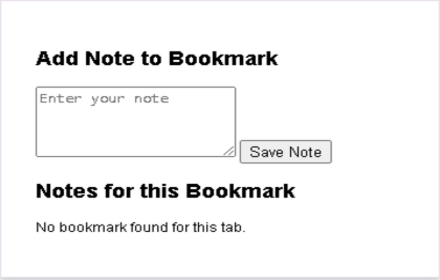
Bookmark Notes
Add notes to your bookmarks.
476
★ 3.8

Last Text Bookmark
Bookmark selected text on any page. Auto-scrolls to highlighted text on reload. Share bookmarks via links.
2

Save for Later
Save pages to view later with thumbnails
2
Data sourced from the Chrome Web Store · last verified Jun 9, 2026.