
Built with Tailwind CSS
Built with Tailwind CSS is a Chrome Extension that identifies the usage of Tailwind CSS in web pages.
As of June 2026, Built with Tailwind CSS has 534 users in the Developer Tools category.
Usersup 4.3 percent+4.3%
534
534
Ratingno change0%
—
— reviews
Reviewsno change0%
—
Version
2.6.0
Manifest V3
90-day change · In the last 90 days this extension 1 version update, changed permissions.
History
11 snapshotsTracking since Apr 23, 2026.
View as table
| Date | Users | Rating | Reviews | Version |
|---|---|---|---|---|
| Apr 23, 2026 | 512 | — | — | 2.4.0 |
| Apr 28, 2026 | 527 | — | — | 2.6.0 |
| May 8, 2026 | 522 | — | — | 2.6.0 |
| May 11, 2026 | 511 | — | — | 2.6.0 |
| May 15, 2026 | 521 | — | — | 2.6.0 |
| May 19, 2026 | 541 | — | — | 2.6.0 |
| May 24, 2026 | 544 | — | — | 2.6.0 |
| May 29, 2026 | 502 | — | — | 2.6.0 |
| Jun 3, 2026 | 495 | — | — | 2.6.0 |
| Jun 7, 2026 | 505 | — | — | 2.6.0 |
| Jun 12, 2026 | 523 | — | — | 2.6.0 |
| Now | 534 | — | — | 2.6.0 |
Changelog
- Apr 23, 2026description
We are open source! ⭐ Star us on https://github.com/dankore/built-with-tailwind-css

This tool is designed for web developers, designers, and enthusiasts who want to know Tailwind CSS usage across various sites.

Features:

⚡ Automatic Detection: Discover instantly if a website is using Tailwind CSS as soon as you navigate to it. The extension analyses both external stylesheets and inline styles.

⚡ Version Identification: Not only does the extension detect the presence of Tailwind CSS, but it also determines the specific version used, helping you understand which features and utilities are likely employed.

⚡ Badge Display: A badge on the extension icon provides quick information about the detected Tailwind CSS version, or it remains blank if Tailwind CSS isn’t found.

⚡ Efficient Caching: Results are cached per domain to optimize performance and minimize redundant checks, ensuring swift browsing without repetitive processing.

⚡ Easy Access: Use the popup to get a summary of the detection results and access settings to customize the extension's behavior.

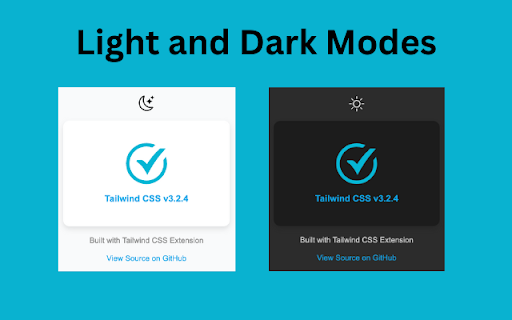
⚡ Theme Support: Toggle between light and dark themes for the extension’s popup window, aligning with your preferred visual style.

Privacy & Security:

Your privacy is paramount. **Built with Tailwind CSS** operates entirely locally, with no data sent over the Internet or stored on external servers. The extension does not track your browsing activity or access any data other than CSS class information.

Permissions:

- Read and Change Data on Websites: Necessary for detecting Tailwind CSS in styles applied to the web pages you visit.
- Alarms: Used for managing periodic cache resets.
- Tabs & Scripting: Essential for executing content scripts that check for Tailwind CSS and communicating with tabs.

What's New:

- Enhanced detection algorithms for pinpoint accuracy.
- Added support for latest Tailwind CSS versions.
- New customizable user settings for tailored functionality.
- Improved performance with optimized caching mechanism.
- Updated UI for the popup with theme toggle support.

Try Built with Tailwind CSS today and streamline your web development and design exploration!
Built with Tailwind CSS tells you whether the site you’re on uses Tailwind CSS—and when possible, which version—without leaving the page. It’s for developers, designers, and anyone curious how a site is styled.

Open the popup to see a clear yes/no style result, the current site’s hostname, and a refresh if you want to scan again. A small badge on the extension icon can show a short version hint when Tailwind is found (Chrome only fits a few characters there). You can switch light or dark theme for the popup.

Everything runs in your browser: it inspects stylesheets and related page content to detect Tailwind-style signals. Results are cached per domain on your device so repeat visits stay snappy; cache can reset on a long schedule. No accounts, no tracking, and nothing is sent to us—this is an open-source tool you can review on GitHub: https://github.com/dankore/built-with-tailwind-css

If you work with Tailwind or compare sites often, install it to get an instant read on Tailwind usage while you browse.
- Apr 23, 2026permissions
alarms, tabs, scripting
alarms, storage, tabs, scripting
Permissions & access
- Permissions
- alarmsstoragetabsscripting
- Host access
- <all_urls>
Screenshots


About
Built with Tailwind CSS tells you whether the site you’re on uses Tailwind CSS—and when possible, which version—without leaving the page. It’s for developers, designers, and anyone curious how a site is styled.

Open the popup to see a clear yes/no style result, the current site’s hostname, and a refresh if you want to scan again. A small badge on the extension icon can show a short version hint when Tailwind is found (Chrome only fits a few characters there). You can switch light or dark theme for the popup.

Everything runs in your browser: it inspects stylesheets and related page content to detect Tailwind-style signals. Results are cached per domain on your device so repeat visits stay snappy; cache can reset on a long schedule. No accounts, no tracking, and nothing is sent to us—this is an open-source tool you can review on GitHub: https://github.com/dankore/built-with-tailwind-css

If you work with Tailwind or compare sites often, install it to get an instant read on Tailwind usage while you browse.
Technical
- Version
- 2.6.0
- Manifest
- V3
- Size
- 33.99KiB
- Min Chrome
- 88
- Languages
- 1
- Featured
- Yes
Metadata
- ID
- jlhanklencdaapbcmolakoogadjbkbcn
- Developer ID
- u26e5ee93e05c1959d3637fa9e0631996
- Developer Email
- [email protected]
- Created
- Mar 11, 2022
- Last Updated (Store)
- Apr 13, 2026
- Last Scraped
- Jun 12, 2026
- Website
- dankoresoft.com
- Support URL
- https://www.dankoresoft.com/contact
- Privacy Policy
- https://www.dankoresoft.com/privacy-policy
Similar extensions
Alternatives to Built with Tailwind CSS, ranked by description similarity.

TailwindSight — Inspect & Edit Tailwind CSS in Real-Time
Instantly inspect, view, and modify Tailwind CSS classes on any webpage with live suggestions and undo/redo support.
43
★ 5.0

Tailwind CSS Inspector - Visual Design Analyzer & Code Exporter
Inspect CSS visually. Extract colors, fonts, spacing. Export to Tailwind CSS & React components. Built for frontend developers.
26

Tailwidth - Tailwind CSS Breakpoint And Witdh Checker
Displays the current Tailwind CSS breakpoint and screen width in pixels.
62

GoTailwind
GoTailwind is a cutting-edge browser extension designed to simplify your web development workflow by converting traditional CSS…
7

Toolwind - Devtool for Tailwind css
Enhance Tailwind CSS workflow: Easily add, modify, remove, and copy classes with built-in Tailwind IntelliSense
204
★ 4.2

Tailwind Inspector
Easily inspect and edit Tailwind CSS classes on web pages for rapid prototyping and debugging
185
★ 3.5

Tailwind Class Translator
Translate Tailwind CSS utility classes into readable CSS properties for easier debugging
3

Taildoor
Taildoor is the essential developer tool for Tailwind CSS
304
★ 5.0
Data sourced from the Chrome Web Store · last verified Jun 12, 2026.