
ToDo List with Notifications
A simple to-do list extension with notification and reminder features.
As of May 2026, ToDo List with Notifications has 22 users in the Productivity category.
Usersup 37.5 percent+37.5%
22
22
Ratingno change0%
—
— reviews
Reviewsno change0%
—
Version
1.0
Manifest V3
History
2 snapshotsTracking since Apr 29, 2026.
View as table
| Date | Users | Rating | Reviews | Version |
|---|---|---|---|---|
| Apr 29, 2026 | 16 | — | — | 1.0 |
| May 26, 2026 | 23 | — | — | 1.0 |
| Now | 22 | — | — | 1.0 |
Permissions & access
- Permissions
- storagealarmsnotifications
- Host access
- None declared
Screenshots

About
To Do List is a convenient and customizable to-do list extension for Chrome, designed to help users manage their tasks efficiently. With To Do List, users can create, track, and organize their tasks seamlessly, all within the browser.

Key Features:

Task Management: Easily add tasks to your to-do list using the intuitive interface. Simply type in your task and hit "Add Task" to include it in your list.

Notes Functionality: To Do List allows users to add notes to each task, providing a space to jot down additional details, reminders, or important information related to the task.

Task Status Tracking: Keep track of the status of your tasks with built-in checkboxes. Mark tasks as completed or pending with a simple click, helping you stay organized and focused on your priorities.

Task Deletion: Remove tasks from your list effortlessly by clicking the delete button next to each task. Clean up your list quickly to maintain clarity and focus.

Pending Task Reminder: To Do List includes a reminder feature to alert users about pending tasks. Set your preferred reminder time, and To Do List will notify you when there are tasks left incomplete.

Customization Options: Customize your task list according to your preferences. Add or remove tasks, edit task names and notes, and adjust reminder settings to suit your workflow.

Simple and Lightweight: To Do List is designed to be lightweight and user-friendly, providing a streamlined task management experience without unnecessary complexity.

How to Use:

Install the To Do List extension from the Chrome Web Store.
Click on the To Do List icon in the browser toolbar to open the to-do list interface.
Add tasks by typing them into the input field and pressing "Add Task".
Optionally, add notes to tasks by typing them into the notes input field.
Manage tasks by checking them off when completed or deleting them when no longer needed.
Customize reminder settings and enjoy seamless task management within your browser.
To Do List is the perfect tool for individuals looking to stay organized, focused, and productive throughout their day. Streamline your task management process and conquer your to-do list with To Do List today!
Technical
- Version
- 1.0
- Manifest
- V3
- Size
- 15.66KiB
- Min Chrome
- 88
- Languages
- 1
- Featured
- No
Metadata
- ID
- jjphglmkimbecafgioaejlajbagmnhdm
- Developer ID
- udb8a65c45c851e41aa41d70899bd2635
- Developer Email
- [email protected]
- Created
- Mar 12, 2024
- Last Updated (Store)
- Mar 12, 2024
- Last Scraped
- May 26, 2026
- Website
- solutionsfords.blogspot.com
- Support URL
- —
- Privacy Policy
- —
Similar extensions
Alternatives to ToDo List with Notifications, ranked by description similarity.

To-Do List Extension
ToDoList is a straightforward Chrome extension that helps you stay organized and on top of your tasks. With its intuitive…
8

To-Do List Manager
A simple offline to-do list manager.
45
★ 5.0
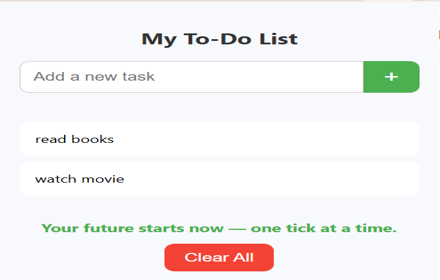
My To-Do List
A simple Chrome extension to manage your tasks with motivational feedback.
11
★ 4.5

Simple Todo's
Create Todo's in a handy location in your browser's side panel.
20
★ 5.0

GV To-Do List
A simple and effective To-Do List Chrome extension.
9
★ 5.0

To-Do List Extension
A simple to-do list app to track your tasks.
15
★ 5.0

My ToDo List
ToDo List Manager
5

To Do Manager
A modern task manager with Today and Later categories
—
Data sourced from the Chrome Web Store · last verified May 26, 2026.