
SideFlow
Open any site in Chrome’s Side Panel. Choose per‑tab or global. Favorites & filter. Close all panels.
As of June 2026, SideFlow has 4 users and a 5.00/5 rating from 1 reviews in the Workflow & Planning category.
Usersdown 33.3 percent−33.3%
4
4
Ratingno change0%
5.00
1 reviews
Reviewsno change0%
1
Version
1.0.0
Manifest V3
History
4 snapshotsTracking since Apr 20, 2026.
View as table
| Date | Users | Rating | Reviews | Version |
|---|---|---|---|---|
| Apr 20, 2026 | 6 | 5.00 | 1 | 1.0.0 |
| May 5, 2026 | — | 5.00 | 1 | 1.0.0 |
| May 15, 2026 | 4 | 5.00 | 1 | 1.0.0 |
| Jun 9, 2026 | 5 | 5.00 | 1 | 1.0.0 |
| Now | 4 | 5.00 | 1 | 1.0.0 |
Permissions & access
- Permissions
- sidePaneltabsstorage
- Host access
- https://*/*, http://*/*
Screenshots


About
Bring the full web to Chrome’s side panel.
SideFlow lets you open any site right beside your current tab—so you can research, write, and work faster without juggling windows. Switch between per-tab panels (scoped to just one tab) or a global panel shared across windows. Save your favorite URLs, launch them in one click, and keep your workspace tidy while everything you need stays in view.

Why SideFlow

Designed for productivity, SideFlow helps you combine sites in the same tab—perfect for multitasking flows like:

Writing & research: Google Docs/Word + ChatGPT or scholarly sources

Dev & docs: GitHub/Stack Overflow + API docs

Project work: Jira/Trello + Figma/Notion

Email & planning: Gmail + Calendar/Notes

Shopping & comparisons: Product pages + price trackers or reviews

Features

Open any page in the side panel — Scope it to This tab only or make it Global (all tabs)

Favorites — Save and launch URLs, including from the side panel’s bookmark button

Auto-hiding navigation bar — Back, Forward, Refresh, and Favorites; hover the top edge or press Alt + S to reveal

Theme toggle — Switch popup between light and dark in a click

Quick cleanup — Close an individual panel or Close all when you’re done

SideFlow keeps your browsing organized and your focus sharp—so you can pair the tools and sites you use most, side-by-side, exactly where you need them.
Technical
- Version
- 1.0.0
- Manifest
- V3
- Size
- 1.08MiB
- Min Chrome
- 88
- Languages
- 1
- Featured
- No
Metadata
- ID
- jjjedgnociifegaiijmbbhipbkcaknpp
- Developer ID
- u09cc40bf135b67ad7b3bb54897b04bde
- Developer Email
- [email protected]
- Created
- Aug 31, 2025
- Last Updated (Store)
- Aug 31, 2025
- Last Scraped
- Jun 9, 2026
- Website
- —
- Support URL
- —
- Privacy Policy
- https://flayken.github.io/privacy-policy/
Similar extensions
Alternatives to SideFlow, ranked by description similarity.
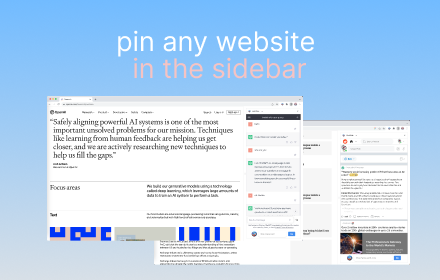
Sidebar Tabs — Open Any Website (ChatGPT, Todoist, Notion) in Side Panel
Open and pin any website in sidebar — such as ChatGPT, Gemini, Claude, Todoist, Notion and more.
3.0K
★ 4.1

Sidebar Pro – Productivity Sidebar for Chrome
A productivity sidebar extension for Chrome to quickly access bookmarks, tools, websites, and extensions without switching tabs.
15

SidePeek | Side Browser
A simple side browser for your favorite sites in Chrome's side panel
—

SideApps: Open any apps in Chrome Side Panel
Browse while chatting with AI, taking notes, watching videos, or using any web app. Perfect for multitasking from Chrome side panel
272
★ 3.6

TabFlow - Auto Tab Grouping
TabFlow auto-organizes Chrome tabs into groups. Declutter your browser, cut tab chaos, and boost focus with smart tab management.
12
★ 5.0

SideTab – Vertical Tabs in Side Panel
Vertical tabs in side panel to organize, view, and switch tabs easily with a clean sidebar tab manager..
5

ChatGPT & Claude AI Sidepanel
Access ChatGPT and Claude AI in a side panel
12

Open in Sidebar
Drop any link to the sidebar for dual-pane access
6.0K
★ 4.4
Data sourced from the Chrome Web Store · last verified Jun 9, 2026.