Cluing - Shareable Notes on Web Pages
Create shareable notes and highlights on any web page, pdf, youtube & kindle - Organize and collaborate on your research.
As of June 2026, Cluing - Shareable Notes on Web Pages has 9,000 users and a 4.81/5 rating from 32 reviews in the Workflow & Planning category.
Usersno change0%
9.0K
9,000
Ratingno change0%
4.81
32 reviews
Reviewsup 3.2 percent+3.2%
32
Version
3.53.3.0
Manifest V3
90-day change · In the last 90 days this extension 5 version updates.
History
8 snapshotsTracking since Apr 7, 2026.
View as table
| Date | Users | Rating | Reviews | Version |
|---|---|---|---|---|
| Apr 7, 2026 | 9.0K | 4.81 | 31 | 3.49.3.0 |
| Apr 17, 2026 | 9.0K | 4.81 | 31 | 3.50.3.0 |
| Apr 23, 2026 | 10.0K | 4.81 | 32 | 3.50.3.0 |
| Apr 28, 2026 | 9.0K | 4.81 | 32 | 3.50.3.0 |
| May 3, 2026 | 9.0K | 4.81 | 32 | 3.51.3.0 |
| May 19, 2026 | 9.0K | 4.81 | 32 | 3.51.3.1 |
| May 28, 2026 | 10.0K | 4.81 | 32 | 3.52.3.1 |
| Jun 11, 2026 | 9.0K | 4.81 | 32 | 3.52.3.1 |
| Now | 9.0K | 4.81 | 32 | 3.53.3.0 |
Permissions & access
- Permissions
- activeTabscriptingstoragealarmscontextMenuscommandswebRequest
- Host access
- https://*/
Screenshots




About
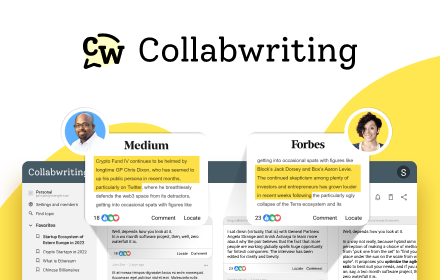
📚 HIGHLIGHTING AND SAVING
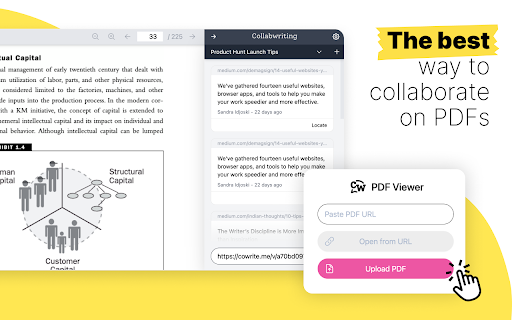
➜ Highlight and Save - Easily highlight important text from various webpages and PDFs

🙌 COLLABORATION AND ORGANIZATION
➜ Leave comments - Write as many comments per highlight as you need and save the data for later
➜ Share and Collaborate - Create public links, add permissions to specific users, and get insights from everyone involved in the research
➜ Drag and Drop - Reorder your snippets for better organization or move them to GoogleDocs, Notion, Gmail, Outlook, and a lot more supported apps
➜ Searchable System - Organize highlights into different topics or Clusters, add tags, and search for them later

⚡️ INTEGRATION AND RESEARCH ASSISTANCE
➜ AI research suggestions - Check out the in-app AI suggestions and see if they can bring you one step closer to finding the answer
➜ Integration with LinkedIn, Twitter, Reddit, YouTube - Save posts in a single click and locate them even when you’re not logged in
➜ Traceable History - Everything is saved, tracked, and organized for easy access and reference
➜ Import Highlights from Kindle - You can now import all your Kindle highlights and notes in Collabwriting and start collaborating over them as well

⚙️ EXPORTING AND SHARING
➜ Simple Export - Export your highlights to a PDF, Notion, or Google Doc with a single click


💪 GO PRO
If you want to get even more from Collabwriting you can buy PRO Subscription and get:
➜ Unlimited contributors
➜ Topic history
➜ Export to PDF & Print topics
➜ Contributor-level access roles
➜ And much more!


🔍 USE CASES

➜ Content Marketers - They can use it to highlight important text on webpages and PDFs during online research, which can help when creating content. If they're working in a team, they can highlight parts needing changes and add comments to improve the content together. Plus, when sharing ideas, they can highlight and comment to explain things better to their team.

➜ Lawyers - For lawyers, Collabwriting is a versatile tool that simplifies legal work. They can efficiently analyze and understand important information by highlighting important sections of legal documents and cases and adding comments for context.

➜ Consultants - Collabwriting enables consultants to easily gather important insights from various sources, improve collaboration by highlighting crucial sections in reports with explanatory comments, and simplify client presentations by integrating contextualized data. It is also a valuable tool for conducting industry research more efficiently, easily cross-referencing information, and communicating with clients more effectively by sharing highlighted content.

➜ Student Researchers - Collabwriting is invaluable for student researchers, offering efficient highlighting for summarizing key points in academic resources. It facilitates collaboration in group projects by allowing collective highlighting and commenting on research material, while also aiding thesis and paper writing by serving as a reference hub during the writing process.
Technical
- Version
- 3.53.3.0
- Manifest
- V3
- Size
- 34.57MiB
- Min Chrome
- 88
- Languages
- 1
- Featured
- Yes
Metadata
- ID
- jjefmmjicedljonbpdoeceklnhobmolo
- Developer ID
- ud10e1ed40a61b5ff35767f3fb3b918f8
- Developer Email
- [email protected]
- Created
- Jan 19, 2022
- Last Updated (Store)
- Jun 9, 2026
- Last Scraped
- Jun 11, 2026
- Website
- cluing.io
- Support URL
- https://help.collabwriting.com
- Privacy Policy
- https://collabwriting.com/legal/privacy-policy
Similar extensions
Alternatives to Cluing - Shareable Notes on Web Pages, ranked by description similarity.

Highlight Saver Pro
Save, organize, and search highlighted text with categories, notes, and export
20
★ 5.0

Web Highlighter - PDF & Web Highlighting & Team Sync & AI assistant
Web Highlighter - PDF & Web Highlighting & Team Sync & AI assistant
77
★ 4.0

ClipKeep - Web Clipper
ClipKeep is a web clipper that allows users to effortlessly capture, organize, and revisit key insights from the web.
137
★ 4.6

Web Highlights: PDF & Web Highlighter + Notes & AI Summary
Productivity Highlighter & Annotation Tool for Websites & PDFs with AI Summary - free, easy to use, no sign-up required.
200.0K
★ 4.8

Recherche
Seamlessly annotate websites and pdf documents & share them with others.
3

Stashy
Comprehensive note-taking extension. Transform any webpage into your personal knowledge base.
19
★ 5.0

Snippet Highlighter For ChatGPT, Gemini, and Claude
Enhanced note-taking and text highlighting for ChatGPT, Gemini, and Claude with cloud sync
19
★ 3.7

Web highlighter & take notes
Instantly highlight web content and take notes directly on any page.
51
★ 2.0
Data sourced from the Chrome Web Store · last verified Jun 11, 2026.