
TakeAscreen | Record & Capture Screenshots
Take Screenshots | Screen Record & Capture Screenshots
As of May 2026, TakeAscreen | Record & Capture Screenshots has 381 users and a 4.67/5 rating from 3 reviews in the art category.
Usersdown 6.4 percent−6.4%
381
381
Ratingno change0%
4.67
3 reviews
Reviewsno change0%
3
Version
2.6.2
Manifest V3
History
3 snapshotsTracking since Apr 1, 2026.
View as table
| Date | Users | Rating | Reviews | Version |
|---|---|---|---|---|
| Apr 1, 2026 | 407 | 4.67 | 3 | 2.6.2 |
| Apr 30, 2026 | 404 | 4.67 | 3 | 2.6.2 |
| May 28, 2026 | 458 | 4.67 | 3 | 2.6.2 |
| Now | 381 | 4.67 | 3 | 2.6.2 |
Permissions & access
- Permissions
- activeTabtabCapturetabsdownloadsstorageidentitydownloads.shelfscripting
- Host access
- http://*/*, https://*/, https://takeascreen.com/*
Screenshots


About
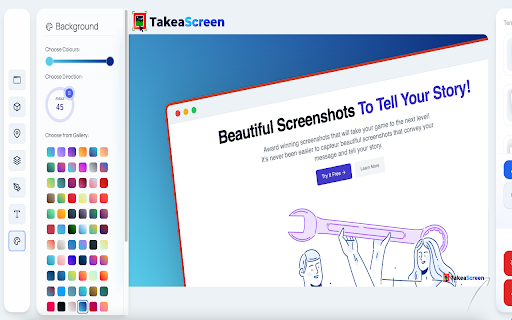
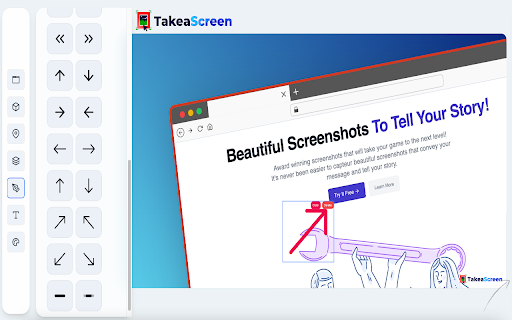
📸 Take WOW 🤩 Screenshots Like a Pro! 🚀

Unlock the power of visual communication with TakeAscreen – your go-to platform for capturing screenshots and screen recording. With TakeAscreen, you have the tools to effortlessly capture every moment. Whether you're showcasing dynamic content or preserving important information, our user-friendly interface ensures you can take screenshots with precision. Seamlessly transition from screenshots to screen recording, as TakeAscreen empowers you to capture video screen records effortlessly.

Capture Screenshot moments that matter most to you. Our intuitive platform allows you to capture the essence of your content, making it perfect for presentations, tutorials, or simply sharing standout visuals. Beyond capturing images, TakeAscreen expands your capabilities into the realm of Screen Recording. Record your screen and create engaging videos that convey your message dynamically. Say goodbye to complexity and hello to streamlined content creation.

Step into the future of content with TakeAscreen. Whether you're a professional, educator, or content creator, our tools empower you to bring your vision to life. Capture Screenshot excellence and embrace the power of Screen Recording with TakeAscreen – your all-in-one solution for visual storytelling.
Technical
- Version
- 2.6.2
- Manifest
- V3
- Size
- 8.35MiB
- Min Chrome
- 88
- Languages
- 16
- Featured
- Yes
Metadata
- ID
- jgcgcifajjcjbajabapjmpgalhjangfl
- Developer ID
- u45668b8b2fa7a992c6090ea87ae51fe7
- Developer Email
- [email protected]
- Created
- Sep 13, 2022
- Last Updated (Store)
- Oct 15, 2023
- Last Scraped
- May 28, 2026
- Website
- takeascreen.com
- Support URL
- https://takeascreen.com/p/contact-us
- Privacy Policy
- https://typli.ai/privacy/
Similar extensions
Alternatives to TakeAscreen | Record & Capture Screenshots, ranked by description similarity.

Screen Flow 4K
Capture and record your screen in high-quality 4K resolution with ease. Become a KOFIKLUB Member Today!
26

PostSpark - Beautiful Screenshots & Mockups
Create beautiful screenshots and mockups for social media and marketing needs.
2.0K
★ 4.7

PerfectSnap - Transform Your Screenshot into a Masterpiece
Capture, Edit, and Share Stunning Screenshots with Ease.
How It Works
1. Capture: Use the extension to take a screenshot…
20
★ 5.0

Screenshot Editor Pro
Capture & edit screenshots with visible page, select area, and full page modes
13

SnapForge - Screenshot Editor and Design Tool
Capture anything, forge it to perfection, then ship in seconds.
130
★ 5.0

MagicShot - Screenshots made Beautiful
Capture a screenshot of your page or of a selected area and turn it into a beautiful image for your social media
195

ELEL - Elegant Screenshot Annotation Tool
Professional screenshot annotation tool with rectangle, circle, arrow, text, focus features. One-click screenshot, smart annotation.
14

Screenshot Extension
Capture a screenshot of the visible webpage area.
7
Data sourced from the Chrome Web Store · last verified May 28, 2026.