
Screen Translator - Translate PDF, Docs, Word, PowerPoint, Images, Comic...
Drag to select any area on a webpage and translate text from GG Drive, PDFs, Docs, Word, PowerPoint, images, comics—right on screen.
As of June 2026, Screen Translator - Translate PDF, Docs, Word, PowerPoint, Images, Comic... has 1,000 users and a 4.33/5 rating from 6 reviews in the Productivity category.
Usersup 83.2 percent+83.2%
1.0K
1,000
Ratingdown 13.4 percent−13.4%
4.33
6 reviews
Reviewsup 20.0 percent+20.0%
6
Version
1.2.1
Manifest V3
90-day change · In the last 90 days this extension 2 version updates.
History
9 snapshotsTracking since Apr 1, 2026.
View as table
| Date | Users | Rating | Reviews | Version |
|---|---|---|---|---|
| Apr 1, 2026 | 546 | 5.00 | 5 | 1.1.1.1 |
| Apr 9, 2026 | 560 | 5.00 | 5 | 1.1.1.1 |
| Apr 20, 2026 | 657 | 5.00 | 5 | 1.2.0 |
| Apr 25, 2026 | 804 | 5.00 | 5 | 1.2.0 |
| Apr 29, 2026 | 846 | 5.00 | 5 | 1.2.0 |
| May 5, 2026 | 863 | 5.00 | 5 | 1.2.0 |
| May 9, 2026 | 887 | 5.00 | 5 | 1.2.0 |
| May 12, 2026 | 934 | 5.00 | 5 | 1.2.1 |
| May 16, 2026 | 953 | 4.33 | 6 | 1.2.1 |
| Now | 1.0K | 4.33 | 6 | 1.2.1 |
Changelog
- May 9, 2026description
🚀 Getting Started

● After installing the extension, reload the page you want to translate
● Click the extension icon, or Ctrl+Shift+X in Windows, or Command+Shift+X in Mac
● Drag to select an area on the page
● Wait for the translation overlay
● Read, copy, or hide the translated text
● (Optional) Pin extension to toolbar to start action quickly

✨ Key Features

● Drag & select any area on a webpage
● Overlay translated text at the original position
● Show / hide translation layer anytime
● Click the text to copy
● Customizable translate language in Options
● Customizable auto translate with the last area coordinates in Options
● Supports translation in up to 50 languages worldwide

🔐 Privacy & Data Usage

● Text and images are processed only for translation purposes
● No personal data is sold or shared with third parties
● Data handling is clearly described in our Privacy Policy

👉 Learn more: https://screentranslator.thegioigiandon.com/about-us
👉 Feedback: https://screentranslator.thegioigiandon.com/feedback
🚀 Getting Started

● After installing the extension, reload the page you want to translate
● Click the extension icon, or Ctrl+Shift+X in Windows, or Command+Shift+X in Mac
● Drag to select an area on the page
● Wait for the translation overlay
● Read, copy, or hide the translated text
● (Optional) Pin extension to toolbar to start action quickly

✨ Key Features

● Drag & select any area on a webpage
● Overlay translated text at the original position
● Show / hide translation layer anytime
● Double click the text to copy
● Customizable translate language in Options
● Customizable auto translate with the last area coordinates in Options
● Supports translation in up to 50 languages worldwide

🔐 Privacy & Data Usage

● Text and images are processed only for translation purposes
● No personal data is sold or shared with third parties
● Data handling is clearly described in our Privacy Policy

👉 Learn more: https://screentranslator.thegioigiandon.com/about-us
👉 Feedback: https://screentranslator.thegioigiandon.com/feedback
- Apr 9, 2026description
🚀 Getting Started

● After installing the extension, reload the page you want to translate
● Click the extension icon, or Ctrl+Shift+X in Windows, or Command+Shift+X in Mac
● Drag to select an area on the page
● Wait for the translation overlay
● Read, copy, or hide the translated text
● (Optional) Pin extension to toolbar to start action quickly

✨ Key Features

● Drag & select any area on a webpage
● Overlay translated text at the original position
● Show / hide translation layer anytime
● Click text to copy
● Customizable translate language in Options
● Customizable auto translate with the last area coordinates in Options
● Supports translation in up to 50 languages worldwide

🔐 Privacy & Data Usage

● Text and images are processed only for translation purposes
● No personal data is sold or shared with third parties
● Data handling is clearly described in our Privacy Policy

👉 Learn more: https://screentranslator.thegioigiandon.com/about-us
👉 Feedback: https://screentranslator.thegioigiandon.com/feedback
🚀 Getting Started

● After installing the extension, reload the page you want to translate
● Click the extension icon, or Ctrl+Shift+X in Windows, or Command+Shift+X in Mac
● Drag to select an area on the page
● Wait for the translation overlay
● Read, copy, or hide the translated text
● (Optional) Pin extension to toolbar to start action quickly

✨ Key Features

● Drag & select any area on a webpage
● Overlay translated text at the original position
● Show / hide translation layer anytime
● Click the text to copy
● Customizable translate language in Options
● Customizable auto translate with the last area coordinates in Options
● Supports translation in up to 50 languages worldwide

🔐 Privacy & Data Usage

● Text and images are processed only for translation purposes
● No personal data is sold or shared with third parties
● Data handling is clearly described in our Privacy Policy

👉 Learn more: https://screentranslator.thegioigiandon.com/about-us
👉 Feedback: https://screentranslator.thegioigiandon.com/feedback
Permissions & access
- Permissions
- activeTabstorageidentity
- Host access
- None declared
Screenshots


About
🚀 Getting Started

● After installing the extension, reload the page you want to translate
● Click the extension icon, or Ctrl+Shift+X in Windows, or Command+Shift+X in Mac
● Drag to select an area on the page
● Wait for the translation overlay
● Read, copy, or hide the translated text
● (Optional) Pin extension to toolbar to start action quickly

✨ Key Features

● Drag & select any area on a webpage
● Overlay translated text at the original position
● Show / hide translation layer anytime
● Double click the text to copy
● Customizable translate language in Options
● Customizable auto translate with the last area coordinates in Options
● Supports translation in up to 50 languages worldwide

🔐 Privacy & Data Usage

● Text and images are processed only for translation purposes
● No personal data is sold or shared with third parties
● Data handling is clearly described in our Privacy Policy

👉 Learn more: https://screentranslator.thegioigiandon.com/about-us
👉 Feedback: https://screentranslator.thegioigiandon.com/feedback
Technical
- Version
- 1.2.1
- Manifest
- V3
- Size
- 51.85KiB
- Min Chrome
- 88
- Languages
- 9
- Featured
- Yes
Metadata
- ID
- jeomhhlkgaaeamcnebmpdpkoiabnicbd
- Developer ID
- u10efe92d6d6fbbd58f05240e30742d0c
- Developer Email
- [email protected]
- Created
- Jan 16, 2026
- Last Updated (Store)
- May 7, 2026
- Last Scraped
- Jun 15, 2026
- Website
- thegioigiandon.com
Similar extensions
Alternatives to Screen Translator - Translate PDF, Docs, Word, PowerPoint, Images, Comic..., ranked by description similarity.

autoTranslate - Translate web & PDF, Dictionary
Automatic translate full webpage & PDF. Translate while u read & write in 248 languages. Highlight & replace text. Save phrases. TTS
20.0K
★ 4.3

Translate and Learn
Boost your vocabulary with inpage translations
4
★ 5.0

Hover Translate
Instant hover translation for any selected text. Supports 10+ languages with auto-detection.
—
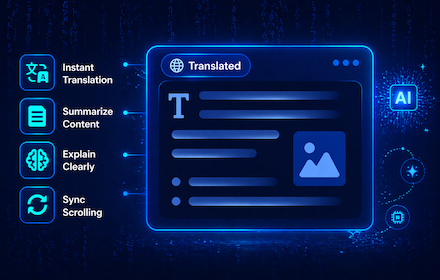
Document AI Translator - Side-by-side Translate PDF, Google Docs, Notion
Show a live translated view of PDF, Google Docs, and Notion pages side-by-side with the original, preserving layout and scroll sync.
96
★ 5.0

Wordigo - Translator, Dictionary, TTS
Wordigo: Translate text in the browser and add it to the dictionary. Easily bypass language restrictions..
328
★ 5.0

Dragg
Drag and use AI
—
★ 5.0

tapture
Your web translation assistant. Helping users easily translate and read foreign language web pages.
3

Translator Extension
Translate text in Chrome with auto-detect, 30+ languages, live results, swap controls, and one-click copy.
138
Data sourced from the Chrome Web Store · last verified Jun 15, 2026.