
Data Studio Companion
Boosting Data Studio (formerly Looker Studio) user interface & features to improve your productivity & reports performance
As of June 2026, Data Studio Companion has 2,000 users and a 5.00/5 rating from 5 reviews in the Developer Tools category.
Usersno change0%
2.0K
2,000
Ratingno change0%
5.00
5 reviews
Reviewsno change0%
5
Version
0.8.2
Manifest V3
90-day change · In the last 90 days this extension 1 version update.
History
2 snapshotsTracking since Apr 21, 2026.
View as table
| Date | Users | Rating | Reviews | Version |
|---|---|---|---|---|
| Apr 21, 2026 | 2.0K | 5.00 | 5 | 0.8.1 |
| Apr 26, 2026 | 2.0K | 5.00 | 5 | 0.8.2 |
| Now | 2.0K | 5.00 | 5 | 0.8.2 |
Changelog
- Apr 21, 2026description
Looker Studio companion is a free extension for Google Chrome browser. It is created to help users building reports and dashboards inside what is formerly known as Google Data Studio.

This plugin boosts Looker Studio user interface and features to improve your productivity & reports performance.

For this first version, LS companion includes the following features.

* Resources
The first tab proposes resources links we frequently need when we work on Looker Studio:
- Functions reference to build calculated fields
- Regex checker to test regular expressions for our chart filters or formula functions
- Date formats reference
- Unicode characters
- Icon library
- …but also, as secondary resources…
- Looker Studio help
- Measure Slack channel dedicated to Looker Studio
- LS bug trackers
- Looker Studio release notes
- Google Cloud Services Status

* Data sources : Fields management
A good Looker Studio data source is a data source listing only relevant fields for your report or because of your measurement scope.

The second tab allows to load your data source fields, filter them, disable/enable/rename through bulk actions:
- Dropdown menu to select one of your report data sources
- Button to show the related fields
- Form field to filter the list by field name (with or without regular expression)
- Bulk actions to disable or enable selected or all fields
- A form to update names and descriptions by import
- Fields list for selection or unitary activation/deactivation
- Footer with a count summary of dimensions and metrics

* Settings
4 options are available in this tab:
- Widen the chart formula field with you need more space to write your calculated field
- Display field names in style tab for table charts
- (new v.0.8) Expandable sections in style tab
- Obfuscations options
  - Obfuscate text content of all Looker Studio interface
  - Mix text values of your charts
  - Mix numeric values of your charts
Data Studio companion is a free extension for Google Chrome browser. It is created to help users building reports and dashboards inside what is formerly known as Looker Studio.

This plugin boosts Data Studio user interface and features to improve your productivity & reports performance.

For this first version, LS companion includes the following features.

* Resources
The first tab proposes resources links we frequently need when we work on Data Studio:
- Functions reference to build calculated fields
- Regex checker to test regular expressions for our chart filters or formula functions
- Date formats reference
- Unicode characters
- Icon library
- …but also, as secondary resources…
- Data Studio help
- Measure Slack channel dedicated to Data Studio
- LS bug trackers
- Data Studio release notes
- Google Cloud Services Status

* Data sources : Fields management
A good Data Studio data source is a data source listing only relevant fields for your report or because of your measurement scope.

The second tab allows to load your data source fields, filter them, disable/enable/rename through bulk actions:
- Dropdown menu to select one of your report data sources
- Button to show the related fields
- Form field to filter the list by field name (with or without regular expression)
- Bulk actions to disable or enable selected or all fields
- A form to update names and descriptions by import
- Fields list for selection or unitary activation/deactivation
- Footer with a count summary of dimensions and metrics

* Settings
4 options are available in this tab:
- Widen the chart formula field with you need more space to write your calculated field
- Display field names in style tab for table charts
- (new v.0.8) Expandable sections in style tab
- Obfuscations options
  - Obfuscate text content of all Data Studio interface
  - Mix text values of your charts
  - Mix numeric values of your charts
- Apr 21, 2026short_description
Boosting Looker Studio (formerly Google Data Studio) user interface & features to improve your productivity & reports performance
Boosting Data Studio (formerly Looker Studio) user interface & features to improve your productivity & reports performance
- Apr 21, 2026name
Looker Studio Companion
Data Studio Companion
Permissions & access
- Permissions
- storage
- Host access
- https://datastudio.google.com/, https://lookerstudio.google.com/, https://www.wissi.fr/
Screenshots


About
Data Studio companion is a free extension for Google Chrome browser. It is created to help users building reports and dashboards inside what is formerly known as Looker Studio.

This plugin boosts Data Studio user interface and features to improve your productivity & reports performance.

For this first version, LS companion includes the following features.

* Resources
The first tab proposes resources links we frequently need when we work on Data Studio:
- Functions reference to build calculated fields
- Regex checker to test regular expressions for our chart filters or formula functions
- Date formats reference
- Unicode characters
- Icon library
- …but also, as secondary resources…
- Data Studio help
- Measure Slack channel dedicated to Data Studio
- LS bug trackers
- Data Studio release notes
- Google Cloud Services Status

* Data sources : Fields management
A good Data Studio data source is a data source listing only relevant fields for your report or because of your measurement scope.

The second tab allows to load your data source fields, filter them, disable/enable/rename through bulk actions:
- Dropdown menu to select one of your report data sources
- Button to show the related fields
- Form field to filter the list by field name (with or without regular expression)
- Bulk actions to disable or enable selected or all fields
- A form to update names and descriptions by import
- Fields list for selection or unitary activation/deactivation
- Footer with a count summary of dimensions and metrics

* Settings
4 options are available in this tab:
- Widen the chart formula field with you need more space to write your calculated field
- Display field names in style tab for table charts
- (new v.0.8) Expandable sections in style tab
- Obfuscations options
  - Obfuscate text content of all Data Studio interface
  - Mix text values of your charts
  - Mix numeric values of your charts
Technical
- Version
- 0.8.2
- Manifest
- V3
- Size
- 2.99MiB
- Min Chrome
- 88
- Languages
- 1
- Featured
- No
Metadata
- ID
- jalbacknfjchpjndgppbhlndlnbmipjm
- Developer ID
- ud07dd7c4d9b48e0f14ba72cff6edacc5
- Developer Email
- [email protected]
- Created
- Dec 13, 2022
- Last Updated (Store)
- Apr 15, 2026
- Last Scraped
- Jun 19, 2026
- Privacy Policy
- https://extension.withlookerstudio.com/privacy-policy/
Similar extensions
Alternatives to Data Studio Companion, ranked by description similarity.

Looker Boy
An intelligent assistant for Looker users providing instant answers and guidance.
8
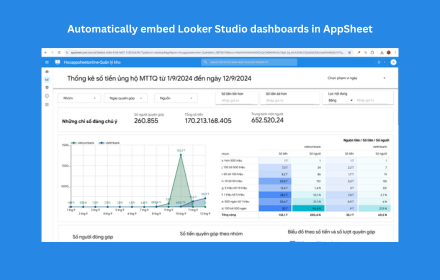
AppSheet Looker Integration
Automatically embed Looker Studio dashboards in AppSheet applications for seamless data visualization - Developed by Hoà Data
474
★ 5.0

Extension Data
Quickly see stats for any chrome extension
113
★ 5.0

Salesforce Companion
Boost your Salesforce productivity with quick field search, API names, SOQL generator, and smart shortcuts in a sleek sidebar.
26
★ 5.0

StarterCSS
Rapidly implement CSS layouts, effects, and designs without parsing through online docs
69

OmniStudio Inspector
A modern inspector for OmniStudio components in Salesforce.
71
★ 5.0

AppSheet View Customizer
Customize Your Way to Better AppSheet Apps
4.0K
★ 4.9

AppSheet Embed Looker and PowerBI
Tự động nhúng Looker Studio và Power BI vào AppSheet khi view có tên _Looker hoặc _PowerBI.
61
★ 5.0
Data sourced from the Chrome Web Store · last verified Jun 19, 2026.