
Google Sheets Task Manager
Quickly add tasks to your Google Sheets
As of June 2026, Google Sheets Task Manager has 79 users in the Developer Tools category.
Usersup 14.5 percent+14.5%
79
79
Ratingno change0%
—
— reviews
Reviewsno change0%
—
Version
2.0
Manifest V3
History
3 snapshotsTracking since Apr 23, 2026.
View as table
| Date | Users | Rating | Reviews | Version |
|---|---|---|---|---|
| Apr 23, 2026 | 69 | — | — | 2.0 |
| May 13, 2026 | 72 | — | — | 2.0 |
| Jun 8, 2026 | 77 | — | — | 2.0 |
| Now | 79 | — | — | 2.0 |
Permissions & access
- Permissions
- identityidentity.emailstoragealarms
- Host access
- https://sheets.googleapis.com/*, https://www.googleapis.com/*, https://docs.googleapis.com/*
Screenshots
About
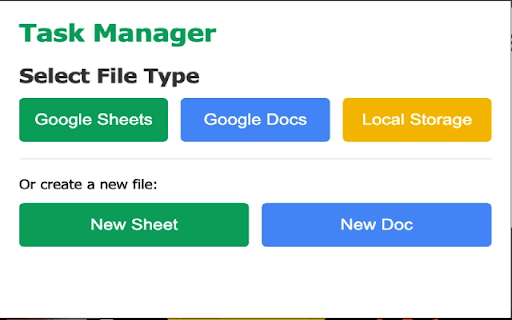
Easily add and organize tasks in Google Sheets and Docs directly from your browser with custom fields and formatting options.
Detailed Description
Google Drive Task Manager is a powerful Chrome extension that helps you manage tasks efficiently using Google Sheets and Google Docs. Never switch between tabs or lose track of important tasks again!
Key Features:

Seamless Google Integration: Connect directly to your Google Sheets and Docs without leaving your browser
Custom Column Names: Personalize column headers in Sheets to match your workflow
Custom Sheet Creation: Create new sheets with your preferred names within existing spreadsheets
Document Support: Add tasks to Google Docs with a simple text interface
Flexible Input: Load spreadsheets and documents via URL or from your Drive
Multiple Priority Levels: Categorize tasks as High, Medium, or Low priority
Status Tracking: Monitor tasks from "Not Started" through "Completed"
Date Management: Include due dates and automatic creation dates
Privacy-Focused: All your data stays in your Google Drive with minimal permissions required

Perfect For:

Project managers tracking deliverables
Students organizing assignments
Teams collaborating on shared tasks
Remote workers managing personal and professional tasks
Anyone who wants to stay organized without leaving Chrome

How It Works:

Sign in with your Google account
Select an existing spreadsheet/document or create a new one with your preferred name
Add tasks with titles, descriptions, due dates, priorities, and status
Customize column names and formats to match your workflow
All data is stored securely in your own Google Drive

Our extension respects your privacy and only requests the minimum permissions needed to manage your tasks in Google Drive. No data is stored on our servers - everything stays in your Google account.
Increase your productivity today with Google Drive Task Manager - the simplest way to keep track of your tasks without leaving your browser!
Technical
- Version
- 2.0
- Manifest
- V3
- Size
- 62.32KiB
- Min Chrome
- 88
- Languages
- 1
- Featured
- No
Metadata
- ID
- ipimmegbjhndedbkdffekballdmcildl
- Developer ID
- u97188fc029b2c7edb80df2ff9189b8e1
- Developer Email
- [email protected]
- Created
- Mar 19, 2025
- Last Updated (Store)
- Mar 21, 2025
- Last Scraped
- Jun 8, 2026
- Website
- —
- Support URL
- —
Similar extensions
Alternatives to Google Sheets Task Manager, ranked by description similarity.

Daily Task Manager | مدير المهام اليومية
Create and manage your daily tasks directly from your browser toolbar | إنشاء وإدارة المهام اليومية مباشرة من شريط أدوات المتصفح
—

Timer Task Tracker
Tracks tasks and saves data to selected Google Sheets
9

DriveWind Studio - Build Google Workspace Automations with AI
AI-powered Google Workspace assistant for building automations, tools or complex workflows in Apps Script and Sheets.
46

Atrean Extension
A scraping data extension for Atrean.
—

GrabMe.tech parser
Flexible parser of websites with export data to google spreadsheets
2
★ 5.0

To-Duck List
A simple task management Chrome extension
4

Test data manager
Built for testers, developers, and more. Easily access test data, copy values, or auto-fill assigned fields with just a click.
54

DevTodo
To-do list for Chrome DevTools.
182
★ 4.0
Data sourced from the Chrome Web Store · last verified Jun 8, 2026.