
Test data manager
Built for testers, developers, and more. Easily access test data, copy values, or auto-fill assigned fields with just a click.
As of June 2026, Test data manager has 54 users in the Developer Tools category.
Usersup 12.5 percent+12.5%
54
54
Ratingno change0%
—
— reviews
Reviewsno change0%
—
Version
1.0.3
Manifest V3
History
9 snapshotsTracking since Apr 2, 2026.
View as table
| Date | Users | Rating | Reviews | Version |
|---|---|---|---|---|
| Apr 2, 2026 | 48 | — | — | 1.0.3 |
| Apr 17, 2026 | 54 | — | — | 1.0.3 |
| Apr 22, 2026 | 53 | — | — | 1.0.3 |
| Apr 27, 2026 | 52 | — | — | 1.0.3 |
| May 5, 2026 | 53 | — | — | 1.0.3 |
| May 11, 2026 | 54 | — | — | 1.0.3 |
| May 20, 2026 | 52 | — | — | 1.0.3 |
| May 30, 2026 | 49 | — | — | 1.0.3 |
| Jun 8, 2026 | 50 | — | — | 1.0.3 |
| Now | 54 | — | — | 1.0.3 |
Permissions & access
- Permissions
- activeTabscriptingstorage
- Host access
- None declared
Screenshots


About
Test Data Manager – Effortless Form Filling with Customized Data

Test Data Manager is an easy-to-use Chrome extension designed to simplify test data management and usage. Whether you're entering business registration numbers, person IDs, or other frequently used data, Test Data Manager allows you to manage and organize your information in customizable tabs, ensuring you can fill forms faster and more efficiently.
Your data is securely stored locally within the extension (Chrome local storage) and is never shared with anyone, ensuring complete privacy and control.

Key Features:
-Organize Your Data with Tabs: Group and manage data using a tab-based interface, perfect for different categories like IDs, business information, or user credentials.

-Data CSV Import & Export: Effortlessly import structured data into the application from CSV files, allowing quick data population. Export your current data set to CSV with a single click, ensuring smooth integration with external tools or backups for easy access and sharing.

-Auto-Open Tabs: Set XPaths for tabs, and they’ll automatically open when extension modal is opened and if any matching element is present on the web page.

-XPath-based Auto-Filling: Automatically fill fields on web forms using XPath, making it ideal for repetitive data entry on public or enterprise websites.

-Flexible Data Grouping: Define multiple XPaths for a single field, ensuring the right data is filled in the correct field every time.

-One-Click Copy: Instantly copy data from saved entries with a single click on the data cell, making it easy to use or share outside the web application.

-Backup and Share Your Configurations: Export your configurations and data to share with others or to keep as a backup for future use. Import settings with a single click to restore your configuration on any device.
Technical
- Version
- 1.0.3
- Manifest
- V3
- Size
- 74.47KiB
- Min Chrome
- 88
- Languages
- 1
- Featured
- No
Metadata
- ID
- blcpoemndgldeniomgbkhpbmadcibbdo
- Developer ID
- u1d71118201f3bc8b43470dadeab3a1c3
- Developer Email
- [email protected]
- Created
- Sep 17, 2024
- Last Updated (Store)
- Feb 2, 2026
- Last Scraped
- Jun 8, 2026
- Website
- —
- Support URL
- —
- Privacy Policy
- —
Similar extensions
Alternatives to Test data manager, ranked by description similarity.

QA Data Inserter
Automatically generate and insert test data into forms on specified sites. Speed up QA testing and eliminate duplication!
9

Form Filler Buddy
Autofill forms with saved fields or realistic test data. Supports site-specific fields and secure storage.
101
★ 5.0
Form Filler
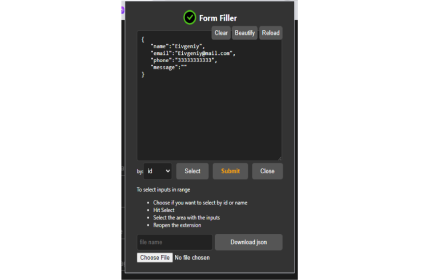
Automate form filling, extract and generate JSON data, and simplify QA testing with Form Filler
363
★ 4.0

autoformx
An extension that fills your form quickly and easily
3

Form Filler
A browser extension to fill forms automatically
—

Data FillR
Browser extension to automatically fill data into websites.
—

TestAssets Helper
Make your TestAssets available for pasting in your Browser.
—

Form Filler Extension
Auto-fill forms with realistic dummy data
28
★ 5.0
Data sourced from the Chrome Web Store · last verified Jun 8, 2026.