
ColorScan
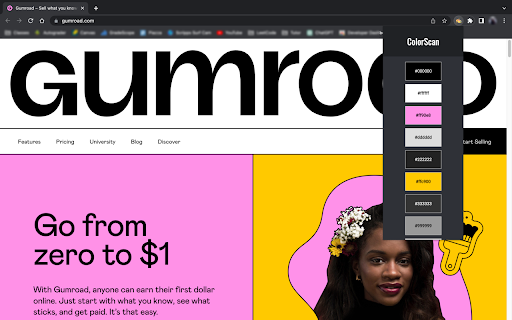
Find out the color palette of any website. Click on a color to copy its HEX code.
As of June 2026, ColorScan has 120 users in the Workflow & Planning category.
Usersdown 0.8 percent−0.8%
120
120
Ratingno change0%
—
— reviews
Reviewsno change0%
—
Version
1.1.3
Manifest V3
History
3 snapshotsTracking since Apr 23, 2026.
View as table
| Date | Users | Rating | Reviews | Version |
|---|---|---|---|---|
| Apr 23, 2026 | 121 | — | — | 1.1.3 |
| May 13, 2026 | 124 | — | — | 1.1.3 |
| Jun 8, 2026 | 125 | — | — | 1.1.3 |
| Now | 120 | — | — | 1.1.3 |
Permissions & access
- Permissions
- tabs
- Host access
- None declared
Screenshots
About
ColorScan is a tool that allows users to easily extract and save color values from any website they visit. It provides a simple and convenient way to create color palettes and keep track of them while browsing the web.

With this extension, users can quickly generate a color palette from any webpage by clicking on the extension icon and pressing "Get Palette". The extension will scan the webpage for all the color values used in the CSS, and display them in a convenient and easy-to-use interface.

The extension displays the most frequently used colors and allows one to click on a color to copy its HEX code.

Overall, the "Color Palette Finder" Chrome extension is a powerful tool for designers, developers, and anyone else who works with color. It streamlines the process of creating and managing color palettes and helps users stay organized and efficient while working on web projects.
Technical
- Version
- 1.1.3
- Manifest
- V3
- Size
- 33.31KiB
- Min Chrome
- 88
- Languages
- 1
- Featured
- No
Metadata
- ID
- ipebncmpiamkcnljhkmhblcnjcdboelj
- Developer ID
- uf64a56db6a42f669c30d4f98a0beb0ca
- Developer Email
- [email protected]
- Created
- Mar 30, 2023
- Last Updated (Store)
- Apr 6, 2023
- Last Scraped
- Jun 8, 2026
- Website
- —
- Support URL
- —
- Privacy Policy
- —
Similar extensions
Alternatives to ColorScan, ranked by description similarity.

Color Picker - Eyedropper Tool
Pick colors from web pages with Eyedropper. Picker, gradient generator, palette. Quickly grab HEX, RGB.
100.0K
★ 4.6

Pickr
simple colour picker that picks colours from webpages, which assists users in extracting colours displayed on any website.
7
★ 5.0

Color Bookmarker (Your Ultimate Color Picker for Capturing Colors Anywhere)
Color Bookmarker is your essential tool for organizing and managing colors while browsing the web.
1.0K
★ 5.0
Color Grab
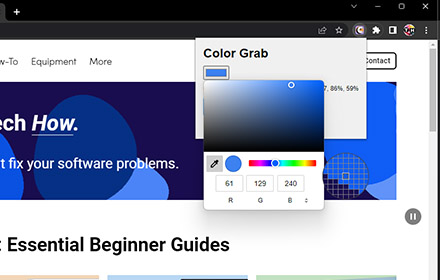
Copy the color code from any webpage in various formats.
1.0K
★ 3.0

Color Picker and Palette Generator
Our Color Picker and Palette Generator helps you create your own brand book effortlessly by extracting colors from ANY webpage on…
42
★ 5.0

Color Picker & Eyedropper Tool for Chrome
Instantly pick colors from any webpage with this lightweight Chrome extension. Save HEX and RGB codes easily.
13

Better Color Picker
Easily pick colors from any website.
389
★ 3.9

Hex code picker
Use Hex code picker to grab hex color codes from any webpage. Quickly identify colors and copy hex codes for all your design needs!
1.0K
★ 5.0
Data sourced from the Chrome Web Store · last verified Jun 8, 2026.