
Color Picker & Eyedropper Tool for Chrome
Instantly pick colors from any webpage with this lightweight Chrome extension. Save HEX and RGB codes easily.
As of June 2026, Color Picker & Eyedropper Tool for Chrome has 13 users in the Workflow & Planning category.
Usersdown 13.3 percent−13.3%
13
13
Ratingno change0%
—
— reviews
Reviewsno change0%
—
Version
1.2
Manifest V3
History
4 snapshotsTracking since Apr 1, 2026.
View as table
| Date | Users | Rating | Reviews | Version |
|---|---|---|---|---|
| Apr 1, 2026 | 15 | — | — | 1.2 |
| Apr 21, 2026 | 12 | — | — | 1.2 |
| May 6, 2026 | 13 | — | — | 1.2 |
| Jun 4, 2026 | 12 | — | — | 1.2 |
| Now | 13 | — | — | 1.2 |
Permissions & access
- Permissions
- activeTabstoragescriptingtabs
- Host access
- file://*/*, <all_urls>
Screenshots


About
Quickly pick colors from any webpage with the Color Picker & Eyedropper Tool for Chrome. Designed for web designers, developers, and digital artists, this lightweight color sampling extension makes it easy to capture and organize color codes.

Key Features:
1. Instantly pick colors from any webpage.
2. Display and copy HEX (#RRGGBB) and RGB (rgb(r,g,b)) values
3. Save unlimited colors to your personal palette
4. Works seamlessly on websites and web apps
5. Powered by the native Chrome EyeDropper API for maximum precision
6. Lightweight, fast performance with no ads or user tracking

How to Use:
1. Click the extension icon
2. Select “Pick Color”
3. Hover over any area on the screen and click to capture the color
4. View, copy, and manage your saved colors

Perfect For:
* Web and UI/UX Designers
* Developers and Frontend Engineers
* Digital Artists and Content Creators
* Anyone needing precise color matching for web projects

Why Choose This Extension:
* Simple, intuitive interface
* Accurate color picking with Chrome’s native technology
* Save multiple colors without limits
* Clean, ad-free, and secure experience
* Regular updates for performance and compatibility

Whether you’re creating a color palette, designing a website, or matching brand colors, the Color  Picker & Eyedropper Tool helps you capture and manage colors effortlessly. Install now and upgrade your creative workflow!
Technical
- Version
- 1.2
- Manifest
- V3
- Size
- 41.2KiB
- Min Chrome
- 88
- Languages
- 1
- Featured
- No
Metadata
- ID
- chiamafjpmmcpopggchokpkidnobnnlf
- Developer ID
- u0d8fb9862c55baadbc6cd8105e0b180d
- Developer Email
- [email protected]
- Created
- Apr 29, 2025
- Last Updated (Store)
- Apr 29, 2025
- Last Scraped
- Jun 4, 2026
- Website
- —
- Support URL
- —
Similar extensions
Alternatives to Color Picker & Eyedropper Tool for Chrome, ranked by description similarity.

Color Picker - Eyedropper Tool
Pick colors from web pages with Eyedropper. Picker, gradient generator, palette. Quickly grab HEX, RGB.
100.0K
★ 4.6
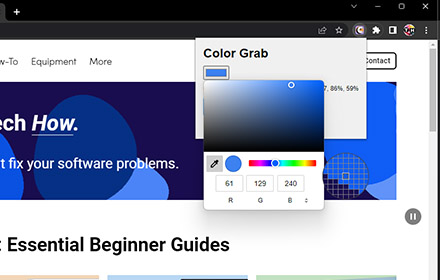
Color Grab
Copy the color code from any webpage in various formats.
1.0K
★ 3.0

Better Color Picker
Easily pick colors from any website.
389
★ 3.9

Instant Color Grab
Pick any color from the screen or manually adjust HSV values, copy formats to clipboard, and keep a history of picked colors.
3
Easy Color Picker
Grab colors from webpages anytime, instant color picker and personal color history.
8.0K
★ 4.5

HEX Color Picker
Use Hex Color Picker from image to quickly identify and use colors for your projects. Easily pick hex color from any image.
20.0K
★ 4.9

Hex code picker
Use Hex code picker to grab hex color codes from any webpage. Quickly identify colors and copy hex codes for all your design needs!
1.0K
★ 5.0

Online Color Picker
Colors palette with color conversion to RGBA, HEXA and HSVA.
694
★ 1.0
Data sourced from the Chrome Web Store · last verified Jun 4, 2026.