
Auto Minimize Tab Groups
Minimize tab groups after 30s of inactivity. Active tab groups stay open.
As of June 2026, Auto Minimize Tab Groups has 198 users in the Workflow & Planning category.
Usersup 4.2 percent+4.2%
198
198
Ratingno change0%
—
— reviews
Reviewsno change0%
—
Version
0.2.3
Manifest V3
History
5 snapshotsTracking since Apr 18, 2026.
View as table
| Date | Users | Rating | Reviews | Version |
|---|---|---|---|---|
| Apr 18, 2026 | 190 | — | — | 0.2.3 |
| May 3, 2026 | 1.0K | — | — | 0.2.3 |
| May 12, 2026 | — | — | — | 0.2.3 |
| May 24, 2026 | 555 | — | — | 0.2.3 |
| Jun 6, 2026 | 190 | — | — | 0.2.3 |
| Now | 198 | — | — | 0.2.3 |
Permissions & access
- Permissions
- tabGroupsstorage
- Host access
- None declared
Screenshots

About
Introducing the Auto Minimize Tab Groups extension - designed to keep your browsing experience organized and clutter-free. This extension automatically minimizes tab groups after 30 seconds (default) of inactivity, helping you maintain a clean workspace while you browse.

The extension intelligently handles your workflow by ensuring that tab groups containing your active tab always remain open. This means you can focus on your current tasks while the extension quietly organizes inactive groups in the background.

Customization is simple - click the extension icon to adjust the timeout from 1 second to 1 hour. The extension works seamlessly across multiple Chrome windows and requires no setup beyond installation.

I'd also recommend the "Tab Groups Extension" which automatically groups your tabs by domain or topic.

Feel free to contribute on GitHub or reach out with questions/issues!
Technical
- Version
- 0.2.3
- Manifest
- V3
- Size
- 9.84KiB
- Min Chrome
- 88
- Languages
- 1
- Featured
- No
Metadata
- ID
- imjkoaaioakpbcgllmffjdolddjaohdi
- Developer ID
- u635a36687474ff0342f02c558e0ee35f
- Developer Email
- [email protected]
- Created
- Jun 30, 2023
- Last Updated (Store)
- Oct 14, 2025
- Last Scraped
- Jun 6, 2026
- Website
- —
- Privacy Policy
- —
Similar extensions
Alternatives to Auto Minimize Tab Groups, ranked by description similarity.

AutoTabGroup
Automatically add tabs to tab groups based on URL rules configured in the extension options
—
★ 5.0

Group Tabs by Domain
Automatically groups browser tabs by domain. Toggle grouping for single tabs on or off via the extension icon.
19
★ 5.0

Auto Tab Grouper
Automatically groups tabs by domain (supports wildcards, configurable via options/popup).
13

Manage Tabs - Auto Group, Sort and Clean
Auto-group tabs by topic, sort quickly, close duplicates, and organize windows faster.
11

Group My Tabs
Group tabs by domain in Chrome with one click, enhancing built-in functionality for organized browsing.
26
★ 5.0

Tab Manager Auto
Fully Automated Tab Manager Extension
5.0K
★ 4.3

Auto Group Tabs
Automatically group browser tabs by domain. Set custom domain rules and organize tabs into Chrome tab groups.
58
★ 1.0
Group Tabs By Domain
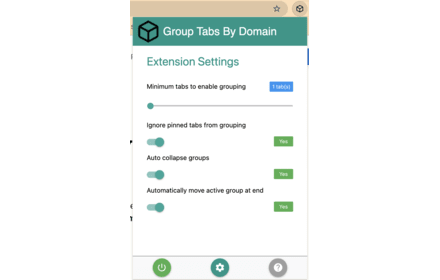
Streamline browsing. Group tabs by domain effortlessly. Stay organized, boost productivity.
5.0K
★ 4.3
Data sourced from the Chrome Web Store · last verified Jun 6, 2026.