
Manage Tabs - Auto Group, Sort and Clean
Auto-group tabs by topic, sort quickly, close duplicates, and organize windows faster.
As of June 2026, Manage Tabs - Auto Group, Sort and Clean has 11 users in the Workflow & Planning category.
Usersup 57.1 percent+57.1%
11
11
Ratingno change0%
—
— reviews
Reviewsno change0%
—
Version
0.2.1
Manifest V3
90-day change · In the last 90 days this extension 1 version update.
History
10 snapshotsTracking since Apr 1, 2026.
View as table
| Date | Users | Rating | Reviews | Version |
|---|---|---|---|---|
| Apr 1, 2026 | 7 | — | — | 0.2.0 |
| Apr 10, 2026 | 8 | — | — | 0.2.0 |
| Apr 20, 2026 | 11 | — | — | 0.2.0 |
| Apr 27, 2026 | 9 | — | — | 0.2.0 |
| May 4, 2026 | 10 | — | — | 0.2.0 |
| May 10, 2026 | 10 | — | — | 0.2.1 |
| May 15, 2026 | 12 | — | — | 0.2.1 |
| May 21, 2026 | 11 | — | — | 0.2.1 |
| Jun 3, 2026 | 12 | — | — | 0.2.1 |
| Jun 9, 2026 | 10 | — | — | 0.2.1 |
| Now | 11 | — | — | 0.2.1 |
Permissions & access
- Permissions
- tabshistorystoragetabGroupsscripting
- Host access
- None declared
Screenshots


About
Manage Tabs - Auto Group, Sort and Clean keeps tab chaos under control from the standard extension popup. Sort the current window A-Z or by last visited, close duplicates in one click, and group tabs by domain with optional names, colors, and collapse behavior. Its standout feature is automatic topic grouping: it can cluster tabs using title and URL signals or, when you allow it, scan visible page content for more accurate topics. You can stop a running topic-grouping pass at any time.

Built-in controls let you collapse or expand all groups, ungroup everything, and undo recent actions. Configuration lives in the dedicated extension settings page, where you can name created groups, auto-collapse them after creation, choose a group color, include or exclude pinned tabs, set last-visited sort order, adjust topic sensitivity, and enable optional tab activation for content scans. You can also copy a debug report after topic grouping when you want to inspect or troubleshoot the result.

All data stays local in your browser. The extension uses the `tabs`, `history`, `tabGroups`, `storage`, and `scripting` permissions to provide its features, and optional host permissions are requested at runtime only for content-based topic scans. It requires Chromium/Chrome 126 or newer because Chromium 125 does not reliably update tab-group titles and expanded/collapsed state.

If you want fewer tabs and more focus, Manage Tabs - Auto Group, Sort and Clean gives you fast, transparent, and controllable cleanup without sending your data anywhere.
Technical
- Version
- 0.2.1
- Manifest
- V3
- Size
- 53.97KiB
- Min Chrome
- 126
- Languages
- 1
- Featured
- No
Metadata
- ID
- cfbefjgkggbpmfajhngjbambkcaeegkg
- Developer ID
- u5950a3a8cd0e8f69dde4e77214f0fc50
- Developer Email
- [email protected]
- Created
- Feb 9, 2026
- Last Updated (Store)
- May 1, 2026
- Last Scraped
- Jun 9, 2026
- Website
- —
- Support URL
- —
Similar extensions
Alternatives to Manage Tabs - Auto Group, Sort and Clean, ranked by description similarity.

Group My Tabs
Group tabs by domain in Chrome with one click, enhancing built-in functionality for organized browsing.
26
★ 5.0

Tab Tidy
Auto-categorize and group your tabs using Hugging Face.
7

Groupify
Group the tabs easily
5
★ 5.0

Auto Group Tabs
Automatically group browser tabs by domain. Set custom domain rules and organize tabs into Chrome tab groups.
58
★ 1.0
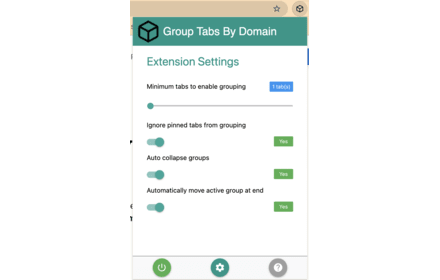
Group Tabs By Domain
Streamline browsing. Group tabs by domain effortlessly. Stay organized, boost productivity.
5.0K
★ 4.3

AutoTabGroup
Automatically add tabs to tab groups based on URL rules configured in the extension options
—
★ 5.0

Tab Manager
Manage your tabs by organizing them into projects.
60
★ 5.0

Group Tabs by Domain
Automatically groups browser tabs by domain. Toggle grouping for single tabs on or off via the extension icon.
19
★ 5.0
Data sourced from the Chrome Web Store · last verified Jun 9, 2026.