
Gmail Focus Mode
Hide Gmail tabs (Promotions, Social, Updates) with simple checkboxes.
As of May 2026, Gmail Focus Mode has 10 users in the Productivity category.
Usersup 100.0 percent+100.0%
10
10
Ratingno change0%
—
— reviews
Reviewsno change0%
—
Version
2.0.2
Manifest V3
History
4 snapshotsTracking since Apr 1, 2026.
View as table
| Date | Users | Rating | Reviews | Version |
|---|---|---|---|---|
| Apr 1, 2026 | 5 | — | — | 2.0.2 |
| Apr 21, 2026 | 7 | — | — | 2.0.2 |
| May 6, 2026 | 9 | — | — | 2.0.2 |
| May 17, 2026 | 9 | — | — | 2.0.2 |
| Now | 10 | — | — | 2.0.2 |
Permissions & access
- Permissions
- storage
- Host access
- https://mail.google.com/*
Screenshots

About
Hide Gmail’s Promotions/Social/Updates tabs with checkboxes. Pick what stays visible and focus on real mail.

Clear the clutter. Gmail Focus Mode lets you choose which Gmail tabs you see—Promotions, Social, Updates—with simple checkboxes. Uncheck a tab, it disappears. Re-check, it’s back. No reloads, no fuss.

Features
✅ Checkbox menu: hide/show Promotions, Social, Updates individually
✅ Applies instantly to open Gmail tabs
✅ Remembers your choices across restarts
✅ Zero tracking: all logic runs locally, no remote servers

Why use it
Fewer marketing blasts & social noise → faster inbox zero
Cleaner interface → easier to spot important emails
Great for deep work, GTD, ADHD-friendly workflows

How it works
A tiny content script targets Gmail’s UI elements (by label) and toggles their visibility. We only touch mail.google.com, store a few booleans in chrome.storage.local, and never read or transmit your emails.
Technical
- Version
- 2.0.2
- Manifest
- V3
- Size
- 593KiB
- Min Chrome
- 88
- Languages
- 1
- Featured
- No
Metadata
- ID
- ilplcdbhencpkbopfcnpgpfmpmedddfd
- Developer ID
- u6da5758aff7700b9d748255202d056f7
- Developer Email
- [email protected]
- Created
- Jul 25, 2025
- Last Updated (Store)
- Jul 25, 2025
- Last Scraped
- May 31, 2026
- Website
- —
- Support URL
- —
- Privacy Policy
- —
Similar extensions
Alternatives to Gmail Focus Mode, ranked by description similarity.

SmartMail Cleaner
Intelligently clean Gmail inboxes based on message open rates per sender
8

Gmail Footer Cleaner
Automatically hides Gmail’s Upgrade pill and footer clutter. No permissions. No data collection.
4

Quiet Tab
Hide distracting unread counts from Gmail tab titles. Keep your focus, check email on your terms.
5
★ 5.0

BETTER GMAIL TABS
Boost Gmail productivity with custom tabs for labels and searches. Organize your inbox your way.
110
★ 5.0

Clean Mail Hub - Advanced Email Management
Clean and organize your Gmail inbox. Bulk delete, mass unsubscribe, schedule cleanups, privacy-first processing.
69

Declutter my Gmail
an extension to help you free up gmail space
57

Gmail Favorite Labels
Quickly access and manage your favorite Gmail labels right beside the search bar.
8
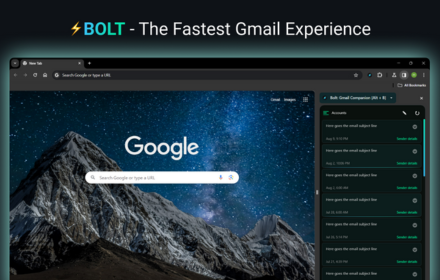
Gmail Inbox
A blazingly-fast Gmail Inbox Client that loads your Gmail Inbox before the blink of an eye!⚡
1.0K
★ 4.0
Data sourced from the Chrome Web Store · last verified May 31, 2026.