
Multishot
Screenshot a page in multiple media queries / device sizes with a single click.
As of May 2026, Multishot has 216 users and a 3.50/5 rating from 2 reviews in the Developer Tools category.
Usersup 26.3 percent+26.3%
216
216
Ratingno change0%
3.50
2 reviews
Reviewsno change0%
2
Version
1.0.1
Manifest V3
History
2 snapshotsTracking since Apr 24, 2026.
View as table
| Date | Users | Rating | Reviews | Version |
|---|---|---|---|---|
| Apr 24, 2026 | 171 | 3.50 | 2 | 1.0.1 |
| May 19, 2026 | 186 | 3.50 | 2 | 1.0.1 |
| Now | 216 | 3.50 | 2 | 1.0.1 |
Permissions & access
- Permissions
- activeTabstoragescriptingdownloads
- Host access
- <all_urls>
Screenshots

About
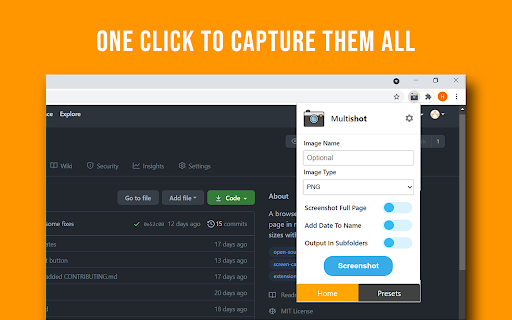
A simple way to capture your web page in different screen sizes. Click on the extension icon (or press Alt+Shift+M), then click the screenshot button (or press Alt+Shift+S) and watch your screen getting captured in multiple presets.

No bloat, no ads, no unnecessary permissions, just a simple way to automate taking screenshots for your responsive pages.

In order to screenshot the page, a new window opens for each device preset so please be patient as it works on generating the images.

Export your result to PNG, JPEG, PDF (a4 format) or even upload them to the cloud and more, all from the options page (click on the cog icon or press Alt+Shift+O while the extension is open).

The extension is currently run by an independent developer. View the open source project and its code on github: https://github.com/HamzaEzzRa/Multishot

If you encounter an issue, or want to contribute to the project feel free to open an issue at the link above. You can also email me directly about your ideas. This project is open source and the extension will always remain completely free.

Change Log:
1.0 - 2021/07/02 - Added PDF and Cloud hosting options and several tweaks - Official release to Chrome Web Store
0.4 - 2021/06/21 - Added zoom level controls for each preset and fixed bugs
0.3 - 2021/06/18 - Added several new options and introduced hotkeys
0.2 - 2021/06/15 - Added preset controls and an options page
0.1 - 2021/06/13 - First release of Multishot
Technical
- Version
- 1.0.1
- Manifest
- V3
- Size
- 139KiB
- Min Chrome
- 88
- Languages
- 1
- Featured
- Yes
Metadata
- ID
- ilcokocopmbcgoealmibcngobefggidj
- Developer ID
- u8c3e101ce924475af966b52a07355ba2
- Developer Email
- [email protected]
- Created
- Jul 3, 2021
- Last Updated (Store)
- Sep 9, 2021
- Last Scraped
- May 19, 2026
- Website
- —
- Support URL
- —
- Privacy Policy
- —
Similar extensions
Alternatives to Multishot, ranked by description similarity.

ResponsiveShot
Capture full-page screenshots at any viewport size. Switch between device presets for quick responsive testing.
8
Take Webpage Screenshots Entirely - FireShot
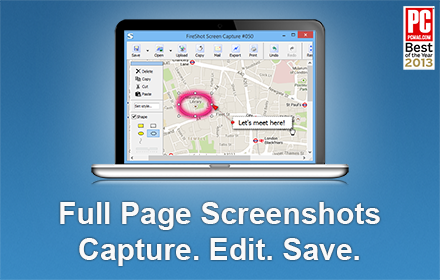
Take FULL webpage screenshots. Capture, edit and save them to PDF/JPEG/GIF/PNG, upload, print, send to OneNote, clipboard or email.
3.0M
★ 4.8

Web Mockup Pro
Generate full-page captures of websites in desktop, tablet, and mobile resolutions, and view them mocked up on WebMockup.pro.
253
★ 4.0

GoFullPage - Full Page Screen Capture
Capture a screenshot of your current page in entirety and reliably—without requesting any extra permissions!
11.0M
★ 4.9

ShotMyPage - Full Page Screen Capture
Chrome full page screenshot and screen capture extension with professional editing tools and project management
224
★ 5.0

FramedShot: Screenshot Frames, Mockup & Editor
Polish screenshots and tab recordings with frames, annotations, redactions, mockups, and local export.
114
★ 5.0

DevSnap - Screenshot & Color Picker
Professional screenshot tool with annotation, color picker, element inspector, and measurement tools for developers and designers.
4

SnapPage Pro - Full Page Screenshot
Capture full page screenshots with advanced editing, annotations, and export to PNG, JPEG, or PDF
383
★ 5.0
Data sourced from the Chrome Web Store · last verified May 19, 2026.