
Hindi Translator – Translate Any Language to हिंदी
Translate selected or pasted text to Hindi instantly — copy, download or view translation history up to 10 entries.
As of June 2026, Hindi Translator – Translate Any Language to हिंदी has 113 users and a 5.00/5 rating from 1 reviews in the Workflow & Planning category.
Usersup 66.2 percent+66.2%
113
113
Ratingno change0%
5.00
1 reviews
Reviewsno change0%
1
Version
1.0
Manifest V3
History
6 snapshotsTracking since Apr 18, 2026.
View as table
| Date | Users | Rating | Reviews | Version |
|---|---|---|---|---|
| Apr 18, 2026 | 68 | 5.00 | 1 | 1.0 |
| Apr 28, 2026 | 91 | 5.00 | 1 | 1.0 |
| May 7, 2026 | 86 | 5.00 | 1 | 1.0 |
| May 15, 2026 | 95 | 5.00 | 1 | 1.0 |
| May 24, 2026 | 103 | 5.00 | 1 | 1.0 |
| Jun 3, 2026 | 105 | 5.00 | 1 | 1.0 |
| Now | 113 | 5.00 | 1 | 1.0 |
Permissions & access
- Permissions
- storagecontextMenusclipboardWritenotificationsactiveTab
- Host access
- https://translate.google.com/*
Screenshots


About
Translate any language to Hindi — fast, simple, and clean.

This extension lets you instantly convert text (in any language) into Hindi. Whether you're reading a foreign-language article, copying text from a document, or just typing, you get a clean Hindi translation in seconds — with minimal UI and zero clutter.

★ Key Features
- Translate from any language → Hindi (auto-detect source)
- Right-click translation: select text anywhere, context-menu “Translate to Hindi”
- Popup translation: paste or type text and get instant Hindi output
- Copy translated text to clipboard with one click
- Download translations: save translation history as a `.txt` file
- History management: stores up to 10 translations (last 60 days), with option to delete individual entries or clear all
- Clean, minimal & Material-inspired UI — distraction-free and easy on eyes
- No signup, no ads, no tracking — your privacy respected

Why you’ll love it:
- Perfect for students, readers, travellers — read English or foreign-language content in Hindi.
- Works on any website, document or social media — no copy-paste back-and-forth.
- Keeps translation history handy — useful for reference, notes or offline reading.

How to use:
1. **Right-click translation** — select any text on any webpage, then click “Translate to Hindi”.
2. **Popup translation** — click the extension icon → paste text → press Translate → get Hindi result.
3. **Copy or Download** — click “Copy” to copy translation to clipboard, or download your history in `.txt`.
4. **Manage History** — view last translations, delete individual items or clear all history.

We care about quality: compact size, fast performance, and a minimal UI for distraction-free translating. If you like this extension, please consider ⭐ rating — it helps us reach more Hindi-speaking users and improve continuously.
Technical
- Version
- 1.0
- Manifest
- V3
- Size
- 15.17KiB
- Min Chrome
- 88
- Languages
- 1
- Featured
- No
Metadata
- ID
- ikibaamnnnpjaldmcoffjocccejkpbdm
- Developer ID
- u8ac783b5d3acf805bc2dc0256a851616
- Developer Email
- [email protected]
- Created
- Dec 2, 2025
- Last Updated (Store)
- Dec 2, 2025
- Last Scraped
- Jun 3, 2026
- Website
- —
- Support URL
- —
- Privacy Policy
- https://hindifontstyle.in/privacy-policy.html
Similar extensions
Alternatives to Hindi Translator – Translate Any Language to हिंदी, ranked by description similarity.
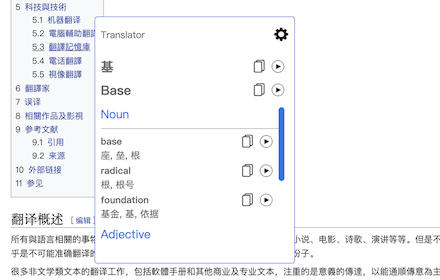
Translator
Translate words and phrases while browsing the web, using Google translator.
60.0K
★ 4.1

Translator - Select to Translate
Translate words and phrases while browsing the web using the Google Translator. Full page translator.
60.0K
★ 4.2

Sonic Translate
Fast, lightweight translation extension with dictionary support
353
★ 5.0
article-adaptive-translation
articles to adaptive translation
1

SnapTranslate — OneClick Tools
Instantly translate selected text without leaving the page. Privacy-first, no account required.
—

Lingvanex - Online Text and Voice Translator
Lingvanex online text and voice translator provides instant translations into the language of your choice. Over 108 languages.
20.0K
★ 4.1

Instant Multilingual PDF/HTML/TXT Translator
Translate text on PDF/HTML/TXT in two clicks, even for local docs. Now with ChatGPT support.
30.0K
★ 3.1

Quick Translate
This extension provides quick translation of selected texts
30.0K
★ 3.7
Data sourced from the Chrome Web Store · last verified Jun 3, 2026.