
Screen Recorder & Screenshot App for Chrome | Scrnli
Screen recorder for Chrome: capture, edit, share screenshots and videos instantly
As of June 2026, Screen Recorder & Screenshot App for Chrome | Scrnli has 1,000,000 users and a 4.73/5 rating from 10,644 reviews in the Productivity category.
Usersno change0%
1.0M
1,000,000
Ratingup 0.2 percent+0.2%
4.73
10.6K reviews
Reviewsup 4.6 percent+4.6%
10.6K
Version
4.3.8
Manifest V3
90-day change · In the last 90 days this extension 1 version update.
History
24 snapshotsTracking since Apr 1, 2026.
View as table
| Date | Users | Rating | Reviews | Version |
|---|---|---|---|---|
| Apr 1, 2026 | 1.0M | 4.72 | 10.2K | 4.3.5 |
| Apr 5, 2026 | 1.0M | 4.72 | 10.2K | 4.3.5 |
| Apr 16, 2026 | 1.0M | 4.72 | 10.2K | 4.3.5 |
| Apr 20, 2026 | 1.0M | 4.72 | 10.2K | 4.3.6 |
| Apr 23, 2026 | 1.0M | 4.72 | 10.2K | 4.3.6 |
| Apr 26, 2026 | 1.0M | 4.72 | 10.3K | 4.3.6 |
| Apr 29, 2026 | 1.0M | 4.72 | 10.3K | 4.3.6 |
| May 6, 2026 | 1.0M | 4.72 | 10.3K | 4.3.6 |
| May 8, 2026 | 1.0M | 4.72 | 10.3K | 4.3.7 |
| May 11, 2026 | 1.0M | 4.72 | 10.3K | 4.3.7 |
| May 13, 2026 | 1.0M | 4.72 | 10.3K | 4.3.7 |
| May 15, 2026 | 1.0M | 4.72 | 10.3K | 4.3.7 |
| May 17, 2026 | 1.0M | 4.72 | 10.4K | 4.3.7 |
| May 20, 2026 | 1.0M | 4.72 | 10.4K | 4.3.7 |
| May 23, 2026 | 1.0M | 4.73 | 10.5K | 4.3.8 |
| May 25, 2026 | 1.0M | 4.73 | 10.5K | 4.3.8 |
| May 28, 2026 | 1.0M | 4.73 | 10.6K | 4.3.8 |
| May 31, 2026 | 1.0M | 4.73 | 10.6K | 4.3.8 |
| Jun 3, 2026 | 1.0M | 4.73 | 10.6K | 4.3.8 |
| Jun 6, 2026 | 1.0M | 4.73 | 10.6K | 4.3.8 |
| Jun 8, 2026 | 1.0M | 4.73 | 10.6K | 4.3.8 |
| Jun 11, 2026 | 1.0M | 4.73 | 10.6K | 4.3.8 |
| Jun 15, 2026 | 1.0M | 4.73 | 10.6K | 4.3.8 |
| Jun 22, 2026 | 1.0M | 4.73 | 10.6K | 4.3.8 |
| Now | 1.0M | 4.73 | 10.6K | 4.3.8 |
Changelog
- Apr 16, 2026description
A screenshot and screen record tool with extended functionality that includes lots of features related to content creation. Scrnli also includes a screen recorder and video converter into multiple formats.

The screen recorder works to create a video file with further opportunities to download or share it promptly. Easily cooperate with teammates or family by sharing video content to clearly explain materials and information. Record from your display monitor or webcam, save it and share with convenience using applications that combine as well a screenshot tool and video formats converter.

Video file converter, therefore, allows changing video format to run the same video on other devices. The most common formats are available in the Scrnli video converter. Do as written: record the screen, then save it to a device for later watching or share it with friends. As well, as the option to convert files to various formats to open them on other devices.

The creation of screen capture is as easy as it ever could be. Choose from the full-page or partial area and take it in a click. Then you can fully customize it by adding text, drawing lines, arrows, and shapes.

Instantly share the files by a link, save them, or print them to get paper materials.

The main advantage of the Scrnli Tool is that features for content creation are gathered in one place which is reached by a single click in a browser. It's an advanced service for every day working with screenshots, recording, and video file converting that can be shared, printed, or saved fast, easily, and with quality.

Scrnli tool for making a full page or partial capture with further editing, download, or text adding. The #1 app to make a full webpage capture or just any part of it with an opportunity to edit, save, and download screenshots to your PC. The app is launched from a browser that saves your time. Simply click the extension icon to choose from options whole page capture or a selected part. Lots of features at your disposal allow you to:

- edit and reset changes;
- make one step back/forward;
- add text and graphic elements like a pointer, arrow, circle, and others.

The useful and friendly design of Scrnli was made to reach the required screens quickly, so you can share them with colleagues or friends during work. To avoid long descriptions in chatting just take a screenshot and send it to the address.

You can use the service of any website absolutely for free using our app.
Scrnli is a powerful screen recorder and screenshot tool for Chrome that lets you capture your screen, record video, take screenshots, and share content instantly.

Use Scrnli to record your screen, capture full pages, edit screenshots, and create video recordings for work, study, or communication.

Why Choose Scrnli screen recorder and screenshot app

Screenshot Tool for Chrome - Capture full page, selected area, or visible screen

Screen Recorder for Chrome - Record screen, browser tab, or desktop video

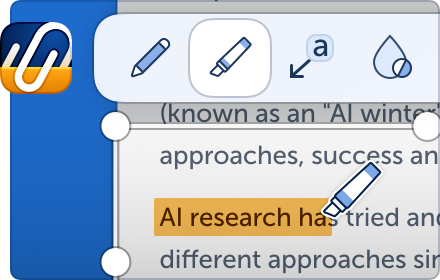
Edit Screenshots - Annotate, draw, add text, arrows, and highlights

Instant Capture - Take screenshots and record screen with one click

Easy Sharing - Share screenshots and videos instantly via link

Save and Download - Save screenshots and screen recordings locally

Lightweight Extension - Works smoothly without slowing down Chrome

Secure and Private - Your data stays safe and under your control

What You Can Do with Scrnli

Take Screenshots - Capture full page screenshots or selected areas

Record Screen Video - Record tutorials, meetings, and presentations

Create Tutorials - Record screen and explain processes visually

Improve Communication - Share screenshots and videos instead of text

Save Important Content - Capture and store useful information

How to Use Screen Recorder & Screenshot Tool
	1.	Install Scrnli from the Chrome Web Store
	2.	Click the extension icon
	3.	Choose screenshot or screen recording mode
	4.	Capture your screen or record video
	5.	Edit, save, or share instantly

Capture and record your screen in seconds with this easy-to-use screen recorder for Chrome.

Screenshot Features

Full Page Screenshot - Capture entire web pages
Visible Screen Capture - Capture what you see
Area Screenshot - Select and capture specific areas
Instant Editing - Add text, arrows, and highlights

Screen Recorder Features

Record Screen - Capture desktop, browser tab, or window
Video Recording - Record video with smooth performance
Quick Sharing - Share recordings instantly
Save Video - Download recordings for offline use

Why Users Install Scrnli Screen Recorder
	•	Easy screenshot and screen recording tool
	•	Fast capture and editing features
	•	Share screenshots and videos instantly
	•	Lightweight and simple to use
	•	Perfect for work, study, and daily tasks

Privacy and Security

Scrnli Screen Recorder does not collect or store personal data. Your screenshots and recordings remain private.
- Apr 16, 2026short_description
Screen recorder and screen capture tool, free and easy to use. Take screenshots or screen recordings, edit, download, and share.
Screen recorder for Chrome: capture, edit, share screenshots and videos instantly
- Apr 16, 2026name
Screen Recorder and Screenshot Tool for Chrome
Screen Recorder & Screenshot App for Chrome | Scrnli
Permissions & access
- Permissions
- storageactiveTabtabCaptureunlimitedStoragedesktopCapturescriptingoffscreendebugger
- Host access
- *://*/*
Screenshots


About
Scrnli is a powerful screen recorder and screenshot tool for Chrome that lets you capture your screen, record video, take screenshots, and share content instantly.

Use Scrnli to record your screen, capture full pages, edit screenshots, and create video recordings for work, study, or communication.

Why Choose Scrnli screen recorder and screenshot app

Screenshot Tool for Chrome - Capture full page, selected area, or visible screen

Screen Recorder for Chrome - Record screen, browser tab, or desktop video

Edit Screenshots - Annotate, draw, add text, arrows, and highlights

Instant Capture - Take screenshots and record screen with one click

Easy Sharing - Share screenshots and videos instantly via link

Save and Download - Save screenshots and screen recordings locally

Lightweight Extension - Works smoothly without slowing down Chrome

Secure and Private - Your data stays safe and under your control

What You Can Do with Scrnli

Take Screenshots - Capture full page screenshots or selected areas

Record Screen Video - Record tutorials, meetings, and presentations

Create Tutorials - Record screen and explain processes visually

Improve Communication - Share screenshots and videos instead of text

Save Important Content - Capture and store useful information

How to Use Screen Recorder & Screenshot Tool
	1.	Install Scrnli from the Chrome Web Store
	2.	Click the extension icon
	3.	Choose screenshot or screen recording mode
	4.	Capture your screen or record video
	5.	Edit, save, or share instantly

Capture and record your screen in seconds with this easy-to-use screen recorder for Chrome.

Screenshot Features

Full Page Screenshot - Capture entire web pages
Visible Screen Capture - Capture what you see
Area Screenshot - Select and capture specific areas
Instant Editing - Add text, arrows, and highlights

Screen Recorder Features

Record Screen - Capture desktop, browser tab, or window
Video Recording - Record video with smooth performance
Quick Sharing - Share recordings instantly
Save Video - Download recordings for offline use

Why Users Install Scrnli Screen Recorder
	•	Easy screenshot and screen recording tool
	•	Fast capture and editing features
	•	Share screenshots and videos instantly
	•	Lightweight and simple to use
	•	Perfect for work, study, and daily tasks

Privacy and Security

Scrnli Screen Recorder does not collect or store personal data. Your screenshots and recordings remain private.
Technical
- Version
- 4.3.8
- Manifest
- V3
- Size
- 6.09MiB
- Min Chrome
- 88
- Languages
- 54
- Featured
- Yes
Metadata
- ID
- ijejnggjjphlenbhmjhhgcdpehhacaal
- Developer ID
- u374f4c9431a53bcbf2abd68f05c14fce
- Developer Email
- [email protected]
- Created
- Oct 20, 2020
- Last Updated (Store)
- May 18, 2026
- Last Scraped
- Jun 22, 2026
- Website
- scrnli.com
- Support URL
- —
- Privacy Policy
- https://scrnli.com/privacy
Similar extensions
Alternatives to Screen Recorder & Screenshot App for Chrome | Scrnli, ranked by description similarity.

Snappr - Makes screen-recording easier
Experience a free and privacy-focused screen recorder with limitless features. Effortlessly capture, annotate, and edit your videos!
35
ScreenClip - Screenshot, Comment & Annotate
Take screenshots, add annotations & comments
70.0K
★ 3.7

Screen Recorder & Screenshot - SnapRec
Screen recorder & full page screenshot tool. Record in 4K, annotate with blur/arrows/text, add webcam overlay, and share instantly.
217
★ 5.0

QuickySnippy - Screenshots & Recordings: Edit, Share. Super Fast & Easy!
Instantly capture, annotate, and record your screen. The ultimate all-in-one tool for visual feedback, right from your browser.
21
★ 5.0

Capture screenshot & Screen Recording
screenshot page,full page, Record screen, window, screen capture, Save as image,PDF / get link. Select area, edit screenshot
7.0K
★ 4.3

Screen Video Recorder & Screenshot
An effective screenshot and screen recording tool to quickly share screens and capture entire pages and edit.
400.0K
★ 4.1

Screen Recorder and Screenshot Tool
Record your screen, capture screenshots, annotate, and share instantly. Full HD recording with audio support.
4

Chrome Screenshot
Use Chrome Screenshot: smart screenshot chrome extension! Capture, edit, save any page. Explore how to screenshot on chrome browser
2.0K
★ 4.6
Data sourced from the Chrome Web Store · last verified Jun 22, 2026.