
WebWork Time Tracker
The simplest way to track your work hours.
As of May 2026, WebWork Time Tracker has 1,000 users and a 4.00/5 rating from 4 reviews in the Workflow & Planning category.
Usersno change0%
1.0K
1,000
Ratingno change0%
4.00
4 reviews
Reviewsno change0%
4
Version
3.0.0
Manifest V3
Permissions & access
- Permissions
- storage
- Host access
- <all_urls>
Screenshots
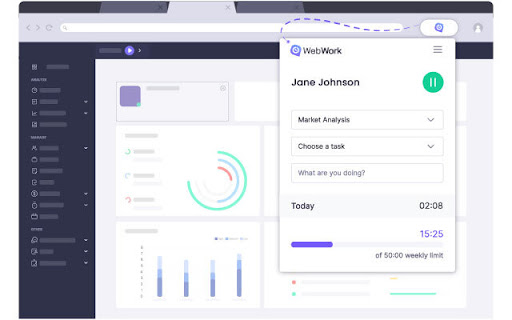
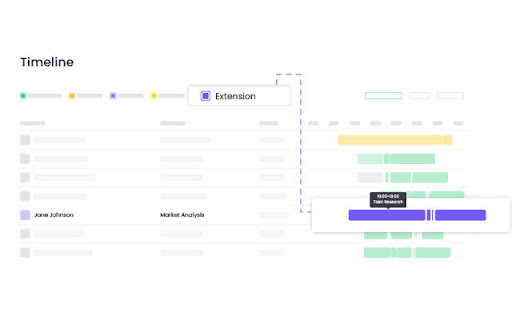
About
Track your work hours effortlessly with the WebWork Time Tracking Extension for Chrome.

🔹 Choose a task, add an activity description, and start tracking.
🔹 Your time is automatically recorded and synced to WebWork reports.

⚠️ Note: The extension only tracks time and allows task selection and activity description. For advanced features like:
✔ Screenshots & app/web usage monitoring
✔ Productivity reports & work-life balance analytics
✔ Task & project management
✔ Payroll & Payments
✔ Geolocation tracking & team chat
✔ Leave & Shift Management
✔ AI-Powered Assistance
→ Use WebWork’s Desktop Time Tracker or Web Time Tracker

📌 A WebWork account is required to use the extension. Also, make sure you're not tracking time on other WebWork platforms simultaneously.

Join 26,000+ businesses that rely on WebWork for smarter time tracking and workforce management!
Technical
- Version
- 3.0.0
- Manifest
- V3
- Size
- 974KiB
- Min Chrome
- 88
- Languages
- 1
- Featured
- No
Metadata
- ID
- iicegpchbcgjakgkpdmlaigmhfmioeei
- Developer ID
- u024b0653b6fbe794b2fcec749c7da9e2
- Developer Email
- [email protected]
- Created
- Jul 26, 2019
- Last Updated (Store)
- Feb 10, 2025
- Last Scraped
- May 21, 2026
- Support URL
- https://www.webwork-tracker.com/contact
- Privacy Policy
- https://www.webwork-tracker.com/privacy-policy
Similar extensions
Alternatives to WebWork Time Tracker, ranked by description similarity.

Employee Time Tracking
Employee Time Tracking app is a task management software and a time tracker. Calculate hours worked to manage tasks across projects
771
★ 4.9

Work Hours Tracker
Track the date and amount of time worked each day.
18

Work Time Tracker Pro
Advanced browser-based work time tracking with comprehensive analytics, daily/monthly reports, and productivity insights.
9
★ 5.0

Teamwork.com
Teamwork.com is the only platform for profitably managing client projects, with complete operations control and project management.
10.0K
★ 3.9

awork Timer Extension
The browser extension for awork enables you to track times with one single click – no matter in which tab you are currently…
451
★ 4.8

Time Tracker
An easy to use time tracker for keeping track of time. Tracker with sound notification and different settings.
897
★ 5.0

Web Activity Time Tracker - Block Websites, Pomodoro & Web Analytics
Track time of your web activity, limit and block distracting websites. Monitor your web usage.
30.0K
★ 4.7

Stopwatch for Workfront
Your personal dashboard that shows when tasks are due, close completed tasks, track time, and shows your recorded hours for the day.
482
★ 2.3
Data sourced from the Chrome Web Store · last verified May 21, 2026.