
LinkDrop
Minimalist, Privacy-Focused URL Shortener.
As of June 2026, LinkDrop has 1 users in the Workflow & Planning category.
Usersdown 66.7 percent−66.7%
1
1
Ratingno change0%
—
— reviews
Reviewsno change0%
—
Version
1.0
Manifest V3
History
3 snapshotsTracking since Apr 18, 2026.
View as table
| Date | Users | Rating | Reviews | Version |
|---|---|---|---|---|
| Apr 18, 2026 | 3 | — | — | 1.0 |
| Apr 27, 2026 | 2 | — | — | 1.0 |
| Jun 2, 2026 | 2 | — | — | 1.0 |
| Now | 1 | — | — | 1.0 |
Permissions & access
- Permissions
- activeTabclipboardWritestoragecontextMenusnotifications
- Host access
- https://is.gd/*, https://tinyurl.com/*
Screenshots


About
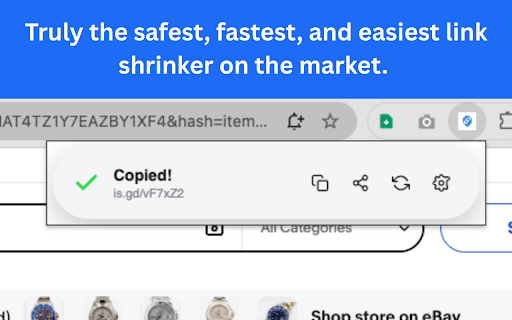
The URL shortener that feels like it belongs on your Mac. Instant, private, and forever free.

LinkDrop was built to solve the frustration of "Free Trials," "Sign-up Required," and "Interstitial Ads" that plague other shorteners. This is a pure, utility-focused tool designed for speed and privacy.

Designed for Apple Users Features a stunning interface inspired by iOS 18 and the Dynamic Island. It feels right at home on your Mac, automatically switching between "Midnight Black" and "Apple Silver" based on your preference.

Core Features:

One-Click Shortening: Click the icon, and your shortened link is instantly copied to your clipboard. No waiting.

Privacy First: We don't track your history or collect your data. Everything is stored locally on your device.

Smart "Clean" Mode: Automatically strips tracking parameters (like utm_source, fbclid, and Amazon tags) before shortening, giving you the cleanest link possible.

Reliable Engine: Powered by the trusted is.gd API. No ads, no expiration dates, and no "interstitial" countdowns.

Pro Tools (Included Free):

Custom Aliases: Rename links to something memorable (e.g., is.gd/my-project).

History Drawer: Accidental copy-paste error? Open the History drawer to find your last 5 links.

QR Codes: Instantly generate a QR code to share a link to your phone.

Native Sharing: Use the macOS Share Sheet to send links directly to AirDrop, Messages, or Notes.

Context Menu: Right-click anywhere on a page to "Shorten with LinkDrop."

Keyboard Shortcut: Press Cmd + Shift + L (Mac) or Ctrl + Shift + L (Windows) to shorten the current page instantly.

Why LinkDrop?

No Sign-ups

No API Keys needed

No "Pro" Subscription

No Data Harvesting

Simple. Fast. Private.
Technical
- Version
- 1.0
- Manifest
- V3
- Size
- 32.75KiB
- Min Chrome
- 88
- Languages
- 1
- Featured
- No
Metadata
- ID
- igjddbfflijlgppfcjlfhbngmdgfjcfh
- Developer ID
- u4e0e50412fdf61ba744d8acf462ebb63
- Developer Email
- [email protected]
- Created
- Dec 10, 2025
- Last Updated (Store)
- Dec 10, 2025
- Last Scraped
- Jun 2, 2026
- Website
- —
- Support URL
- —
Similar extensions
Alternatives to LinkDrop, ranked by description similarity.

Kloo - Link Shortener
Shorten your links quickly and easily with Kloo. Generate QR codes and share your links in one click.
63
★ 4.5

URL Shortener
Shorten URLs with one click
8

Clean Link — Link Cleaner & Clear URL
Remove tracking parameters like utm_*, fbclid, gclid, and copy a clean link with one click.
365
★ 5.0

URL Shortener
Fastest way to shorten URLs with the TinyURL API. Click the icon to shorten the current URL & generate a QR Code, or input your own.
283
★ 5.0

ClipSnap
Clip text and links with one click.
2

FreeShortURL - White-Label URL Shortener, QR Code Maker & Link Tracker
Create white-label short links, QR codes, and track performance effortlessly with FreeShortURL. Boost your digital strategy!
28
★ 5.0

CopyDrop
Drag, drop, and store text & images in a private sidebar. Stay in flow, feel the focus.
7

Clipdown — Web to Markdown
Smart Markdown copier. Copy web content as clean Markdown with source citations, smart titles & reading time estimates.
14
Data sourced from the Chrome Web Store · last verified Jun 2, 2026.