
Debug CSS
When enabled adds outline to all elements on the page, Hold Ctrl and hover to get more detail
As of May 2026, Debug CSS has 10,000 users and a 4.43/5 rating from 46 reviews in the Developer Tools category.
Usersno change0%
10.0K
10,000
Ratingno change0%
4.43
46 reviews
Reviewsno change0%
46
Version
1.5.12
Manifest V3
Permissions & access
- Permissions
- activeTabscripting
- Host access
- None declared
Screenshots

About
# Release notes

In the latest version we have addressed the issue where the extension stopped working after mandatory `manifest_version upgrage` from Google.

also, we have addressed the issue in which user were unable to see the styling for the bottom most element of the page. we have added tooltip feature which gives a basic styles in tooltip itself.

# Debug CSS

A lightweight extension for Google chrome to show outline of all the element exist on page.

while working on web page development the one of the difficult part is to position the element as required and check which element affecting the other one.

This chrome extension allows user to see outline on every element of the page. Hold the keyboard Ctrl button and hover element it will show the element details along with the value.

----------

# Usage

Post installation simply click on the extension icon to turn it On or Off.

If you are a keyboard shortcut lover like me simply hit `Alt+Shift+C ` key to toggle the extension.


----------

# How it works?

This extension works on CSS outline attribute:

add the below code snippet in any CSS of a web page


`
  * {
	outline: 1px solid red;
  }`

The extension does the same the only thing is; it gives different color to different element(s) while the code snippet adds red outline to every element.

----------

# Other work and repository

[A lightweight customizable plugin for jQuery to show horizontal length in form of vertical progress bar.](https://github.com/pranayjoshicse/VerLim.js)


[listed on jqueryscript.net](https://www.jqueryscript.net/other/Simple-Custom-Reading-Indicator-with-jQuery-VerLim-js.html)

[Demo](https://www.jqueryscript.net/demo/Simple-Custom-Reading-Indicator-with-jQuery-VerLim-js/)


----------

# More about me

[twitter.](https://twitter.com/pranayjoshicse)
[about me.](https://about.me/pranayjoshi)
Technical
- Version
- 1.5.12
- Manifest
- V3
- Size
- 17.52KiB
- Min Chrome
- 88
- Languages
- 1
- Featured
- No
Metadata
- ID
- igiofjnckcagmjgdoaakafngegecjnkj
- Developer ID
- u8c3c83a011c4a75466b699f8b5734ef0
- Developer Email
- [email protected]
- Created
- Sep 12, 2018
- Last Updated (Store)
- Mar 14, 2025
- Last Scraped
- May 25, 2026
- Website
- —
- Support URL
- —
- Privacy Policy
- —
Similar extensions
Alternatives to Debug CSS, ranked by description similarity.

Outline All Elements
Add CSS Outline property to all elements on the page for debugging CSS Layout.
388
★ 5.0

CSS Debugger
Instantly debug CSS layouts by adding colorful outlines to HTML elements. Easily identify and inspect elements with a simple click.
617
★ 5.0
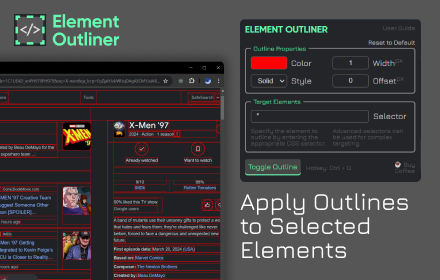
Element Outliner
Adds Outlines to Elements
202

Show All Padding & Margins
Highlights margins and padding for all HTML elements in any webpage.
4.0K
★ 4.5

Element Outliner
Visualize HTML structure with color-coded outlines and detailed element inspection. Perfect for CSS debugging and layout analysis.
43
★ 5.0

Outline HTML Elements
Outline HTML elements with a colorful border without affecting the layout to inspect website structure.
1.0K
★ 5.0

CSS Selector Capture Pro
Generate a copiable CSS Selector with a mouseover without Devtool
10.0K
★ 5.0

AttributeScope
Highlight and copy any attribute on web pages with ease. Perfect for developers working with dynamic elements and attributes.
20
★ 5.0
Data sourced from the Chrome Web Store · last verified May 25, 2026.