
DipiTabsToTheFront Plus
Brings newly created tabs to the front.
As of May 2026, DipiTabsToTheFront Plus has 404 users and a 4.50/5 rating from 4 reviews in the Functionality & UI category.
Usersup 7.4 percent+7.4%
404
404
Ratingno change0%
4.50
4 reviews
Reviewsno change0%
4
Version
1.1.1
Manifest V3
History
2 snapshotsTracking since Apr 28, 2026.
View as table
| Date | Users | Rating | Reviews | Version |
|---|---|---|---|---|
| Apr 28, 2026 | 376 | 4.50 | 4 | 1.1.1 |
| May 25, 2026 | 395 | 4.50 | 4 | 1.1.1 |
| Now | 404 | 4.50 | 4 | 1.1.1 |
Permissions & access
- Permissions
- notificationsstoragescripting
- Host access
- None declared
Screenshots

About
This extension brings newly created tabs to the front.

But unlike other similar extensions, this one allows you to easily deactivate this functionality by clicking on the extension icon. This is also possible via a keyboard shortcut to be configured on the corresponding browser page.

**********************************************************************
New in v1.1:

At the request of one of the first users I added a check of the state of the CTRL key when opening the tab:
- when it is pressed and foregrounding is activated then this inhibits foregrounding.
- conversely, when it is pressed and the foreground is deactivated then this forces the foreground.

Warning: this only works if the page you are on when you open the tab is a "normal" web page: if it is a new tab (no URL) or an internal browser page ( chrome:// or edge://) it doesn't work because it is impossible to know the state of the keyboard in this case.

I add that it is this functionality that required adding the permission "read and modify data on all websites" because it is the only way (to my knowledge, if you have another method I am taker) to determine whether the CTRL key is pressed or not. This is in no way intended to spy on the user or modify anything on the websites visited.

If you think that this new feature is of no interest to you, I advise you to install the "DipiTabsToTheFront Basic" version instead.
**********************************************************************

I had been using the "Tabs To The Front" extension for many years and was completely satisfied with it, but its author recently enriched it (and renamed it "AI Tab Optimizer Plus") with features that, in my opinion, are as impractical as they are useless. As a result, it no longer meets my needs and in the comments of the extension my feelings are visibly shared.

This is why I developed this new extension and am pleased to share it.
Technical
- Version
- 1.1.1
- Manifest
- V3
- Size
- 11.02KiB
- Min Chrome
- 88
- Languages
- 7
- Featured
- No
Metadata
- ID
- ifgiieaggdigdmhkbmpfjicofpgjpnij
- Developer ID
- u29fa41e9e512bc70321b6190f46a8dd6
- Developer Email
- [email protected]
- Created
- Apr 14, 2024
- Last Updated (Store)
- Apr 19, 2024
- Last Scraped
- May 25, 2026
- Website
- https://www.dipisoft.com/
- Support URL
- —
Similar extensions
Alternatives to DipiTabsToTheFront Plus, ranked by description similarity.
DipiTabsToTheFront Basic
Brings newly created tabs to the front.
62
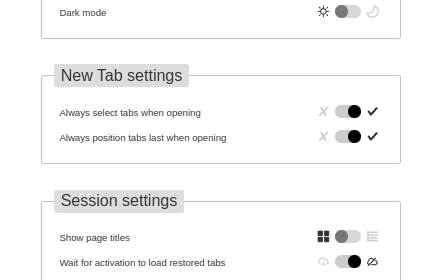
Tab+
Bring new tabs to front and in last position, allow to save and restore windows.
754
★ 4.4

Tab Control
The holy grail of tab managers
431
★ 3.8

Last Active Tab Switcher
Switch to the previously active tab when closing the current tab, and provide a tab history menu.
77
★ 4.2
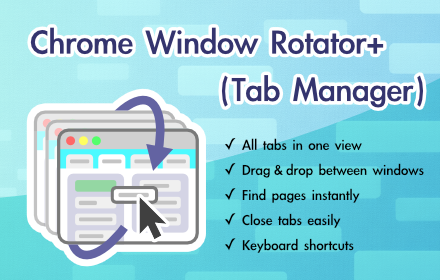
Chrome Window Rotator+ (Tab Manager)
View all tabs across windows. Find and access pages instantly. Organize with drag & drop.
108
★ 5.0

Tab Positioner
Choose where tabs appear, and which tab is focused when others disappear.
1.0K
★ 4.5

Group your tabs++
Effortlessly manage your tabs through user-defined configurations or let our advanced AI intelligently group them for you.
43
★ 4.3

Clutter Free - Prevent duplicate tabs
Reduce tab clutter - prevent duplicate tabs, quickly search & switch tabs, and more...
30.0K
★ 3.7
Data sourced from the Chrome Web Store · last verified May 25, 2026.