
Youtube Fast forward & Rewind Light
Use it on Youtube. Click built in buttons a few times. This extension can skip seconds and minutes.
As of June 2026, Youtube Fast forward & Rewind Light has 1 users in the Entertainment category.
Usersdown 50.0 percent−50.0%
1
1
Ratingno change0%
—
— reviews
Reviewsno change0%
—
Version
1.0.0
Manifest V3
History
3 snapshotsTracking since Apr 17, 2026.
View as table
| Date | Users | Rating | Reviews | Version |
|---|---|---|---|---|
| Apr 17, 2026 | 2 | — | — | 1.0.0 |
| Apr 24, 2026 | 1 | — | — | 1.0.0 |
| May 25, 2026 | 2 | — | — | 1.0.0 |
| Now | 1 | — | — | 1.0.0 |
Permissions & access
- Permissions
- None declared
- Host access
- None declared
Screenshots

About
Fast of all, how to use this extension.

The UI shows up, after ads end.

You can skip them by the default skip button
shown on the movie screen.

Buttons on the middle of single screen are

for playback, pause, speed up and down.

Inner numeric buttons skip seconds,

Outer ones skip minutes.

I think you can control them very intuitive.


YouTube is likely the most-watched platform in the world today.

By default, it offers a 5 or 10-second skip function,
and while users can customize this
use keyboard shortcuts,
navigating through longer segments can be a bit of a chore.

 Usually, the process involves using the progress bar
to skip a large chunk of time
and then fine-tuning the position with shortcut keys.

I believe another effective approach is to have **multiple skip buttons
with different time intervals** displayed directly
on the video player page.

I had been using a local tool via the YouTube API
to achieve this, but recently,
changes to YouTube's internal structure started causing errors.

After looking into how to fix this,
I decided to implement the same functionality
as a **Chrome Extension**
and have officially released it on the Chrome Web Store.

I would be thrilled if people found it useful!
Technical
- Version
- 1.0.0
- Manifest
- V3
- Size
- 7.88KiB
- Min Chrome
- 88
- Languages
- 1
- Featured
- No
Metadata
- ID
- iffpebmgnmpnaihhlooeckaeonanbcpi
- Developer ID
- ua1ee4eba38c9359d87eed633deb5adba
- Developer Email
- [email protected]
- Created
- Jan 27, 2026
- Last Updated (Store)
- Feb 7, 2026
- Last Scraped
- Jun 4, 2026
- Website
- —
- Support URL
- —
- Privacy Policy
- https://mappy01.github.io/chrome_ext_privacy_policy02/
Similar extensions
Alternatives to Youtube Fast forward & Rewind Light, ranked by description similarity.

Video Speed Booster & Ad Skipper
Boost video speed and skip ads on any website.
61

YouTube Speeder: adjust playback speed [QVI]
Extension allows to adjust the playback speed on YouTube according to preference
2.0K
★ 5.0

Auto Skip YouTube Intros
Automatically skips the first 10 seconds of YouTube videos and provides a manual skip button for easy sponsor bypass.
—

SkipCut - YouTube Ad Blocker
Add SkipCut buttons to YouTube videos for ad-free viewing in one click
639
★ 5.0

AD Skipper for Youtube
Enhance your YouTube experience by auto-skipping video ads. You won’t feel any difference between blocking and skipping ads.
30.0K
★ 4.3

YouTube Ad Muter & Skip
Mutes YouTube ads, plays background noise during ads, and auto-skips when possible.
65
★ 2.3

YouTube Ad Skipper
Automatically clicks YouTube Ad 'Skip' button as soon as it appears
10
★ 1.0
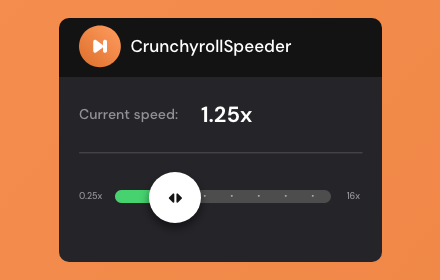
Crunchyroll Speeder: adjust playback speed [QVI]
Extension allows to adjust the playback speed on Crunchyroll according to preference
30.0K
★ 4.7
Data sourced from the Chrome Web Store · last verified Jun 4, 2026.