OfficeMA Timesheet
Easy to use and simple Online Timesheet and Project Management. Flexible task billing options and downloadable reports
As of May 2026, OfficeMA Timesheet has 666 users and a 3.77/5 rating from 13 reviews.
Usersdown 6.3 percent−6.3%
666
666
Ratingno change0%
3.77
13 reviews
Reviewsno change0%
13
Version
0.0.0.1
Manifest V2
History
2 snapshotsTracking since Apr 28, 2026.
View as table
| Date | Users | Rating | Reviews | Version |
|---|---|---|---|---|
| Apr 28, 2026 | 711 | 3.77 | 13 | 0.0.0.1 |
| May 25, 2026 | 693 | 3.77 | 13 | 0.0.0.1 |
| Now | 666 | 3.77 | 13 | 0.0.0.1 |
Permissions & access
- Permissions
- None declared
- Host access
- None declared
Screenshots

About
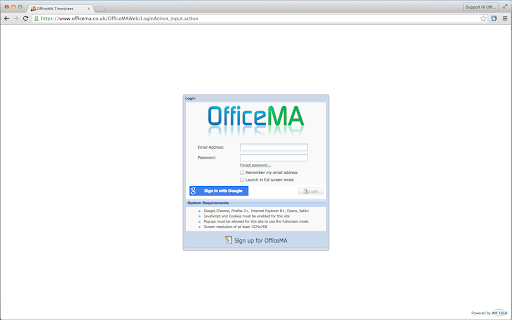
The OfficeMA Timesheet Chrome shortcut provides easy access to the OfficeMA Timesheet's login page from the comfort of your Chrome's Apps page (chrome://apps/). You can easily signup/login with your Google account.

Now, what is OfficeMA anyway?

OfficeMA is a simple, yet very powerful, multi-user Online Timesheet service that enables you to easily manage the timesheets for your business. You can add clients, projects and tasks. What's more you can also add users who can then login and update their timesheet online.

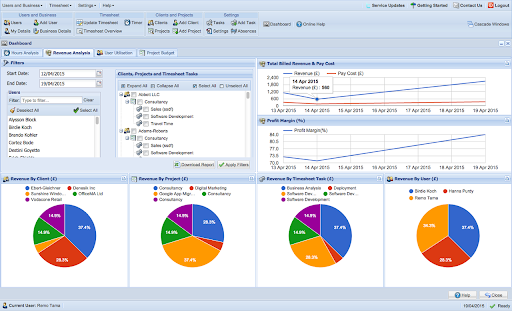
OfficeMA Timesheet is good for both individuals and teams. OfficeMA Timesheet produces powerful charts to enable you to visualise and analyse all your recorded hours in terms of revenue, cost, profit margin, user utilisation and project budget.

Signup FREE Now!

Features:

-Google Accounts support: You can signup or login using your Google account. Both personal and Google Apps for Work accounts are supported.

-Users: Create multiple user accounts for your employees. Assign tasks to users to fill their timesheet. Assign roles to users such as Administrator, Limited User and Accountant.

-Clients/Customers: Add clients or customers then create projects and timesheet tasks for each client.

-Projects: For each client you can add projects. You can set hourly, daily or one off billing rates per project.

-Tasks: Create tasks for each project and assign these tasks to users to book their time against.

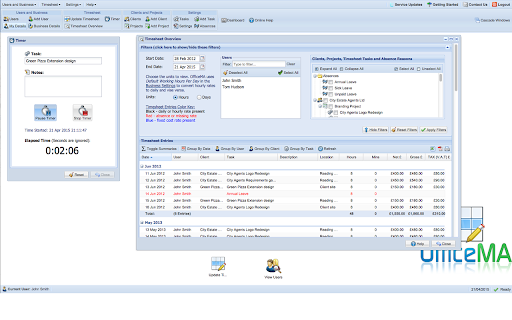
-Timesheets: Enable your users to fill and update their timesheet. User can either enter their teemsheet entries directly or use the Timer. Administrators can generate reports from these entries. Administrators can also lock previous timesheet entries for Limited User roles.

-Reports: Export and download your data into a variety of reports in CVS or PDF format.

-Rates & Billing: Set the billing rates for tasks based on common billing models. Control the tax rate and currency for billing.

-Security: Access OfficeMA Timesheet over a secure SSL connection.

-Dashboard: Is where everything comes together into meaningful charts.
Technical
- Version
- 0.0.0.1
- Manifest
- V2
- Size
- 13.92KiB
- Min Chrome
- —
- Languages
- 1
- Featured
- No
Metadata
- ID
- ienhnhfnopljlplfhdlcmkhclokipchk
- Developer ID
- u7c43eb2088ed24e47a50d1c60a4c08d3
- Developer Email
- —
- Created
- Feb 13, 2013
- Last Updated (Store)
- Sep 22, 2015
- Last Scraped
- May 25, 2026
- Website
- http://www.officema.co.uk/
- Support URL
- http://blog.officema.co.uk/
- Privacy Policy
- —
Similar extensions
Alternatives to OfficeMA Timesheet, ranked by description similarity.

We360.ai Workforce Productivity Analytics
Gain insights into remote/hybrid productivity, website usage analysis, screenshot, monitor team performance with We360.ai Extension.
502
★ 5.0
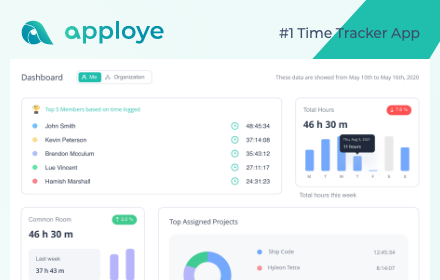
Apploye Time Tracker
#1 Time Tracker App for desk, mobile & remote teams.
1.0K
★ 3.7

My Timesheet
Fill and manage your timesheets easily
7
★ 5.0

Time Mate: Track Hours You’ve Worked Online
Track work hours and earnings with rest breaks, global currencies, popup auth, and cross-browser sync.
7

My Hours Extension
My Hours Time Tracker
577
★ 3.7

Breeze Clock: GPS Employee Time Tracker
Breeze Clock
409
★ 3.9

Hubstaff Time Tracker
Chrome time tracker with screenshots, online timesheets, task management, url monitoring & employee payroll
30.0K
★ 3.5

Projectworks Time Tracking
Fill out your Projectworks timesheet from anywhere!
989
★ 4.3
Data sourced from the Chrome Web Store · last verified May 25, 2026.