
DocNest
Organize Google Docs with parent-child relationships
As of June 2026, DocNest has 15 users and a 5.00/5 rating from 5 reviews in the Workflow & Planning category.
Usersup 50.0 percent+50.0%
15
15
Ratingno change0%
5.00
5 reviews
Reviewsno change0%
5
Version
1.0.2
Manifest V3
History
8 snapshotsTracking since Apr 1, 2026.
View as table
| Date | Users | Rating | Reviews | Version |
|---|---|---|---|---|
| Apr 1, 2026 | 10 | 5.00 | 5 | 1.0.2 |
| Apr 8, 2026 | 11 | 5.00 | 5 | 1.0.2 |
| Apr 22, 2026 | 8 | 5.00 | 5 | 1.0.2 |
| May 2, 2026 | 8 | 5.00 | 5 | 1.0.2 |
| May 10, 2026 | 9 | 5.00 | 5 | 1.0.2 |
| May 18, 2026 | 14 | 5.00 | 5 | 1.0.2 |
| May 28, 2026 | 12 | 5.00 | 5 | 1.0.2 |
| Jun 5, 2026 | 17 | 5.00 | 5 | 1.0.2 |
| Now | 15 | 5.00 | 5 | 1.0.2 |
Permissions & access
- Permissions
- tabsstoragesidePanelidentityalarms
- Host access
- None declared
Screenshots


About
🌳 DocNest — Grow ideas faster with a clear document tree
DocNest is a productivity extension designed to make working with Google Docs feel fast, focused, and natural.

Google Docs is great for writing, but managing many documents through Drive’s UI quickly becomes slow and distracting. Finding the right file, creating a new document, or switching context breaks your thinking flow.

DocNest solves this by giving you a clean tree-based navigation where ideas and documents grow together.

✨ What DocNest helps you do
🌲 View Google Docs in a simple, expandable tree
📝 Create new Google Docs directly from the tree
📂 Organize documents by topic, not by folders alone
➕ Add new ideas without leaving your current page
📎 Attach existing Drive files or folders to projects
📋 Keep related notes and documents side by side

With DocNest, structure supports thinking — instead of getting in the way.

🎨 A UI built for thinking, not managing
DocNest complements Google Docs with a calmer, more intentional interface:
🌿 Tree navigation instead of flat lists
🪶 Lightweight side panel, always available
🚫 No clutter, no dashboards, no noise
It feels closer to how ideas actually grow.

🔐 Privacy-first by design
DocNest:
❌ Does not read document content
❌ Does not track browsing history
❌ Does not monitor tabs in the background
✅ Accesses Google services only when you choose to connect them
Optional anonymous usage analytics (disabled by default) help improve reliability and usability and can be toggled at any time.

📬 Support
Questions or feedback?
You can reach me anytime by email [email protected].

---

 ✨ What’s New

#v1.0.2
- Add Help section in settings
- Fix bugs and improve UI

#v1.0.1
- Fixed a first-run layout issue where the data consent screen overlapped background content
- Improved visual clarity and focus after Google sign-in
- Minor UI polish and stability improvements

#v1.0.0
- Initial public release of DocNest
Technical
- Version
- 1.0.2
- Manifest
- V3
- Size
- 110KiB
- Min Chrome
- 88
- Languages
- 1
- Featured
- No
Metadata
- ID
- iaibclhfkcagodhiladdghdlhkneanbk
- Developer ID
- u15e6f886fb0b178bd793699a92d0f835
- Developer Email
- [email protected]
- Created
- Dec 29, 2025
- Last Updated (Store)
- Jan 4, 2026
- Last Scraped
- Jun 5, 2026
- Website
- —
- Support URL
- —
- Privacy Policy
- https://sites.google.com/view/docnest-policy/home
Similar extensions
Alternatives to DocNest, ranked by description similarity.
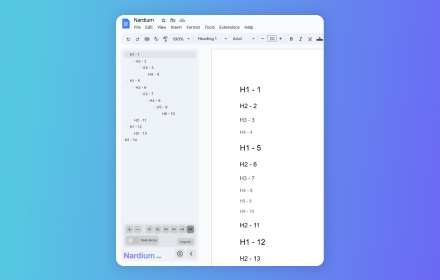
Nardium - Google Docs Navigation
Explore and Navigate your Google Docs with Ease! 🔍
11
★ 5.0

Folder Manager for Google Docs - Smart Document Organizer & Workspace
Organize Google Docs with custom folders. Create, manage, and sort documents effortlessly with our folder management system
791
★ 4.6

Geocaching.com Google Drive™ Notes
Integrate Google Drive™ documents to Geocaching.com to enhance notes
1.0K
★ 3.9

Nest — Smart Tab Manager with Groups, Snooze, Sessions & Notes
Organize tabs into groups, snooze distractions, save sessions, and keep notes tied to any page.
206
★ 5.0

Quick Google Docs Create
Quick Google Docs Create
256
★ 5.0
Google Docs SplitView
Open and manage multiple Google Docs, Sheets, and Slides side-by-side in a single tab to boost your document workflow
10.0K
★ 4.4

NoteNest
A rich notepad in your browser side panel. Write notes, organize by folders, add tags, highlight text, and auto-save as you type.
1

TabulaNote
A beautiful new tab page for your thoughts and notes.
11
★ 5.0
Data sourced from the Chrome Web Store · last verified Jun 5, 2026.