Nardium - Google Docs Navigation
Explore and Navigate your Google Docs with Ease! 🔍
As of June 2026, Nardium - Google Docs Navigation has 11 users and a 5.00/5 rating from 1 reviews in the Workflow & Planning category.
Usersup 83.3 percent+83.3%
11
11
Ratingno change0%
5.00
1 reviews
Reviewsno change0%
1
Version
1.2.5
Manifest V3
History
2 snapshotsTracking since Apr 22, 2026.
View as table
| Date | Users | Rating | Reviews | Version |
|---|---|---|---|---|
| Apr 22, 2026 | 6 | 5.00 | 1 | 1.2.5 |
| May 12, 2026 | 11 | 5.00 | 1 | 1.2.5 |
| Now | 11 | 5.00 | 1 | 1.2.5 |
Permissions & access
- Permissions
- tabsactiveTabstorageidentityidentity.emailalarms
- Host access
- https://docs.googleapis.com/*, https://script.googleapis.com/*, https://script.google.com/*
Screenshots
About
Introducing "Nardium", the game-changing Chrome extension that revolutionizes the way you interact with your Google Docs. Get ready for a whole new level of productivity and organization! 🚀

⚡️ Seamless Navigation:
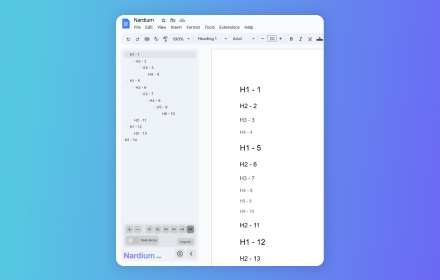
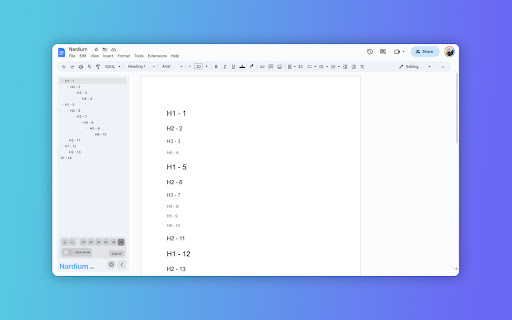
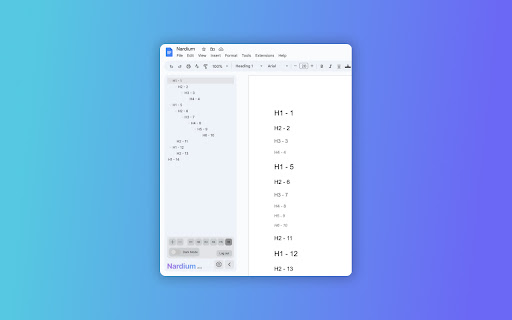
Say goodbye to scrolling and endlessly searching your document. With Nardium, a simple and intuitive navigation window pops up on the left side of your Google Docs window, giving you instant access to all the different headings and hierarchies in your document. Navigate like a pro!

⚙️ Customize Your View:
Tailor your document experience to suit your needs. Nardium empowers you to select which levels of headings are displayed, so you can focus on what matters most. Whether it's purely the highest level headings, right down to the tiniest detailed subheading, you can now easily navigate about.

🔍 Zoom In, Zoom Out:
Nardium allows you to adjust the zoom level of the navigation panel so that you can set the font size just how you like it. No more straining your eyes or missing important sections.

⭐ Key Features: ⭐
✅ Intuitive Navigation: Effortlessly visualise and navigate your document's headings.
✅ Google Docs Integration: Nardium seamlessly integrates into your Google Docs workflow for a smooth experience.
✅ Customizable Display: Filter and display specific heading levels to customise what you see in the navigation panel.
✅ Zoom Functionality: Zoom in and out to specify the size of the text shown in the navigation panel.
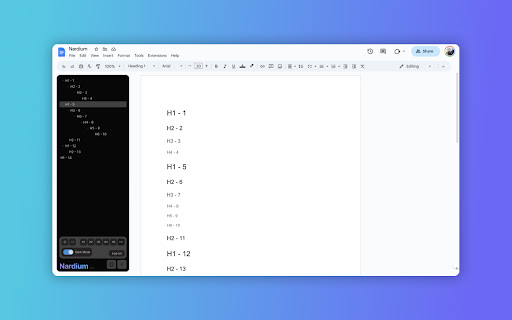
✅ Dark theme: Switch to an eye-friendly dark theme for a comfortable editing experience, especially during late-night sessions.

Nardium allows you to seamlessly explore and navigate your document's hierarchy like never before. Add To Chrome now for a clear and streamlined editing experience. 💪💻
Technical
- Version
- 1.2.5
- Manifest
- V3
- Size
- 255KiB
- Min Chrome
- 88
- Languages
- 1
- Featured
- No
Metadata
- ID
- bmomoeeeljdicegfjigecnlmeifmhmam
- Developer ID
- u4fb8130c922bea11f819574102ce4f10
- Developer Email
- [email protected]
- Created
- Jun 15, 2023
- Last Updated (Store)
- Mar 14, 2025
- Last Scraped
- Jun 7, 2026
- Website
- —
- Support URL
- —
Similar extensions
Alternatives to Nardium - Google Docs Navigation, ranked by description similarity.

DocNest
Organize Google Docs with parent-child relationships
15
★ 5.0

Folder Manager for Google Docs - Smart Document Organizer & Workspace
Organize Google Docs with custom folders. Create, manage, and sort documents effortlessly with our folder management system
791
★ 4.6

Quick Google Docs Create
Quick Google Docs Create
256
★ 5.0

My Nav
Convert MD file to a navigation site
58
★ 5.0

Docx QuickView
View local Word (.docx) files instantly in your browser.
80
★ 1.0

Google Docs Dark Mode
Dark mode for Google Docs and Google Sheets. Reduce eye strain with customizable brightness, contrast, sepia, and built-in themes.
4.0K
★ 4.8

Glidescape - Productivity New Tab
Transform your new tab into a powerful productivity workspace with timeline, tasks, and calendar.
—
★ 5.0

Aura Dashboard Live Wallpaper
Transform your New Tab into a stunning, glassmorphic dashboard with Tasks, Notes, Calendar, World Clocks, and Smart Search.
10
Data sourced from the Chrome Web Store · last verified Jun 7, 2026.