
Tentatively
Sets Google Calendar events to tentative.
As of May 2026, Tentatively has 732 users and a 3.14/5 rating from 7 reviews in the Workflow & Planning category.
Usersdown 1.2 percent−1.2%
732
732
Ratingno change0%
3.14
7 reviews
Reviewsno change0%
7
Version
0.3
Manifest V3
History
3 snapshotsTracking since Apr 1, 2026.
View as table
| Date | Users | Rating | Reviews | Version |
|---|---|---|---|---|
| Apr 1, 2026 | 741 | 3.14 | 7 | 0.3 |
| Apr 30, 2026 | 730 | 3.14 | 7 | 0.3 |
| May 27, 2026 | 734 | 3.14 | 7 | 0.3 |
| Now | 732 | 3.14 | 7 | 0.3 |
Permissions & access
- Permissions
- identity
- Host access
- None declared
Screenshots

About
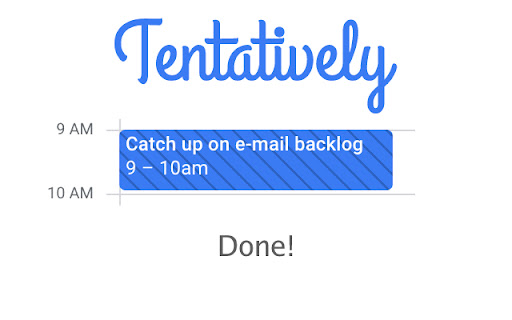
Wish you could mark yourself as “Tentative” or “Maybe” on your Google Calendar events? Tentatively gives you the power to do so! Need to mark part of your shared calendar as tentative so that friends, family, and colleagues avoid inviting you to meetings? Tentatively gives you that ability!

Although Google Calendar allows you to mark yourself as “Maybe” on events to which you’re invited, it doesn’t allow you to do so for events you create yourself. Tentatively fixes that!

To use Tentatively after you’ve installed it, simply navigate to your Google Calendar, click on the Tentatively extension icon in Chrome, and click on the calendar entry you’d like to mark as “Tentative”/“Maybe”. Then wait a few seconds for Google Calendar to show the updated calendar entry, or refresh the Google Calendar web page to see the update immediately.

If you need to cancel calendar entry selection after clicking on the Tentatively extension icon, you can simply press the Esc key on your keyboard or click the extension icon again.

When you first use Tentatively, Chrome will ask you if you want to allow Tentatively to “View and edit events on all your calendars” and “See and download any calendar you can access using your Google Calendar”. Although you need to give the extension these permissions, note that no permissions or credentials are ever shared with the makers of Tentatively or any other entity. These permissions are granted solely to the installed extension and neither these permissions nor any calendar information is ever transferred to any remote servers.

Privacy policy: https://tentatively.xyz/privacy
Technical
- Version
- 0.3
- Manifest
- V3
- Size
- 11.83KiB
- Min Chrome
- 88
- Languages
- 1
- Featured
- Yes
Metadata
- ID
- iaegdgohkfmpdpdfadjpagdkgafpfibl
- Developer ID
- uaae230a7e3629c664dfab98df29efcda
- Developer Email
- [email protected]
- Created
- Apr 5, 2021
- Last Updated (Store)
- Apr 28, 2021
- Last Scraped
- May 27, 2026
- Website
- tentatively.xyz
- Support URL
- —
- Privacy Policy
- —
Similar extensions
Alternatives to Tentatively, ranked by description similarity.

TimeDraft
Insert your calendar availability into Gmail drafts with one click
8

Calendar Express for Google Forms™
1-click sidebar to see your calendar as you fill out forms
246

Toolset for Google Calendar™
This extension provides multiple small tools for the Google Calendar™.
2.0K
★ 4.0

Calendar View Tab
Google Calendar events on your new tab
10.0K
★ 5.0

Datemark - Extract Events from Web Pages with AI
AI-powered tool to automatically extract events from any webpage and add them to Google Calendar in seconds.
12
★ 4.6

Tandem - Meet and Collaborate
Schedule meetings, get on the same page, and collaborate with your team on Tandem.chat.
836
★ 4.8

Calendar Check
Find optimal meeting times by checking calendar availability
3

Scheduling Calendar
This Scheduling Calendar: Manage events, calendar reminders & sync calendars. Join video meetings in a shared calendar app.
5.0K
★ 4.5
Data sourced from the Chrome Web Store · last verified May 27, 2026.