
Scrollshot: Scrolling Screenshots. Full Page.
Full page screenshots including support for ChatGPT, Grafana and Jira
As of May 2026, Scrollshot: Scrolling Screenshots. Full Page. has 5,000 users and a 3.18/5 rating from 28 reviews in the Developer Tools category.
Usersno change0%
5.0K
5,000
Ratingup 2.3 percent+2.3%
3.18
28 reviews
Reviewsup 3.7 percent+3.7%
28
Version
2.1.3-prod
Manifest V3
History
2 snapshotsTracking since Apr 20, 2026.
View as table
| Date | Users | Rating | Reviews | Version |
|---|---|---|---|---|
| Apr 20, 2026 | 5.0K | 3.11 | 27 | 2.1.3-prod |
| May 5, 2026 | 5.0K | 3.18 | 28 | 2.1.3-prod |
| Now | 5.0K | 3.18 | 28 | 2.1.3-prod |
Permissions & access
- Permissions
- activeTabdebuggerdeclarativeNetRequestWithHostAccessdownloadsnotificationsstorageunlimitedStorage
- Host access
- <all_urls>
Screenshots

About
⏬ Full Page Screenshot Functionality
Scrollshot is equipped with an advanced full page screenshot feature, allowing users to capture entire web pages in a single click. Unlike standard screenshot tools that capture only the visible area, this feature scrolls through the page automatically, stitching together a complete image of the entire content, perfect for long articles, comprehensive reports, or detailed web pages.

🤖 Custom Application Logic for ChatGPT (Premium Feature)
Recognizing the dynamic and interactive nature of ChatGPT, the plugin offers specialized logic to capture the conversational flow and ensuring that the screenshots represent the full dialogue exchange.

📊 Enhanced Support for Grafana Dashboards (Premium Feature)
For Grafana users, the plugin provides tailored functionality to capture complex data visualizations. It adjusts to various Grafana dashboard layouts and ensures that all elements are fully rendered before capturing. This is particularly useful for professionals needing to share or archive detailed data visualizations.

🐛 Optimized for Jira Interfaces (Premium Feature)
The plugin is optimized for Jira, accommodating its dynamic web interface. It captures agile boards, backlogs, and detailed issue views, making it a valuable tool for project management and reporting. This feature is especially beneficial for teams needing to document and share project statuses or track issue histories.

🚀 Premium for Free
Even free users (with or without account) can consume a limited amount of premium scrollshots.

👻 Secure and Privacy-Conscious Design
Privacy and security are paramount. Screenshots are generated and saved on your local machine. There is no hidden cloud upload. Google Analytics is used for collecting information about how Scrollshot is used, but no personally identifiable data is collected.

Premium Features might change if the supported websites change the structure of their pages.
Technical
- Version
- 2.1.3-prod
- Manifest
- V3
- Size
- 1.63MiB
- Min Chrome
- 96
- Languages
- 1
- Featured
- No
Metadata
- ID
- hpibfnhnogcgalnademehbgcpllmgdil
- Developer ID
- u9184134f1ef0b4b1e2ca8c68a0de2b06
- Developer Email
- [email protected]
- Created
- Mar 18, 2022
- Last Updated (Store)
- Aug 18, 2025
- Last Scraped
- May 30, 2026
- Website
- scrollshot.click
- Support URL
- —
- Privacy Policy
- https://www.webqsee.com/privacy-policy.html
Similar extensions
Alternatives to Scrollshot: Scrolling Screenshots. Full Page., ranked by description similarity.

Website Full Page Screenshot
Capture a full-page screenshot of the current website.
12
★ 5.0

SnapPage Pro - Full Page Screenshot
Capture full page screenshots with advanced editing, annotations, and export to PNG, JPEG, or PDF
383
★ 5.0

ShotMyPage - Full Page Screen Capture
Chrome full page screenshot and screen capture extension with professional editing tools and project management
224
★ 5.0

SnapFull
Capture Everything. Miss Nothing. — Full page screenshot tool with Scroll Capture, Annotation Editor, and Gallery. By Alphabytecore.
5
★ 5.0
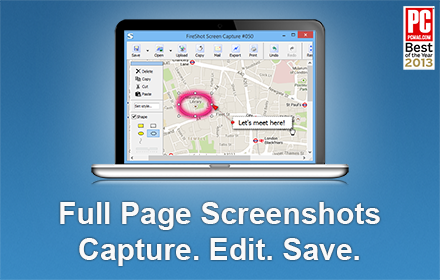
Take Webpage Screenshots Entirely - FireShot
Take FULL webpage screenshots. Capture, edit and save them to PDF/JPEG/GIF/PNG, upload, print, send to OneNote, clipboard or email.
3.0M
★ 4.8

FullGrab - Screenshot & Full Page Capture
Capture visible area and full-page screenshots. Download as PNG or PDF. Share instantly with generated links.
14

FullPageShot
Capture full-page screenshots as images or PDFs with automatic scrolling
5
★ 5.0

FramedShot: Screenshot Frames, Mockup & Editor
Polish screenshots and tab recordings with frames, annotations, redactions, mockups, and local export.
114
★ 5.0
Data sourced from the Chrome Web Store · last verified May 30, 2026.