
Markdown Cheatsheet
This extension shows markdown cheatsheet
As of June 2026, Markdown Cheatsheet has 978 users and a 5.00/5 rating from 7 reviews in the Developer Tools category.
Usersup 1.5 percent+1.5%
978
978
Ratingno change0%
5.00
7 reviews
Reviewsno change0%
7
Version
2.2.1
Manifest V3
History
2 snapshotsTracking since Apr 23, 2026.
View as table
| Date | Users | Rating | Reviews | Version |
|---|---|---|---|---|
| Apr 23, 2026 | 964 | 5.00 | 7 | 2.2.1 |
| Jun 7, 2026 | 957 | 5.00 | 7 | 2.2.1 |
| Now | 978 | 5.00 | 7 | 2.2.1 |
Permissions & access
- Permissions
- None declared
- Host access
- None declared
Screenshots


About
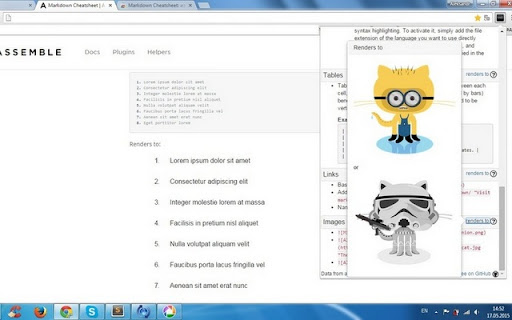
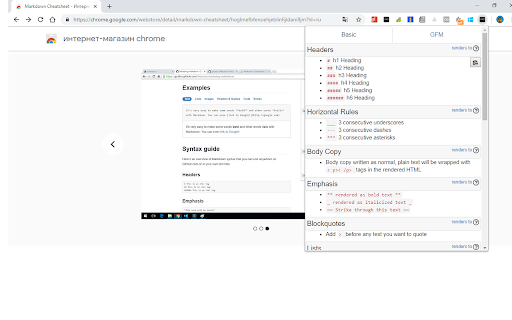
This is handy markdown cheatsheet. For now you shouldn't remember any markdown tag and surf the internet that found it. Just one click to this extension and you can see all markdown tags. It's very useful extension if we work a lot of with markdown.

Updates:

* v2.2.0 - manifest v3
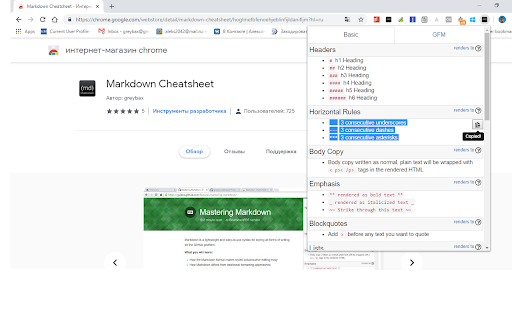
* v2.1.0 - ability to copy the text via copy button

Features:

2 Tabs with Markdown syntaxes:
* Basic Markdown
* GitHub Markdown Flavored (GFM).
Technical
- Version
- 2.2.1
- Manifest
- V3
- Size
- 79.84KiB
- Min Chrome
- 88
- Languages
- 1
- Featured
- Yes
Metadata
- ID
- hoglmefbfenoehjeblinfijldanifljm
- Developer ID
- ub5b93c12ac02d1a6d7ea309d54453a3c
- Developer Email
- [email protected]
- Created
- Apr 17, 2015
- Last Updated (Store)
- Sep 26, 2022
- Last Scraped
- Jun 7, 2026
- Website
- —
- Privacy Policy
- —
Similar extensions
Alternatives to Markdown Cheatsheet, ranked by description similarity.

Markdown Formatter for Bearblog
Easily format your markdown text by selecting it and pressing a key to wrap it, saving you time and effort. Built for Bearblog.
6
★ 5.0

Copy as Markdown
Browser extension to copy hyperlinks, images, and selected text as Markdown
1

Copy as Markdown
Browser extension to copy hyperlinks, images, and selected text as Markdown
10.0K
★ 3.9

Copy Markdown Source
This Chrome extension allows you to copy webpage Markdown source when a website provides it.
Click the extension icon to copy the…
1

Copy URL and Title as Markdown
Copy current page title and URL as Markdown format
543

View Markdown Source
This Chrome extension allows you to view webpage content in Markdown when a Markdown version is available.
Click the extension…
—

Website to Markdown
Convert webpages to Markdown format
138
★ 5.0

MarkTab Copier
Copy current tab or all tabs as Markdown links
22
★ 5.0
Data sourced from the Chrome Web Store · last verified Jun 7, 2026.