
ShadowSeeker - Advanced DOM Search
Search and visualize DOM & Shadow DOM paths. Instantly find XPath, CSS, or text for QA automation.
As of June 2026, ShadowSeeker - Advanced DOM Search has 8 users in the Developer Tools category.
Usersup 33.3 percent+33.3%
8
8
Ratingno change0%
—
— reviews
Reviewsno change0%
—
Version
2.0.0
Manifest V3
History
5 snapshotsTracking since Apr 17, 2026.
View as table
| Date | Users | Rating | Reviews | Version |
|---|---|---|---|---|
| Apr 17, 2026 | 6 | — | — | 2.0.0 |
| May 1, 2026 | 8 | — | — | 2.0.0 |
| May 12, 2026 | 7 | — | — | 2.0.0 |
| May 31, 2026 | — | — | — | 2.0.0 |
| Jun 6, 2026 | 7 | — | — | 2.0.0 |
| Now | 8 | — | — | 2.0.0 |
Permissions & access
- Permissions
- activeTabscriptingstorage
- Host access
- <all_urls>
Screenshots

About
ShadowSeeker - Advanced DOM Search

Description for Chrome Web Store:

Unlock the full power of web automation and testing with ShadowSeeker! This advanced Chrome extension lets you instantly search, inspect, and visualize both standard DOM and Shadow DOM elements on any web page. Designed for QA engineers, testers, and developers, ShadowSeeker streamlines your workflow and helps you build robust automation scripts with ease.

Key Features:
• Effortless Search: Instantly find elements by XPath, CSS selector, or visible text—even inside Shadow DOMs.
• Visual Path Mapping: See clear, granular paths to any element, making it easy to understand complex DOM structures.
• One-Click Highlight: Highlight all matching elements on the page for quick visual feedback.
• Unified Counters: Instantly see how many elements are found, visible, and inside Shadow DOMs.
• Automation-Ready: Copy precise selectors for use in Selenium, Cypress, Playwright, or any automation tool.
• User-Friendly Interface: Minimalist, intuitive popup for fast, distraction-free searching.

How to Use:
1. Open the extension while browsing any web page.
2. Enter your search (XPath, CSS selector, or text) in the search bar.
3. Instantly view and highlight all matching elements, including those inside Shadow DOMs.
4. Click on any result to copy its selector or inspect its path.
5. Use the unified counters to track your search results and optimize your automation scripts.

Why ShadowSeeker?
• Save time by quickly locating hard-to-find elements.
• Eliminate guesswork with accurate, visual path mapping.
• Perfect for QA engineers, testers, and developers working with modern, complex web apps.

Supercharge your web testing and automation—add ShadowSeeker to Chrome today!
Technical
- Version
- 2.0.0
- Manifest
- V3
- Size
- 41.06KiB
- Min Chrome
- 88
- Languages
- 1
- Featured
- No
Metadata
- ID
- hmllgihneidlonjjachbppcbliahkole
- Developer ID
- u1c6f612f92d20b22137dc5e4a688bda9
- Developer Email
- [email protected]
- Created
- Mar 18, 2026
- Last Updated (Store)
- Mar 18, 2026
- Last Scraped
- Jun 6, 2026
- Website
- —
- Support URL
- —
Similar extensions
Alternatives to ShadowSeeker - Advanced DOM Search, ranked by description similarity.

xPath Helper PRO
Easily test XPath queries on web pages
602
★ 5.0

XPath Finder Pro
Streamline automation with instant unique XPath/CSS generation, smart verification, and a premium draggable UI.
20
★ 5.0

XPath Selector
HTML XPath Selector: instantly test and debug XPath queries in your browser. Validate your XPath expressions easily.
3.0K
★ 5.0

Web Element Selector
Advanced element locator with AI-powered xpath and css selector generation. Supports ChatGPT, Gemini, DeepSeek, and Claude.
416
★ 5.0

DOMTree Explorer+
Explore, inspect, and annotate the DOM tree of any web page.
136
★ 1.0

Deep Search - Data Layer & Storage Explorer
Advanced search tool for exploring JavaScript data layers and browser storage (localStorage, sessionStorage, cookies)
17
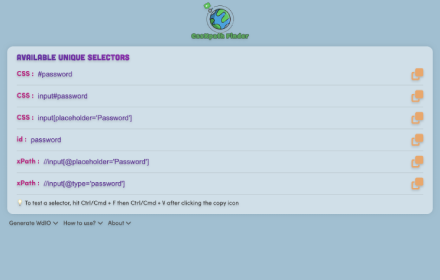
CssXpath Finder
The best CSS & Xpath finder for your web automation!
210
★ 5.0

AutoMate – CSS Selector XPath Locator Finder
Generate & validate CSS/XPath locators for web automation. Works with Selenium, Playwright & Cypress. Highlight elements too.
200
★ 5.0
Data sourced from the Chrome Web Store · last verified Jun 6, 2026.