
Readerify
Read web pages aloud with advanced TTS.
As of June 2026, Readerify has 712 users and a 4.67/5 rating from 3 reviews in the Productivity category.
Usersup 49.6 percent+49.6%
712
712
Ratingdown 6.6 percent−6.6%
4.67
3 reviews
Reviewsup 50.0 percent+50.0%
3
Version
1.0.2
Manifest V3
History
6 snapshotsTracking since Apr 18, 2026.
View as table
| Date | Users | Rating | Reviews | Version |
|---|---|---|---|---|
| Apr 18, 2026 | 476 | 5.00 | 2 | 1.0.2 |
| Apr 28, 2026 | 588 | 5.00 | 2 | 1.0.2 |
| May 7, 2026 | 622 | 5.00 | 2 | 1.0.2 |
| May 15, 2026 | 642 | 5.00 | 2 | 1.0.2 |
| May 24, 2026 | 656 | 4.67 | 3 | 1.0.2 |
| Jun 3, 2026 | 695 | 4.67 | 3 | 1.0.2 |
| Now | 712 | 4.67 | 3 | 1.0.2 |
Permissions & access
- Permissions
- storageactiveTabscriptingoffscreenttscookies
- Host access
- https://*.firebaseio.com/, https://*.googleapis.com/, http://localhost:3000/*, http://127.0.0.1:3000/*, https://tts.readerify.com/*, https://receiptgo.web.app/*, https://receiptgo.firebaseapp.com/*
Screenshots

About
Text-to-Speech (TTS) Converts Text into Natural-Sounding Speech Create high-quality text-to-speech services for web pages and specific articles. Free. No registration required. Text-to-Speech – Primarily for reading web articles aloud. The generated speech can be easily modified (adjust tone, control voice or volume). TTS is used to generate voiceover with customizable voices and text coverage. You can create a complete webpage TTS narration or select specific sections to edit, then listen to the audio on your computer. The app runs directly in your browser, saving you time. Simply click the extension icon to choose full-page text-to-speech or process a selected portion. You no longer need to struggle reading large blocks of text or tiny fonts. Why waste time when all you need is Text-to-Speech? Do you want text read aloud, for example, for studying, reading technical documentation, or listening to articles? Here’s why you should choose TTS Text-to-Speech: ✔ Text-to-speech conversion in multiple languages; ✔ Supports both male and female voices; ✔ Customizable voice settings and playback speed; ✔ Read any webpage or document aloud; ✔ Generate naturally sounding speech; ✔ Read offline files using built-in browser text-to-speech; ✔ No login or registration required; Open the webpage you wish to listen to (or upload a document), click the extension icon, select "Play", and hear the TTS engine read the selected text. Once TTS starts reading, you can pause, replay, or skip ahead using the on-screen controls.
Technical
- Version
- 1.0.2
- Manifest
- V3
- Size
- 214KiB
- Min Chrome
- 88
- Languages
- 9
- Featured
- No
Metadata
- ID
- hkgeojhgbjdndjaiafjcllapbmbjddph
- Developer ID
- ufc4219d7385a921e0b52c8d974d43015
- Developer Email
- [email protected]
- Created
- Dec 11, 2025
- Last Updated (Store)
- Dec 13, 2025
- Last Scraped
- Jun 3, 2026
- Website
- —
- Support URL
- —
- Privacy Policy
- https://web.readerify.com/privacy/
Similar extensions
Alternatives to Readerify, ranked by description similarity.

Text to Speech - AI Voice Generator & TTS
Convert text to realistic speech using AI's text-to-speech (TTS) modeling.
1.0K
★ 4.2

Text to Speech Free
Right click and convert text to speech. Read Aloud using the browsers SpeechSynthesis engine.
153

TtsZone
Enhance your web browsing experience with our text-to-speech (TTS) extension. Easily convert selected text on any webpage into…
—

text to speech ai
Best text to speech ai tool revolutionizes reading online content. Try our free ai voice generator. Tts tool, text to mp3 software
2.0K
★ 2.0

Text2Audio: Convert text to audio
Text to audio conversion tool that convert any text to voice audio
56

Free TTS
High-quality text-to-speech engine for your browser.
1

ReadSphere
Listen to any webpage in multiple languages. Turn articles, news, and documents into audio instantly.
6
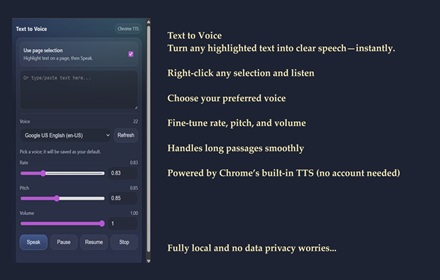
SKDOSS Text to Voice (TTS API)
Speak selected or typed text using Chrome TTS voices.
63
Data sourced from the Chrome Web Store · last verified Jun 3, 2026.