
Not So Fast
Prevent accidental clicks due to elements moving around on the page.
As of June 2026, Not So Fast has 6 users and a 5.00/5 rating from 14 reviews in the Accessibility category.
Usersdown 33.3 percent−33.3%
6
6
Ratingno change0%
5.00
14 reviews
Reviewsno change0%
14
Version
1.0
Manifest V3
History
3 snapshotsTracking since Apr 1, 2026.
View as table
| Date | Users | Rating | Reviews | Version |
|---|---|---|---|---|
| Apr 1, 2026 | 9 | 5.00 | 14 | 1.0 |
| May 3, 2026 | 8 | 5.00 | 14 | 1.0 |
| Jun 1, 2026 | 9 | 5.00 | 14 | 1.0 |
| Now | 6 | 5.00 | 14 | 1.0 |
Permissions & access
- Permissions
- storageactiveTabtabswebNavigation
- Host access
- None declared
Screenshots
About
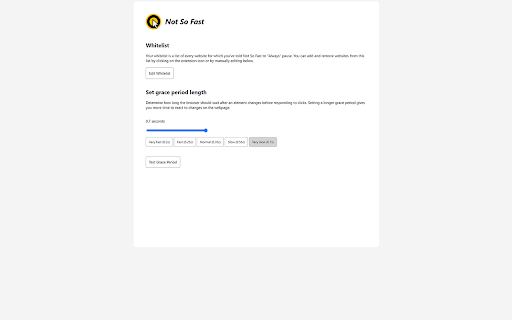
Have you ever tried to click on something only to have some other button or link take its place right as you click on it? You meant to click on the first thing, and it seems obvious to everyone—that is, everyone but your browser. That's the problem Not So Fast solves.

Not So Fast detects when elements have moved near your mouse and sets up a short "grace period" where any accidental clicks are ignored. This prevents unintended actions, like pressing the wrong button, losing your place on the page, or opening dangerous links. The added security also reduces the cognitive load of using your pointing device of choice, making for a more pleasant browsing experience.

The extension is currently in beta, so feedback is welcome!
Technical
- Version
- 1.0
- Manifest
- V3
- Size
- 56.5KiB
- Min Chrome
- 88
- Languages
- 1
- Featured
- No
Metadata
- ID
- hiegkehekilfjpcolajfmlcjjbohloei
- Developer ID
- ub36137d491a70956f5a89988e0f0a2c6
- Developer Email
- [email protected]
- Created
- Jan 11, 2022
- Last Updated (Store)
- Apr 21, 2024
- Last Scraped
- Jun 1, 2026
- Website
- —
- Support URL
- —
- Privacy Policy
- —
Similar extensions
Alternatives to Not So Fast, ranked by description similarity.

Neatified
Allowing you to copy and right-click on websites.
197
★ 5.0

No Click to Edit
Disable click to edit on Atlassian products - Jira, Confluence, etc. - 10x the user experience
34
★ 4.0

Paste Anyway
Allows pasting text on sites that have disabled it
64

BrowseCut | Navigate with Keyboard Hotkeys, Vim Motions, Vimium Shortcuts
Cut time browsing. Just type to click links and navigate. Be productive, prevent RSI, stay in flow with smart shortcuts.
1.0K
★ 4.6

SafeBrowse
Protects users from malicious and phishing websites using server-side threat intelligence.
12
★ 5.0

Open to Scroll
An extension to open a link to the same position on the page as you are currently scrolled to.
39
★ 4.0

No Auto Scroll
Stops auto scroll (aka smooth scroll) from activating on middle mouse click.
2.0K
★ 4.4

Rocker Gestures
Allows you to navigate back and forward with your mouse button clicks (right + left = back).
1.0K
★ 4.6
Data sourced from the Chrome Web Store · last verified Jun 1, 2026.