
HEX Color Picker
Use Hex Color Picker from image to quickly identify and use colors for your projects. Easily pick hex color from any image.
As of June 2026, HEX Color Picker has 20,000 users and a 4.88/5 rating from 64 reviews in the Workflow & Planning category.
Usersup 100.0 percent+100.0%
20.0K
20,000
Ratingup 0.4 percent+0.4%
4.88
64 reviews
Reviewsup 10.3 percent+10.3%
64
Version
1.1.1
Manifest V3
90-day change · In the last 90 days this extension gained 10.0K users.
History
2 snapshotsTracking since May 3, 2026.
View as table
| Date | Users | Rating | Reviews | Version |
|---|---|---|---|---|
| May 3, 2026 | 10.0K | 4.86 | 58 | 1.1.1 |
| Jun 1, 2026 | 10.0K | 4.87 | 60 | 1.1.1 |
| Now | 20.0K | 4.88 | 64 | 1.1.1 |
Permissions & access
- Permissions
- None declared
- Host access
- <all_urls>
Screenshots

About
Introducing the hex color picker, the ultimate Google Chrome extension designed for designers, developers, and anyone passionate about graphics. This powerful tool is tailored to help you easily pick hex color from any image, making your workflow more efficient and precise. Whether you are working on web design, graphic projects, or digital art, our hex colors picker ensures you have the perfect tool at your fingertips.

Key features include:
🌟 Easy extraction and hex color code picker from images
🌟 Simple and user-friendly interface
🌟 Real-time preview and adjustment
🌟 Seamless integration with other design tools

Speed and performance are crucial in any tool, and the our extension excels in this regard. It is lightweight and optimized for quick performance, ensuring that it does not slow down your browser or hinder your productivity.

Here are a few scenarios where it can be particularly useful:
1. Web Design:
    📐 Ensures consistency in schemes
    🌐 Easy color finder from image
    🖥️ Accurate translation to HTML codes
2. Graphic Design:
    🎨 Perfect for matching
    🖼️ Extract data from inspirational images
    💡 Create cohesive palettes
3. Digital Art:
    🖌️ colorpicker from reference photos
    🎨 Adjust in real-time
    🔍 Zoom in for precise selection
4. Development:
    💻 Quick and accurate hex code color picker
    🔧 Integration with development tools
    ⚙️ Ensure visual consistency

For those working with different formats, the hex color picker also includes an rgb color picker. This enables you to picked color in RGB format, providing flexibility and precision for various design needs.

Frequently Asked Questions:
- What is a hex?
   A hexadecimal representation, used in web design with the extension.
- Can I use this tool offline?
   Yes, internet connection is not required to work with the google color picker.

With hex code finder and r g b color picker functionalities guarantee you can effortlessly manage any task.

Answering what color is this in:
* Hexadecimal (Hex): #FFFFFF
* RGB: rgb(255, 255, 255)
* HSL: hsl(0, 0%, 100%)

For those dealing with various formats, our extension enables you to detect graphics in any format, providing flexibility and precision for diverse design needs. These functionalities ensure you can handle any task with ease.

Tips for Best Use:
💥 Use High-Resolution Images: Ensures accurate detection with the color selector from image.
💥 Double-Check Codes: Verify codes before applying them.
💥 Save Frequently Used Items: Maintain a palette of common items with the color identifier.

The built-in eyedropper tool is a powerful feature that lets you sample any graphics from your browser. Simply click on the eyedropper icon, hover over the desired area, and click to select. This tool is perfect for capturing data from images, websites, or any digital content.

How to Use the Hex Color Picker:
1️⃣ Install the Extension: Add it to your Chrome browser.
2️⃣ Activate the Tool: Click the extension icon.
3️⃣ Open an Image: Navigate to the image you want to use.
4️⃣ Hover Over the Image: Move your cursor to the desired area.
5️⃣ Click to Capture: Save the code for your use.

Stay Updated: Keep the extension updated for new features on the color picker google.
Combine with Design Software: Use alongside tools like Photoshop or Illustrator for enhanced functionality.

Features That Rock
⚡️ Color Hex Code Picker: Perfect for web design. Just grab the code and plug it into your CSS.
To ensure that you always have the best experience, extension receives regular updates. These updates include new features, performance improvements, and bug fixes. Additionally, the support team is always ready to assist you with any issues or questions you might have.

⚡️ Image Color Picker: Works on any image, whether it’s online or saved on your computer.
The real-time adjustment feature allows you to tweak pallete on the fly. Whether you need to adjust the hue, saturation, or brightness, the extension provides sliders that give you precise control. This ensures that you can fine-tune graphics to perfection.

⚡️ Color Image Picker: Ideal for finding inspiration from photos and artwork.
When you need to identify a specific value, the hexadecimal color picker functionalities are there to assist. These features ensure that you can always determine the exact numbers of any graphics, making matching and replication straightforward and accurate.

⚡️ Picker Color Hex Tool: Quick and easy way to get the graphics you need.

So, there you have it. The Hex Color Picker is your go-to tool for all things design. Whether you’re grabbing palette from images for web design, graphic design, or just for fun, this extension has got you covered. Happy designing!
Technical
- Version
- 1.1.1
- Manifest
- V3
- Size
- 209KiB
- Min Chrome
- 89
- Languages
- 52
- Featured
- Yes
Metadata
- ID
- hhkifldlehcekplhapbconmjjmddpbdf
- Developer ID
- ua99875c1465a225f9fc01959e1fc5686
- Developer Email
- [email protected]
- Created
- Jun 26, 2024
- Last Updated (Store)
- Jun 28, 2024
- Last Scraped
- Jun 1, 2026
- Website
- —
- Support URL
- —
Similar extensions
Alternatives to HEX Color Picker, ranked by description similarity.

Hex code picker
Use Hex code picker to grab hex color codes from any webpage. Quickly identify colors and copy hex codes for all your design needs!
1.0K
★ 5.0

Image Color Picker
Image Color Picker - pick color from image or use the picker from the page. Grab color tool for hex code and rgb code.
1.0K
★ 5.0

Color Picker - Eyedropper Tool
Pick colors from web pages with Eyedropper. Picker, gradient generator, palette. Quickly grab HEX, RGB.
100.0K
★ 4.6

HEX Color Picker
Install HEX color picker chrome extension and get all color codes with single click.
146
★ 1.0

Color Picker & Eyedropper Tool for Chrome
Instantly pick colors from any webpage with this lightweight Chrome extension. Save HEX and RGB codes easily.
13
Easy Color Picker
Grab colors from webpages anytime, instant color picker and personal color history.
8.0K
★ 4.5
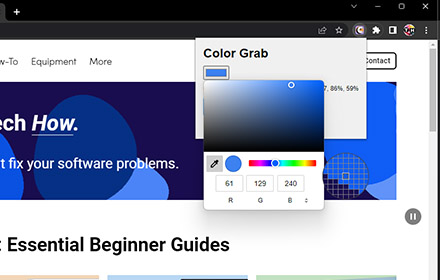
Color Grab
Copy the color code from any webpage in various formats.
1.0K
★ 3.0

Online Color Picker
Colors palette with color conversion to RGBA, HEXA and HSVA.
694
★ 1.0
Data sourced from the Chrome Web Store · last verified Jun 1, 2026.