
PIP-VID
Enable Picture-in-Picture mode for video content with one click
As of June 2026, PIP-VID has 217 users and a 5.00/5 rating from 4 reviews in the Workflow & Planning category.
Usersup 19.2 percent+19.2%
217
217
Ratingno change0%
5.00
4 reviews
Reviewsno change0%
4
Version
2.0
Manifest V3
History
2 snapshotsTracking since Apr 1, 2026.
View as table
| Date | Users | Rating | Reviews | Version |
|---|---|---|---|---|
| Apr 1, 2026 | 182 | 5.00 | 4 | 2.0 |
| Jun 1, 2026 | 200 | 5.00 | 4 | 2.0 |
| Now | 217 | 5.00 | 4 | 2.0 |
Permissions & access
- Permissions
- activeTab
- Host access
- None declared
Screenshots


About
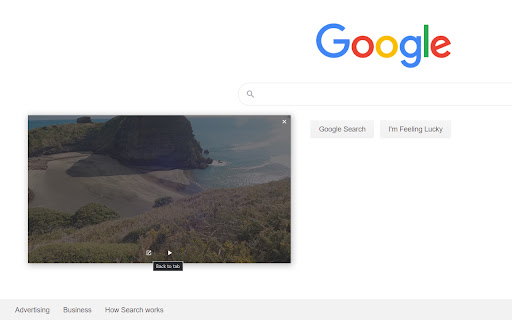
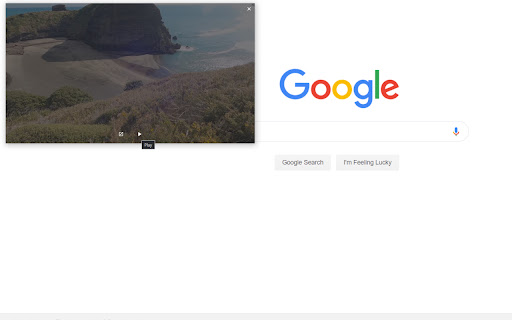
Watch videos from any platform using the Picture-in-Picture mode while doing other work. Perfect for viewing your favorite videos while staying productive such as going along a tutorial or watching a movie. This extension can be used on the browser and on desktop

Note: the source of the video must be open (ex.Youtube video) so do not close Chrome.

This extension is supported on Youtube, Netflix and Twitch.

Instructions:
1. Once installed go to any video platform ex. Youtube.
2. Select a video to watch and once selected click on the extension button or you can press Alt+V to go into picture-on-picture mode.
3. You can move the video window around and resize it to your convenience.
4. You can exit from the picture-in-picture mode anytime by clicking on the extension again or Alt+V.

Feedback is always appreciated.
Technical
- Version
- 2.0
- Manifest
- V3
- Size
- 78.06KiB
- Min Chrome
- 88
- Languages
- 1
- Featured
- No
Metadata
- ID
- hhcfakbeobalhhbbiihgcpdppdghlcie
- Developer ID
- u8b88b0fc7e3848d3396881b361d32d08
- Developer Email
- [email protected]
- Created
- May 31, 2020
- Last Updated (Store)
- Dec 6, 2024
- Last Scraped
- Jun 1, 2026
- Website
- —
- Support URL
- —
- Privacy Policy
- —
Similar extensions
Alternatives to PIP-VID, ranked by description similarity.

Picture in Picture for Videos
Picture in Picture for floating video from any site
100.0K
★ 4.6

Picture in Picture Extension for Chrome
Picture in Picture Extension for Chrome enables you to view videos from a floating popup
633
★ 3.7

Picture in Picture Extension
Transform your video viewing experience with the Picture in Picture Extension.
1.0K
★ 5.0

Picture in Picture Player - Floating Video
Keep your videos visible at all times while doing something else! PiP mode on all videos.
100.0K
★ 4.3

Picture in Picture - PiP View
Watch videos in a floating PiP window (always on top of other windows) even when tab is switched.
70.0K
★ 3.9

Picture in Picture - Floating player
Picture-in-Picture mode allows you to watch a video in a floating window with playback video and volume controls.
200.0K
★ 4.6

Picture-In-Picture For Chrome
Enable picture in picture for YouTube and Chrome. Best Floating PiP player for YouTube.
20.0K
★ 4.0

Picture-in-Picture - Floating Video Player
The extension lets users watch videos in Picture-in-Picture (PiP) mode.
8.0K
★ 4.8
Data sourced from the Chrome Web Store · last verified Jun 1, 2026.