
Screen Selection to Max Quality JPEG
Capture screen selection and save as max-quality JPEG with proper scaling.
As of June 2026, Screen Selection to Max Quality JPEG has 23 users in the Workflow & Planning category.
Usersdown 4.2 percent−4.2%
23
23
Ratingno change0%
—
— reviews
Reviewsno change0%
—
Version
1.7
Manifest V3
History
4 snapshotsTracking since Apr 1, 2026.
View as table
| Date | Users | Rating | Reviews | Version |
|---|---|---|---|---|
| Apr 1, 2026 | 24 | — | — | 1.7 |
| Apr 21, 2026 | 25 | — | — | 1.7 |
| May 11, 2026 | 23 | — | — | 1.7 |
| Jun 7, 2026 | 24 | — | — | 1.7 |
| Now | 23 | — | — | 1.7 |
Permissions & access
- Permissions
- activeTabscripting
- Host access
- <all_urls>
Screenshots
About
Screen Selection to Max Quality JPEG
Capture and save screen selections as crisp, high-quality JPEGs — with pixel-perfect precision.

📸 Overview:
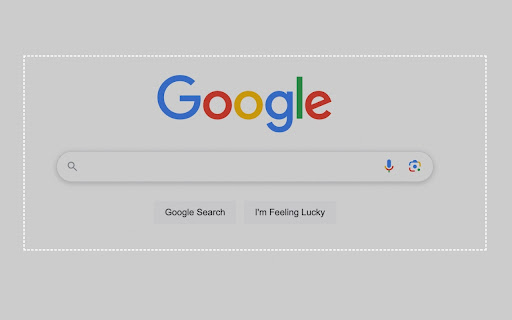
Easily capture any part of your browser tab, crop it, and automatically save the selection as a maximum-quality JPEG (1.0).
Perfect for designers, developers, content creators, or anyone needing sharp, clean screenshots of specific web content.

🔥 Features:
✅ Drag to select any area of the active tab
✅ Captures the screen as high-resolution PNG internally
✅ Crops the selected area
✅ Automatically saves as maximum quality JPEG (1.0)
✅ Preserves clarity with devicePixelRatio scaling for Retina and high-DPI screens
✅ Simple one-click action — no additional tools or editing required
✅ Downloads instantly to your default folder

🖥 How It Works:
Click the extension icon
Drag your mouse to select the area you want to capture
The image is processed and saved immediately as a high-quality JPEG

🌟 Why Use This Extension?
Stop taking full-page screenshots and cropping manually
Retain image quality — perfect for UI elements, websites, reports, and presentations
Lightweight, easy to use, no unnecessary permissions

⚠ Note:
This extension captures the visible area of the current tab only. It does not capture areas outside the browser or full-page scrolls.

📥 Save time. Save clean screenshots. Get pixel-perfect JPEGs — instantly
Technical
- Version
- 1.7
- Manifest
- V3
- Size
- 4.77KiB
- Min Chrome
- 88
- Languages
- 1
- Featured
- No
Metadata
- ID
- hggbhifodclpfdkaaboohlbbfkepgfgm
- Developer ID
- u24a79a95a687f10e8d3cbb2d4c34c602
- Developer Email
- [email protected]
- Created
- Apr 6, 2025
- Last Updated (Store)
- Apr 6, 2025
- Last Scraped
- Jun 7, 2026
- Website
- https://seohonolulu.co/
- Support URL
- https://seohonolulu.co/
- Privacy Policy
- https://seohonolulu.co/privacy/
Similar extensions
Alternatives to Screen Selection to Max Quality JPEG, ranked by description similarity.

Screenety - Screen Recorder & Annotation Tool
Screenshot tool
154
★ 5.0

Easy Screenshot
Capture full-page screenshots instantly. Manually select any part of the page to capture exactly what you need.
4
Easy Screenshot - a Web Clipper
all-in-on capturing tool for the visual part, the entire page, or a selective area with auto-scrolling and editing support
20.0K
★ 4.2

Easy Screenshot
Capture parts of the screen
19
★ 1.0

Recorder & Screenshot | Sitespedia - Screen Video Recorder & Screenshot
Take screenshots entirely or partially of websites, annotate them, and manage them in a centralized place.
6

Full Page Screen Capture
Enable this extension to capture screenshots whether it's a visible screen, crop capture andfull-page screen
70.0K
★ 3.9

Snapify - One Click Screen Capture Tool
Capture full page screenshots, visible area, Selective area and more. Save, copy, and share with delay timer support.
113
★ 5.0

SepahStfih - Instant Snapshot
Instantaneous viewport rasterization via optimized pixel extraction.
1
★ 5.0
Data sourced from the Chrome Web Store · last verified Jun 7, 2026.