
PDF Previewer for Gmail
Click on a PDF attachment in Gmail to open it in a clean new preview window.
As of June 2026, PDF Previewer for Gmail has 127 users and a 5.00/5 rating from 2 reviews in the Productivity category.
Usersup 5.8 percent+5.8%
127
127
Ratingno change0%
5.00
2 reviews
Reviewsno change0%
2
Version
1.1
Manifest V3
History
5 snapshotsTracking since Apr 19, 2026.
View as table
| Date | Users | Rating | Reviews | Version |
|---|---|---|---|---|
| Apr 19, 2026 | 120 | 5.00 | 2 | 1.1 |
| May 4, 2026 | 128 | 5.00 | 2 | 1.1 |
| May 13, 2026 | 128 | 5.00 | 2 | 1.1 |
| May 25, 2026 | 129 | 5.00 | 2 | 1.1 |
| Jun 6, 2026 | 126 | 5.00 | 2 | 1.1 |
| Now | 127 | 5.00 | 2 | 1.1 |
Permissions & access
- Permissions
- None declared
- Host access
- None declared
Screenshots


About
Description:
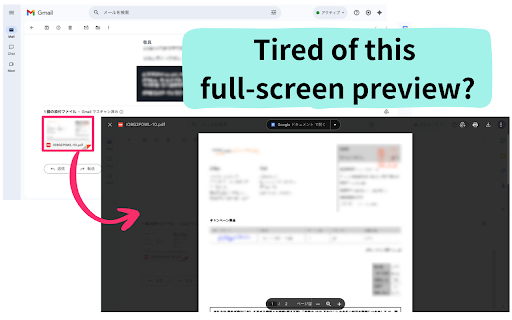
Tired of Gmail's default preview taking over your screen? PDF Previewer for Gmail streamlines your workflow by opening PDF attachments in a separate, clean pop-up window, allowing you to view documents without ever leaving your inbox.


This extension is designed for a single, simple purpose: to make viewing PDF attachments in Gmail faster and more convenient. Instead of the standard full-screen overlay that hides your emails, a quick click is all it takes to launch the PDF in a resizable window. This is perfect for multitasking professionals who need to reference an attachment while composing a reply.


How to Use:
1. Install the extension.
2. Open Gmail and find an email with a PDF attachment.
3. Click on the PDF attachment link.
4. A new pop-up window will immediately open, displaying the PDF.


Enhance your productivity and take control of your attachments. Install PDF Previewer for Gmail today for a smarter way to handle your documents
Technical
- Version
- 1.1
- Manifest
- V3
- Size
- 28.26KiB
- Min Chrome
- 88
- Languages
- 2
- Featured
- No
Metadata
- ID
- hgbincablhplmaehgfbpipkggogjnoog
- Developer ID
- ucf11d0dbfdabff22e3ccdccfc1c5f234
- Developer Email
- [email protected]
- Created
- Oct 5, 2025
- Last Updated (Store)
- Oct 7, 2025
- Last Scraped
- Jun 6, 2026
- Website
- —
- Support URL
- —
- Privacy Policy
- —
Similar extensions
Alternatives to PDF Previewer for Gmail, ranked by description similarity.

PDFMailer – Send to Gmail
Convert any webpage to PDF and send via Gmail in one click.
10

Gmail to PDF
Export Gmail emails to PDF
6

Attachment Printer
This is a powerful Chrome extension that simplifies the process of printing attachments directly from Gmail. Designed for speed and…
352
★ 3.6

Gmail to PDF Converter
Convert Gmail emails to PDF with one click. Seamlessly integrates with Gmail's interface for easy email-to-PDF conversion.
42
★ 5.0

ProtonMail to PDF
Convert ProtonMail email content to PDF document
24

Popup PDF Viewer
View PDF files in a compact popup window with comprehensive viewing features
40
★ 5.0

Email to PDF - Privacy First
Save multiple Gmail emails as text-based PDFs with one click. Images included. No need to grant access to your entire Gmail account.
19
★ 1.0

One-Click Gmail PDF Signer
Sign PDF attachments in Gmail — no downloads, no third-party uploads. Draw or upload your signature, place it, and send in seconds.
11
Data sourced from the Chrome Web Store · last verified Jun 6, 2026.