
Google Chat Background Notifier
Keeps a configurable chat tab pinned on a single window at any time Chrome is running.
As of June 2026, Google Chat Background Notifier has 98 users and a 3.50/5 rating from 2 reviews in the Functionality & UI category.
Usersdown 2.0 percent−2.0%
98
98
Ratingdown 12.5 percent−12.5%
3.50
2 reviews
Reviewsdown 33.3 percent−33.3%
2
Version
2.0
Manifest V3
History
4 snapshotsTracking since Apr 1, 2026.
View as table
| Date | Users | Rating | Reviews | Version |
|---|---|---|---|---|
| Apr 1, 2026 | 100 | 4.00 | 3 | 2.0 |
| Apr 21, 2026 | 105 | 4.00 | 3 | 2.0 |
| May 6, 2026 | 94 | 4.00 | 3 | 2.0 |
| Jun 4, 2026 | 92 | 3.50 | 2 | 2.0 |
| Now | 98 | 3.50 | 2 | 2.0 |
Permissions & access
- Permissions
- tabsstorage
- Host access
- None declared
Screenshots

About
Stay notified of Google Chat messages even when you don’t have a visible Chat tab open — without cluttering your browser or interrupting your workflow.

This extension runs quietly in the background to ensure you continue to receive Google Chat notifications as long as Chrome is open — even if you don’t have a chat.google.com tab visible in any window. It accomplishes this by automatically managing a hidden, pinned background tab that stays alive to maintain your Google Chat session. Unlike manually leaving a Chat tab open, this extension intelligently keeps only one such tab alive across all Chrome windows, avoids duplicate tabs, restores the connection if the window is closed, and minimizes memory impact or distraction. Best of all, it preserves system notifications for Google Chat, helping you stay responsive without needing to manually manage tabs.

Installation & Instructions:
=====================
	1. The extension requires that you have previously logged into your Google Chat account in Chrome in the past 30 or so days, and haven't logged out since.
	2. Click the Add to Chrome button on this page to install the extension.
	3. After installation, a small puzzle icon will appear in your Chrome toolbar, if it wasn't already there.
	4. Pin the extension (so a small icon shows up allowing you to turn it on or off) click on the small puzzle icon on the upper right of the Chrome browser window, and then click on the small thumb-tack icon next to the name "ChatAlive",

By default, the extension will automatically enable itself and open a hidden Google Chat tab.

You can click the extension icon (when pinned) at any time to
	1. Toggle it ON or OFF:
		• ON: Google Chat runs in the background for notifications.
		• OFF: The hidden Chat tab is closed and notifications stop.
	2. Change the URL of the chat service you want to keep alive, in case you want another service other than Google Chat (or if Google Chat changes their URL!)
	3. Enable Debug mode, if you want to see what it's doing in the background. To see the Console logs, click on the "service worker" link on the "ChatAlive 2" extension in the list of extensions installed in your Chrome browser.

NOTE: For the extension to successfully deliver Google Chat notifications, both Chrome and your operating system must allow notifications.

How to Enable Notifications in Chrome:
	1.	Go to chrome://settings/content/notifications
	2.	Ensure notifications are enabled.
	3.	Make sure https://chat.google.com is allowed (not blocked).

How to Enable Notifications in macOS:
	1.	Open System Settings > Notifications
	2.	Locate Google Chrome in the list.
	3.	Enable Allow Notifications, and optionally allow banners or alerts.

How to Enable Notifications in Windows:
	1.	Open Settings > System > Notifications & actions
	2.	Make sure Notifications are turned ON.
	3.	Under Get notifications from these senders, ensure Google Chrome is enabled.

Detailed Features & Behavior:
========================
• Keeps Google Chat session active in the background without requiring you to manually open or manage tabs.
• Automatically opens a pinned, inactive tab to https://chat.google.com when the extension is turned ON.
• Ensures only one hidden tab is created across all Chrome windows, preventing duplicates and memory waste.
• Cleans up unused or closed Chat tabs when the extension is turned OFF.
• Monitors the Chat tab every 30 seconds to ensure it’s still alive — recreates it if the window or tab was closed.
• Preserves the tab’s position and state if you manually interact with it — e.g., clicking the Chat tab won’t cause it to be hidden again.
• Does not interfere with visible browsing — the tab remains hidden, inactive, and pinned.
• Allows native Google Chat notifications to come through, just like if you had the Chat web app open manually.
• Allows you to click on the tab and quickly access your Google Chat conversations, returning the tab to the background when you go to another tab or window.
• Remembers your ON/OFF preferences across browser restarts.
Technical
- Version
- 2.0
- Manifest
- V3
- Size
- 7.17KiB
- Min Chrome
- 88
- Languages
- 1
- Featured
- No
Metadata
- ID
- hfknjkannpafnoidganhlmplfomlifnc
- Developer ID
- u8fde28147c847c7832b4613531ddd597
- Developer Email
- [email protected]
- Created
- Apr 15, 2025
- Last Updated (Store)
- May 1, 2025
- Last Scraped
- Jun 4, 2026
- Website
- —
- Support URL
- —
- Privacy Policy
- —
Similar extensions
Alternatives to Google Chat Background Notifier, ranked by description similarity.

Smart Sessions - Tab Manager
Save & restore your browser sessions. Auto saving, multiple sessions and more.
6.0K
★ 4.1

Clutter Free - Prevent duplicate tabs
Reduce tab clutter - prevent duplicate tabs, quickly search & switch tabs, and more...
30.0K
★ 3.7

TabMeister
Organize tabs into a smart dashboard. Add notes, reminders, secure passwords, and sync across devices with Flipbook view.
11
★ 5.0
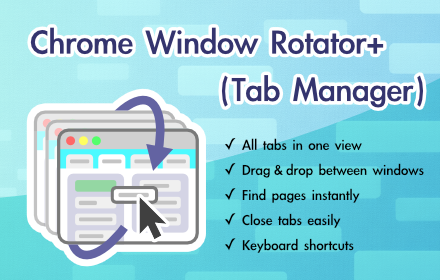
Chrome Window Rotator+ (Tab Manager)
View all tabs across windows. Find and access pages instantly. Organize with drag & drop.
108
★ 5.0

ChatGPT Sidebar - Hide Unnecessary Sections
Customize ChatGPT sidebar. Hide sections like GPTs, Projects, Codex, Atlas, Images, and Apps with one click.
82
★ 5.0

ChatGPT Pin Chats
Pin important ChatGPT conversations to keep them at the top of your sidebar
7

All Windows Pinned Tabs
Keeps pinned tabs across all Chrome windows
45

Magic Tab Group
Every Google search you perform it will automatically generate a separate tab group and any child tabs opened from your Google…
88
★ 5.0
Data sourced from the Chrome Web Store · last verified Jun 4, 2026.