
CopyUI - HTML, CSS & Tailwind Inspector
Stop coding from scratch. Copy any element of any website and export it to Tailwind CSS, JSX or clean CSS in one click.
As of June 2026, CopyUI - HTML, CSS & Tailwind Inspector has 185 users and a 5.00/5 rating from 2 reviews in the Developer Tools category.
Usersup 110.2 percent+110.2%
185
185
Ratingno change0%
5.00
2 reviews
Reviewsup 100.0 percent+100.0%
2
Version
1.0.0
Manifest V3
History
7 snapshotsTracking since Apr 4, 2026.
View as table
| Date | Users | Rating | Reviews | Version |
|---|---|---|---|---|
| Apr 4, 2026 | 88 | 5.00 | 1 | 1.0.0 |
| Apr 18, 2026 | 107 | 5.00 | 2 | 1.0.0 |
| Apr 23, 2026 | 127 | 5.00 | 2 | 1.0.0 |
| Apr 28, 2026 | 133 | 5.00 | 2 | 1.0.0 |
| May 7, 2026 | 147 | 5.00 | 2 | 1.0.0 |
| May 15, 2026 | 158 | 5.00 | 2 | 1.0.0 |
| Jun 3, 2026 | 165 | 5.00 | 2 | 1.0.0 |
| Now | 185 | 5.00 | 2 | 1.0.0 |
Permissions & access
- Permissions
- activeTabscriptingclipboardWritestorage
- Host access
- <all_urls>
Screenshots


About
Stop coding components from scratch. Clone them instantly.

CopyUI is the ultimate browser extension for Frontend Developers and Designers. It allows you to inspect any element on any website and convert it into production-ready code (Tailwind CSS, React JSX, or standard CSS) with a single click.

✨ Key Features:
- 🎨 HTML to Tailwind CSS: Get clean, utility-first classes instantly. No more guessing paddings or colors.
- ⚛️ React & JSX Support: Export components directly for your React/Next.js apps.
- 🎯 Smart Selection UI:
         - Precision: Click to copy.
         - Navigation: Use on-screen buttons or Keyboard Arrows (⬆️ Parent / ⬇️ Child) to select the perfect container.
         - History: Use Left/Right arrows (⬅️ / ➡) to navigate through your selection history.
- 📚 Visual History Library: Every copied element is saved locally with a visual preview. Never lose a snippet again.
- 👻 Ghost Detection: Automatically detects when you click a transparent container and grabs the correct background color from the parent.
- ⚡️ Optimized Performance: Zero lag, even on complex sites like Stripe or Vercel.

🛠 How to use it:
1. Click the extension icon to activate.
2. Hover over any element (Button, Card, Navbar...).
3. Use Arrow Up/Down to adjust the selection (e.g., to grab the whole card instead of just the text).
4. Click to copy!
5. Paste directly into VS Code, Cursor, or CodePen.

🔒 Privacy First: CopyUI runs 100% locally on your machine. We do not track your browsing activity, and no code snippets are sent to external servers.

Perfect for:
- Stealing design inspiration (ethically!).
- Learning how top-tier sites are built.
- Migrating legacy CSS to Tailwind.
- Speeding up your workflow by 10x.
Technical
- Version
- 1.0.0
- Manifest
- V3
- Size
- 1.43MiB
- Min Chrome
- 88
- Languages
- 1
- Featured
- No
Metadata
- ID
- hefjhfachnhnkchcffcnibjhecndnoga
- Developer ID
- ue2c47e214683e365a151413836a7bcd8
- Developer Email
- [email protected]
- Created
- Jan 26, 2026
- Last Updated (Store)
- Jan 26, 2026
- Last Scraped
- Jun 3, 2026
- Website
- —
- Support URL
- —
Similar extensions
Alternatives to CopyUI - HTML, CSS & Tailwind Inspector, ranked by description similarity.

UI Snatcher
Capture any UI element and generate a clean React component with Tailwind CSS classes.
6
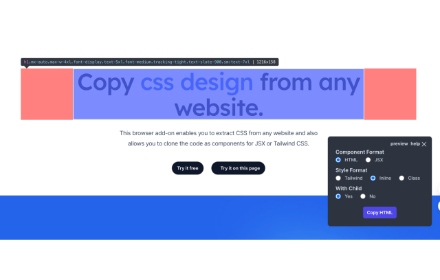
CopyCss - Copy css scan from any website.
Copy css scan from any website.
1.0K
★ 4.0
cssPicker - copy css from website
copy html and css from any website
5.0K
★ 2.8

CSS Copy Tool
Instantly copy CSS from any element. Lightweight alternative to CSS Scan.
13

Component Code Picker
Select, preview, and extract clean HTML/CSS from any web component.
2

YoinkUI
Yoink the UI of any webpage for your own website
1.0K
★ 3.3

HTML/CSS Section Copier
Extracts selected section and provides raw HTML and CSS.
162

Tailwind Class Extractor
Extract Tailwind CSS classes from hovered elements
11
Data sourced from the Chrome Web Store · last verified Jun 3, 2026.