
xlens
Xlens.io offers a streamlined approach to visual bug reporting, empowering teams to communicate and resolve bugs effectively. By…
As of May 2026, xlens has — users in the Productivity category.
Usersno change0%
—
—
Ratingno change0%
—
— reviews
Reviewsno change0%
—
Version
1.0.4
Manifest V3
History
2 snapshotsTracking since Apr 29, 2026.
Not enough history yet for this metric — the chart fills in as we collect more snapshots.
View as table
| Date | Users | Rating | Reviews | Version |
|---|---|---|---|---|
| Apr 29, 2026 | — | — | — | 1.0.4 |
| May 26, 2026 | 4 | — | — | 1.0.4 |
| Now | — | — | — | 1.0.4 |
Permissions & access
- Permissions
- storage
- Host access
- https://*/*, <all_urls>
Screenshots

About
Xlens.io offers a streamlined approach to visual bug reporting, empowering teams to communicate and resolve bugs effectively.
By providing intuitive annotation tools, seamless integrations, and a user-friendly interface, Xlens enhances collaboration and productivity within development teams. Whether you're a QA tester, developer, or project manager, incorporating Xlens into your bug reporting workflow can significantly improve efficiency and accelerate the software development process.
Technical
- Version
- 1.0.4
- Manifest
- V3
- Size
- 1.18MiB
- Min Chrome
- 88
- Languages
- 1
- Featured
- No
Metadata
- ID
- hdneojbalobldjlepokmfbeokjfegkkl
- Developer ID
- uc335d16c68cd4aa31db6b38ce3f23326
- Developer Email
- [email protected]
- Created
- Aug 26, 2024
- Last Updated (Store)
- Nov 15, 2024
- Last Scraped
- May 26, 2026
- Website
- —
- Support URL
- —
- Privacy Policy
- https://www.xlens.io/mobile-privacy
Similar extensions
Alternatives to xlens, ranked by description similarity.

Tapt
A browser extension for capturing and reporting bugs with video and screenshots.
13

ImpactLens – Release Analysis
Automatically generates Impact Analysis Excel documents from cloud readiness pages and release notes.
10

ReportMyBug - Report multi-page bugs in one flow
Report multi-page bugs in one flow. Capture screenshots and recordings across multiple tabs effortlessly
2
★ 5.0

Lens AI: Get Instant Insights from Dashboards
Instant insights from dashboards or data using AI.
46
★ 5.0

BugSmash Web Extension: Fast feedback capture & sharing.
Turn any webpage, design or dashboard into an interactive feedback space with BugSmash. Add comments and share it with anyone.
510
★ 5.0

Sniffer
Chrome extension for capturing screenshots, recording screens, and creating website feedback
41
★ 5.0
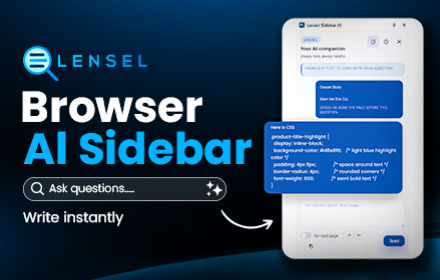
AI Sidebar - Lensel: Ask Any Page Without Leaving It
AI on your sidebar. Highlight text to ask questions instantly with full context, or autofill inputs with smart suggestions.
—
★ 5.0

Snap to Jira
Take screenshots, record videos, add annotations, and send them to Jira
11
Data sourced from the Chrome Web Store · last verified May 26, 2026.