Read Aloud: A Text to Speech Voice Reader
Read aloud the current web-page article with one click, using text to speech (TTS). Supports 40+ languages.
As of June 2026, Read Aloud: A Text to Speech Voice Reader has 4,000,000 users and a 4.14/5 rating from 3,588 reviews in the Accessibility category.
Usersdown 33.3 percent−33.3%
4.0M
4,000,000
Ratingno change0%
4.14
3.6K reviews
Reviewsup 1.0 percent+1.0%
3.6K
Version
2.22.0
Manifest V3
90-day change · In the last 90 days this extension lost 2.0M users.
History
6 snapshotsTracking since Apr 18, 2026.
View as table
| Date | Users | Rating | Reviews | Version |
|---|---|---|---|---|
| Apr 18, 2026 | 6.0M | 4.14 | 3.6K | 2.22.0 |
| Apr 28, 2026 | 6.0M | 4.14 | 3.6K | 2.22.0 |
| May 7, 2026 | 6.0M | 4.14 | 3.6K | 2.22.0 |
| May 14, 2026 | 6.0M | 4.14 | 3.6K | 2.22.0 |
| May 23, 2026 | 6.0M | 4.14 | 3.6K | 2.22.0 |
| Jun 3, 2026 | 5.0M | 4.14 | 3.6K | 2.22.0 |
| Now | 4.0M | 4.14 | 3.6K | 2.22.0 |
Permissions & access
- Permissions
- activeTabcontextMenusidentityoffscreenscriptingstoragettsttsEngine
- Host access
- https://translate.google.com/
Screenshots
About
Read Aloud uses text-to-speech (TTS) technology to convert webpage text to audio.  It works on a variety of websites, including news sites, blogs, fan fiction, publications, textbooks, school and course materials. Read Aloud helps users who prefer to listen to content instead of reading, including children learning to read and those with dyslexia or other learning disabilities.

Read Aloud allows you to select from a variety of text-to-speech voices, including native voices provided by the browser and AI voices from cloud providers such as Google Wavenet, Amazon Polly, IBM Watson, Microsoft Azure, and OpenAI.  Cloud-based voices may require additional in-app purchase or bringing your own API key to enable.

Read Aloud can read PDF, Google Docs, Google Play books, Amazon Kindle, and EPUB (via the excellent EPUBReader extension from epubread.com).

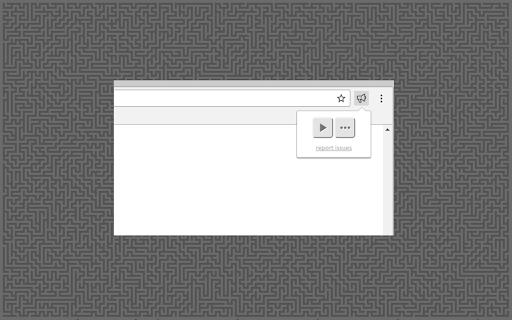
To use Read Aloud, navigate to the web page you want to read, then click the Read Aloud icon on the browser menu.  You can also use the shortcut keys ALT-P, ALT-O, ALT-Comma, and ALT-Period to activate the extension.  If some text is selected, Read Aloud will read only the selected text.  Additionally, you can right click the text selection and start Read Aloud from the context menu.

To change the voice, reading speed, pitch, or enable text highlighting, go to the Options page via the Gear button on the extension popup (you'll need to stop playback to see the Gear button). You can also access the Options page from the context menu by right clicking the extension icon.

On the extension popup, there are buttons to increase/decrease the the size of the popup window, the font size, as well as toggle dark mode.

Read Aloud is an open-source project.  If you wish to contribute bug fixes or translations, please visit the GitHub page at https://github.com/ken107/read-aloud
Technical
- Version
- 2.22.0
- Manifest
- V3
- Size
- 439KiB
- Min Chrome
- 99
- Languages
- 9
- Featured
- Yes
Metadata
- ID
- hdhinadidafjejdhmfkjgnolgimiaplp
- Developer ID
- u0fe7d9a720f8be34741559b8c0564bc2
- Developer Email
- [email protected]
- Created
- Oct 29, 2016
- Last Updated (Store)
- Dec 12, 2025
- Last Scraped
- Jun 3, 2026
- Website
- http://lsdsoftware.com/
- Support URL
- https://readaloud.app/?tab=Support
- Privacy Policy
- https://readaloud.app/privacy.html
Similar extensions
Alternatives to Read Aloud: A Text to Speech Voice Reader, ranked by description similarity.

Read Aloud: Read webpage using text-to-speech
Use text-to-speech to read aloud the entire webpage or a selected part. TTS engine is fully customizable. Support PC voice packages.
3.0K
★ 1.5

✅ Read Aloud – Text-to-Speech & Word Highlighting
Turn selected website text into audio narration with live word highlighting, making it easy to follow and focus.
—
★ 1.0

Read Aloud V2
Read Aloud: The fastest way to convert selected text from any website into spoken words, No limitations!
195
★ 3.5

Read Aloud
Select text and read it aloud using premium voices.
130

Read Aloud Pro
Read aloud web pages with customizable Text to Speech (TTS) voices. Multiple tones in 45+ languages—easy, clear, and flexible.
2.0K
★ 3.5

Text to Speech — Read Aloud Any Page
Read any webpage aloud with natural voices. Lightweight, private, works offline.
21

Auto Select reader
The easiest way to read text on a webpage. Just select any text to have it read aloud, or right-click for more options.
27
★ 4.0

Read Aloud AI
Select any text on a webpage and have it read aloud with AI-generated voices. Free, fast, and works offline.
58
★ 2.6
Data sourced from the Chrome Web Store · last verified Jun 3, 2026.